
Quick Answer
Yes, eSIM works in Pakistan in 2026. Jazz, Zong and Ufone all issue eSIMs, as a new connection or by converting your existing number. You cannot activate a local eSIM fully online. Visit the operator’s service centre with your original CNIC, complete biometric verification, and collect a QR code voucher. Then connect your phone to Wi-Fi, scan the QR code in your phone settings, and the eSIM usually activates within about five minutes.
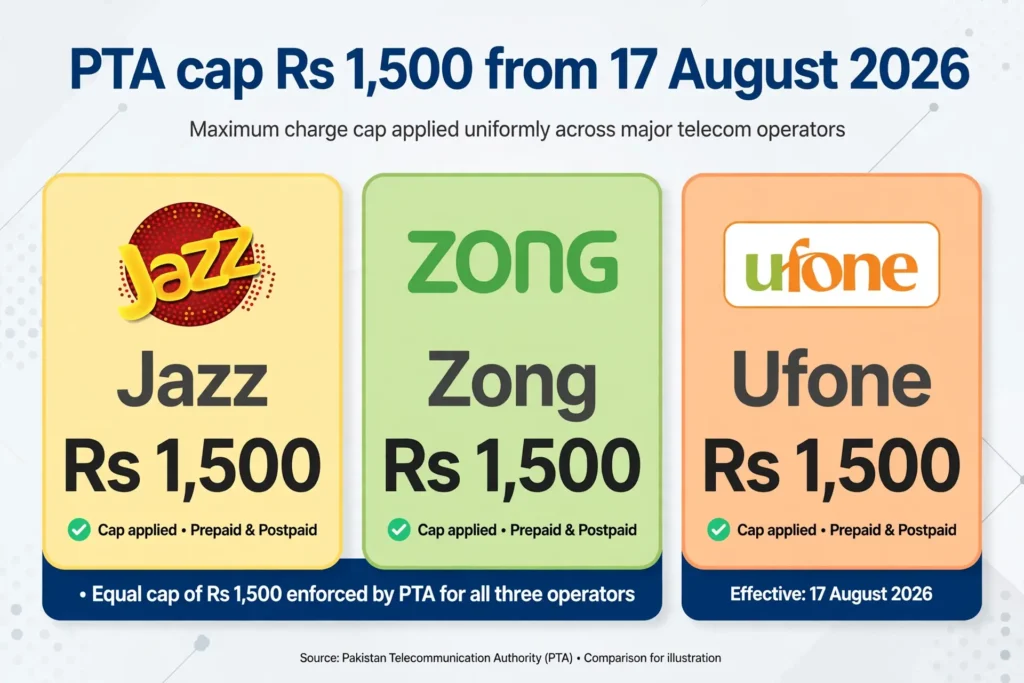
PTA capped the price at Rs 1,500 for a new eSIM or a conversion, effective 17 August 2026. Moving your eSIM to a new phone is free for the first 10 transfers. If you are asking “esim kaise activate kare Pakistan” — centre visit, fingerprint, QR code, scan, done.
What Is eSIM? eSIM Kya Hai?
eSIM means embedded SIM: a chip built into your phone at the factory. Instead of a plastic SIM card, your operator sends your number’s profile to that chip as a QR code, and your phone downloads it.
Your number, calls, SMS and data work exactly the same as on a physical SIM. There is no card to lose and no SIM tray to open. The limit is that an eSIM is tied to the phone it was installed on — to move it, you delete the profile and install a fresh one on the new phone, which in Pakistan usually means a new QR code. PTA’s 2026 rule makes the first 10 transfers free.
An eSIM does not give you a second number for free. Every local eSIM is linked to your CNIC through biometric verification, exactly like a physical SIM.
Is eSIM Available in Pakistan in 2026?
Yes. Jazz, Zong and Ufone (Ufone 5G) all issue local eSIMs, for a new number or a conversion. Telenor needs a separate note: Telenor Pakistan was merged into PTML — the company behind Ufone — on 1 July 2026. If you are a Telenor customer, ask at a Ufone or Telenor service centre and follow the Ufone process below. Your number keeps working; only the company behind it changed.
Do not confuse a local eSIM with a travel eSIM — data-only, bought online, no Pakistani number, no calls or SMS, and no biometric check. This guide is about local operator eSIMs.
Which Phones Support eSIM?
Check your phone before you visit a centre. Not every phone supports eSIM.
| Phone | eSIM support |
| iPhone XS, XS Max, XR and newer | Yes, iOS 12.1 or later |
| Samsung Galaxy S20 and newer S-series, Z Fold, Z Flip | Yes, most models |
| Google Pixel 3 and newer | Yes |
| Other recent Android phones | Some — check your model |
Dial *#06#. If you see an EID number, your phone has an eSIM chip. On iPhone, look under Settings, Cellular, for Add eSIM. On Samsung, look under Settings, Connections, SIM Manager.
Two warnings. The phone must be unlocked. And after activation, send both IMEIs to 8484 and email screenshots to typeapproval@pta.gov.pk, as Jazz and Zong instruct — the second IMEI is the one the eSIM uses, and this stops a DIRBS block.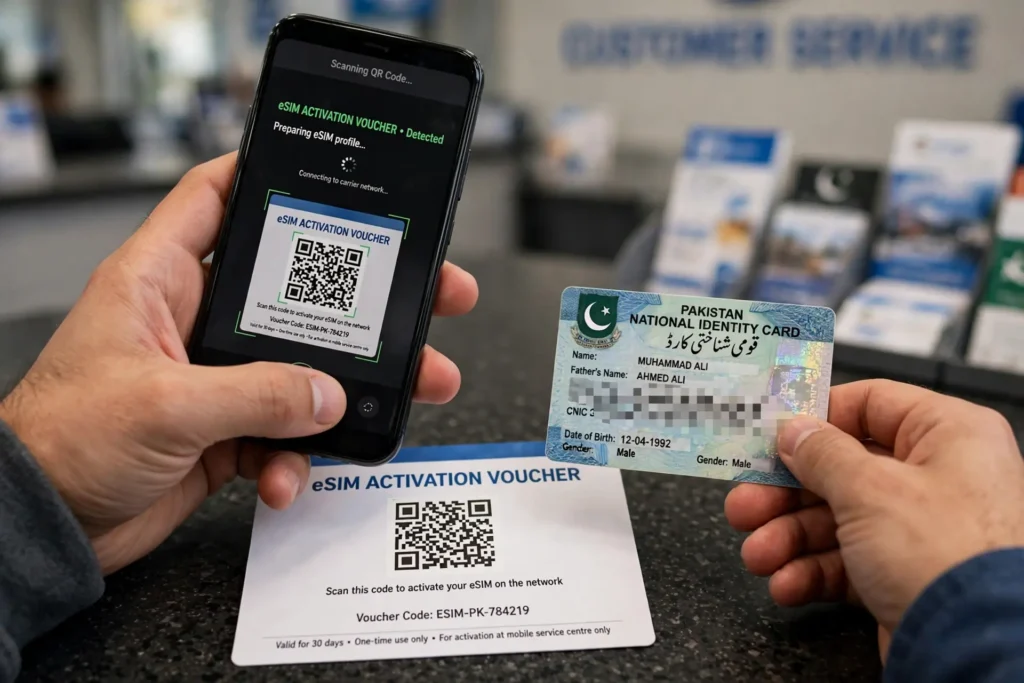
eSIM Price in Pakistan 2026
PTA announced on 7 August 2026 that the maximum price for an eSIM, or a physical-to-eSIM conversion, is Rs 1,500. The cap took effect on 17 August 2026 and applies in Pakistan, Azad Jammu and Kashmir, and Gilgit-Baltistan.
| Operator | eSIM charge (operator’s page, early Nov 2026) | Where you get it |
| Jazz | Rs 1,500, excluding number charges | Jazz Experience Centre, franchise, retailer |
| Zong | Rs 1,500 | Zong Customer Service Centre, franchise |
| Ufone | Rs 1,500 (older FAQ still says Rs 2,000) | Service Centre, franchise, Self Service Booth |
| Telenor | Ask at a Ufone / Telenor centre — now PTML | Ufone or Telenor service centre |
Rs 1,500 is a ceiling, not a fixed price — an operator can charge less. Older pages still show pre-cap prices (Jazz has shown Rs 2,000 / Rs 5,000). If you are quoted more than Rs 1,500 for the eSIM itself, point to the PTA decision of August 2026. Number charges are separate. Confirm at the counter and keep the receipt.
Before You Go
Take your original CNIC (a photocopy is not enough), the phone itself, and a Wi-Fi connection — the profile downloads over the internet. Allow time for queues; activation after scanning takes about five minutes.
Check first how many SIMs are already on your CNIC. One CNIC can hold at most 5 voice SIMs and 3 data SIMs — 8 in total. If you are at the limit, a new eSIM number will be refused. If you find a SIM you do not recognise, read how to block an unauthorised SIM online in Pakistan before you go.
How to Activate Jazz eSIM
Jazz eSIM price in 2026 is Rs 1,500, excluding standard number charges.
- Check your phone supports eSIM — look for Add eSIM in settings, or dial *#06# for an EID.
- Visit a Jazz Experience Centre, franchise or eligible retailer with your original CNIC.
- Complete biometric verification — your fingerprint is checked against NADRA. This cannot be skipped.
- Collect the QR code voucher. Do not share it — it is your number.
- Connect to Wi-Fi and scan the code. iPhone: Settings, Cellular, Add Cellular Plan. Android: SIM Manager, Add eSIM.
- Wait about five minutes. Jazz says the eSIM activates within about five minutes. Then test a call and mobile data.
Once active, the physical SIM for the same number stops working. A factory reset removes the eSIM. After activation, send both IMEIs to 8484. To verify the number, check SIM owner details by number through the official PTA methods.
How to Activate Zong eSIM
- Check your phone supports eSIM, as above.
- Visit a Zong Customer Service Centre or franchise with your original CNIC. Small mobile shops generally cannot process eSIM registration — use an official centre.
- Complete biometric verification (BVS) — the same fingerprint check as for a physical SIM.
- Choose a new number or a conversion. Zong offers eSIM both ways, and the charge is Rs 1,500 in both cases.
- Collect the QR code voucher and scan it on Wi-Fi in your phone’s mobile network settings.
- Test a call, an SMS and mobile data before you leave.
Zong lists iPhone XR/XS and iPhone 11 onwards as compatible. For Android, its handset list is not always up to date — check your own phone with *#06#. Like Jazz, Zong asks you to send both IMEIs to 8484.
How to Activate Ufone eSIM
Ufone eSIM (Ufone 5G) is available at Service Centres, franchises and Self Service Booths, some open 24/7.
- Check your phone supports eSIM and is unlocked.
- Visit a Ufone Service Centre, franchise or Self Service Booth with your original CNIC.
- Complete biometric verification (BVS).
- Pay Rs 1,500 — Ufone’s price section says Rs 1,500 for a new customer and for a physical-to-eSIM switch. Its FAQ still says Rs 2,000; the PTA cap has applied since 17 August 2026, so confirm at the counter.
- Collect the QR code and scan it on Wi-Fi. iPhone: Settings, Cellular, Add eSIM. Samsung: Settings, Connections, SIM Manager, Add eSIM, Scan QR Code.
- Enter the PIN if asked — Ufone’s page gives the default as 0000. Change it after activation.
Ufone is also the route for former Telenor customers after the PTML merger, so if a Telenor centre directs you to Ufone, that is expected.
Telenor eSIM: What Changed in 2026
Telenor Pakistan was amalgamated into PTML (Ufone) from 1 July 2026, with continuity promised for both customer bases. Telenor’s own website could not be opened for verification in November 2026.
In practice: your Telenor number keeps working — you do not lose it because of the merger. For a Telenor eSIM, ask at a Ufone or Telenor service centre and follow the Ufone process above. Do not rely on old Telenor eSIM pages. If you are unsure which network a number belongs to now, use the MNP status check guide, or send MNP to 667 from the SIM itself.
How to Convert a Physical SIM to eSIM
Converting is the most common reason people get an eSIM. You keep the same number — only the SIM changes from plastic to digital. Go to the operator’s centre with your original CNIC and the phone, say you want to convert your existing number (not a new number), complete biometric verification, and pay at most Rs 1,500. Collect the QR code voucher, scan it on Wi-Fi, and test a call, SMS and data. Once the eSIM is active, the physical SIM stops working.
Do not throw the physical SIM away until the eSIM works, and keep the QR voucher safe — a factory reset means a new QR code. Before converting, confirm the number is in your own name: see how to check your SIM registration date.
How to Transfer eSIM to a New Phone
Delete the eSIM profile from the old phone, visit the operator’s centre with your CNIC and the new phone, complete biometric verification again, and scan a new QR code on the new phone over Wi-Fi. Under PTA’s August 2026 decision, the first 10 transfers to a new handset are free; after 10, the operator may charge.
If you have lost your phone, that is a SIM replacement, not a transfer — read lost or stolen SIM replacement in Pakistan first, and block the old SIM before you get a new one.
eSIM for Foreigners and Visitors
A local operator eSIM (Jazz, Zong, Ufone) gives you a real Pakistani number with calls, SMS and data. You must visit a centre in person with your passport, complete biometric verification, and register the phone with PTA. You cannot activate it from abroad before you land. Full guide: how to get a Pakistan SIM card as a foreigner.
A travel eSIM (Airalo, Holafly, Nomad) is data only, bought online before you fly — no local number, no calls, no biometric check. Good for maps and WhatsApp, not for a local number. Overseas Pakistanis should check the PTA SIM rules 2026 guide.
Troubleshooting: eSIM Not Working?
| Problem | What to try first |
| QR code will not scan | Clean the lens, brighten the screen, or use the manual code printed under the QR code. |
| Profile will not download | Connect to stable Wi-Fi — the download needs internet. |
| No service after activation | Wait 5–10 minutes, restart the phone, check the eSIM line is on, then send both IMEIs to 8484. |
| No data, but calls work | Check the APN. On Jazz it is internet.jazz.net. |
| “This eSIM is not supported” | Phone may be locked, or the model may not support eSIM. Check *#06# for an EID. |
| 667 or 668 not working | Those codes are for SIM checks, not eSIM. See 667 and 668 not working. |
| Charged more than Rs 1,500 | Ask for an itemised receipt. The PTA cap applies to the eSIM itself; number charges are separate. |
If none of these fix it, go back to the centre with the phone and the QR voucher. Do not buy a second eSIM for the same number — that will not fix a registration problem.
eSIM vs Physical SIM: Which Is Better?
| eSIM | Physical SIM | |
| What you get | Same number, calls, SMS, data | Same number, calls, SMS, data |
| Price in 2026 | At most Rs 1,500 (PTA cap) | Usually Rs 200–500 for a new SIM |
| Moving to a new phone | New QR code; first 10 transfers free | Move the card yourself in seconds |
| If phone is lost | Need a replacement QR code | Need a replacement SIM |
| Dual SIM | eSIM plus one physical SIM on most phones | Two physical SIMs, if the phone has two slots |
If your phone supports eSIM and you want a free SIM slot, eSIM is worth it. If you change phones often, a physical SIM is easier. Neither is better in coverage or speed. Stay safe: never share your eSIM QR code, and never buy an eSIM from a random shop or website — local eSIMs are only issued at official centres after biometric verification. Never trust a site that promises to reveal the owner of any number — see our Pakistan SIM database official guide.
FAQs — eSIM in Pakistan 2026
1. eSIM kaise activate kare Pakistan mein?
Visit your operator’s service centre with your original CNIC, complete biometric verification, collect the QR code voucher, then scan it on Wi-Fi in your phone settings. Activation usually takes about five minutes.
2. Jazz eSIM price kya hai 2026 mein?
Jazz lists Rs 1,500, excluding standard number charges. PTA capped the eSIM fee at Rs 1,500 from 17 August 2026, so you should not be charged more than that for the eSIM itself.
3. Zong eSIM activation code kya hai?
There is no SMS code for a local Zong eSIM. You get a QR code voucher at a Zong Customer Service Centre after biometric verification, and scan it in your phone settings. The charge is Rs 1,500.
4. Ufone eSIM kaise lagaye?
Go to a Ufone Service Centre, franchise or Self Service Booth with your CNIC, complete biometric verification, pay Rs 1,500, collect the QR code, and scan it on Wi-Fi. The default PIN, if asked, is 0000.
5. Telenor eSIM kaise activate kare?
Telenor Pakistan merged into PTML (Ufone) on 1 July 2026. Ask at a Ufone or Telenor service centre and follow the Ufone process. Do not rely on old Telenor eSIM pages.
6. Kya eSIM free mein milti hai?
No — not as a local operator eSIM. The PTA cap is Rs 1,500, and an operator can charge less, but there is no official free local eSIM. Travel eSIMs sold online are a different, data-only product.
7. eSIM ko naye phone mein kaise transfer karein?
Delete the profile from the old phone, visit the operator’s centre with your CNIC and the new phone, get a new QR code after biometric verification, and scan it on the new phone. The first 10 transfers are free.
8. Kya eSIM se number ya network change hota hai?
No. Your number and network stay the same. Only the SIM changes — from a plastic card to a digital profile on your phone. Your packages, balance and validity stay as they were.
Pingback: Buy a New SIM Card in Pakistan 2026: Price, Documents & Activation
Pingback: Future of eSIM in Pakistan: Virtual SIM Guide (2026)
Pingback: eSIM Owner Details in Pakistan 2026 | SIM Verification Guide