
eSIM Owner Details in Pakistan 2026
eSIM Owner Details in Pakistan: The eSIM technology is being adopted in Pakistan as more smartphones and network providers embrace digital SIM cards. An eSIM is mainly a digital card that is integrated within compatible devices and activated without using a physical plastic SIM.
If you are looking for eSIM owner details in Pakistan, first of all, understand that with eSIM, no public database stores information about other people’s mobile numbers and personal data. A phone number and subscriber’s identification data remain encrypted on a specific operator’s network.
Read Also: The Future of eSIM in Pakistan: Virtual SIM Registration, Activation & PTA Guide
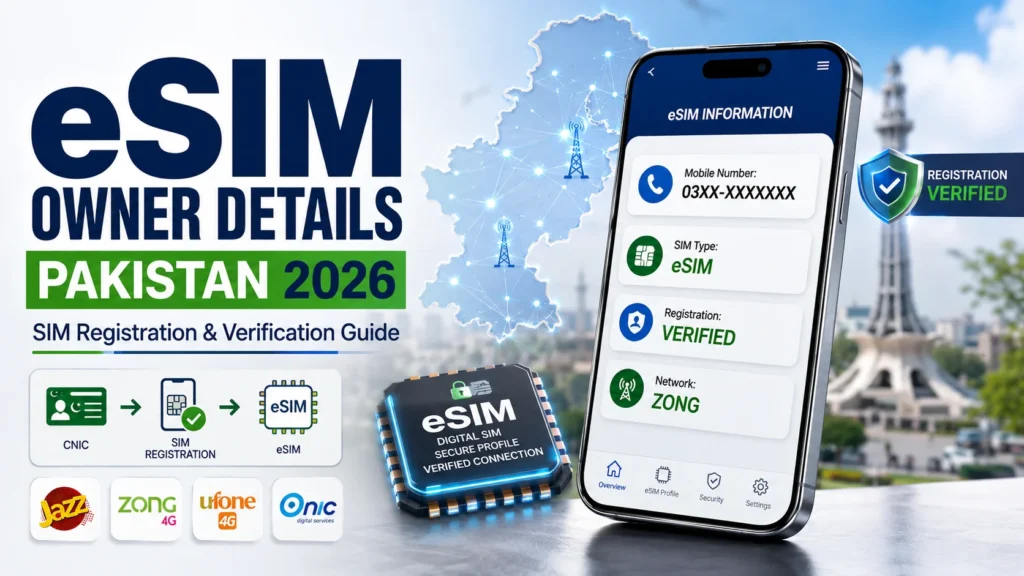
Quick Answer: eSIM owner information is only available on a specific operator’s portal where you can check your phone connections and CNIC against your eSIM registration.
The following article explains how to register an eSIM, check eSIM ownership, and what operators, smartphones, activation process, conversion options, benefits, limitations, and problems you may encounter when using an eSIM in Pakistan.
Check: Sim Owner Details Pakistan
What Is an eSIM?
An eSIM (Embedded Subscriber Identity Module) is a SIM card embedded in compatible devices such as a smartphone.
In contrast to a physical SIM card that must be inserted into a mobile device an eSIM uses a digital subscriber identity provided by the mobile network.
Depending on the operator and device, activation may use:
- An activation QR code
- An activation code
- Operator instructions
- A supported digital activation process
Once activated an eSIM can provide normal mobile services such as calls and SMS and mobile data.
How Does an eSIM Work?
The eSIM technology is already built into the device. The operator then sends the required digital network profile to be downloaded and activated on the phone.
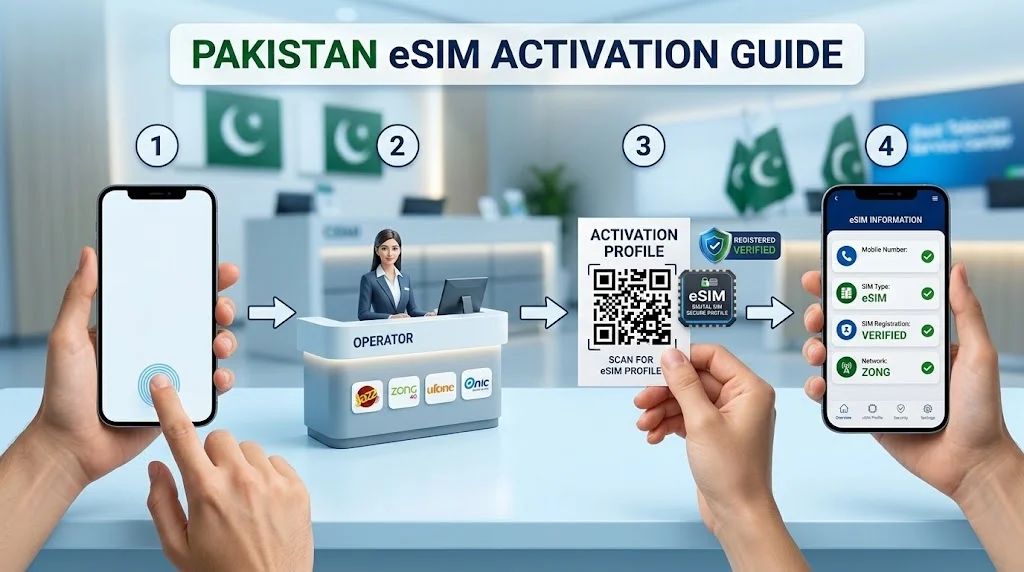
The activation process typically looks like this:
- Make sure your device is eSIM capable.
- Check availability with your operator.
- Request a new eSIM or SIM-to-eSIM transfer.
- Complete any necessary identification steps.
- Install the activation information.
- Go to your device’s SIM or Cellular settings.
- Choose Add eSIM or another appropriate option.
- Scan the QR code or enter the information.
- Install the mobile profile.
Activate the eSIM and enjoy the services provided. Each step may have minor variations depending on the operator, device, country, and software.
What Are eSIM Owner Details?
eSIM owner details means the subscriber information associated with a mobile number operating through an eSIM.
Using an eSIM does not make a mobile number anonymous. The number remains associated with the customer’s account and required registration information held by the telecom operator.
Private information such as the following is not publicly available through the eSIM itself:
- Subscriber name
- CNIC number
- Home address
- Personal records
- Other registered numbers
- Private account information
Only authorized verification procedures should be used when checking registration information.
How to Check Your Own eSIM Registration in Pakistan
If you want to check mobile connections registered against your own CNIC, use an authorized SIM-registration verification method.
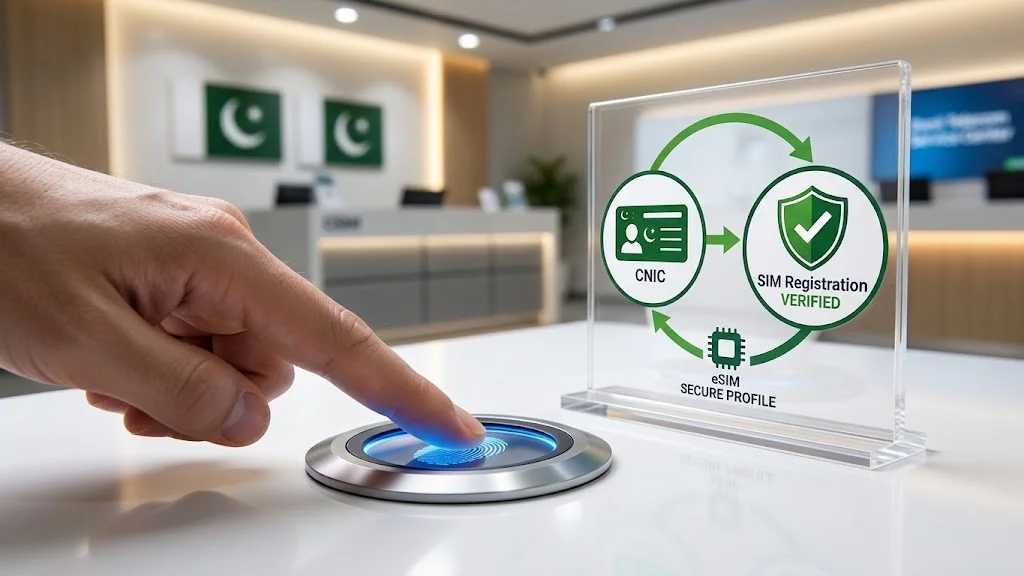
One commonly used method is the 668 SMS service. Follow the latest instructions provided through authorized telecom or regulatory channels because procedures can change.
The general process involves:
- Open your SMS application.
- Enter your 13-digit CNIC number without dashes.
- Send the information through the designated SIM-information service.
- Wait for the registration response.
For more information, users can also refer to your website’s SIM Information System or CNIC SIM Verification resources.
Can You Check Another Person’s eSIM Owner Name?
No legitimate public eSIM feature provides unrestricted access to another person’s private subscriber information.
A website claiming that you can enter any mobile number and obtain someone’s complete name, CNIC, address, or private registration records should not automatically be treated as an authorized source.
For legitimate ownership verification, use the relevant telecom operator or authorized verification procedure.
eSIM Registration and Ownership in Pakistan
eSIM technology does not remove normal subscriber-registration requirements.
The main difference is the form of the SIM, not the ownership process.
Physical SIM
The subscriber profile is stored on a removable SIM card.
eSIM
The subscriber profile is installed electronically on an embedded SIM component.
Ownership
The mobile number will remain tied to your account with the operator (the carrier).
Thus, switching from a physical SIM card to an eSIM will neither de-anonymize the number nor change the owner.
Which Networks have eSIM in Pakistan?
There are several telecom operators in Pakistan that offer eSIM services to their eligible users and compatible devices. However, the availability of eSIM may vary depending on the operator, device model, region, account type, or other factors.
Jazz eSIM
Jazz provides eSIM services for eligible customers with compatible devices. Existing customers may be able to convert an eligible physical SIM to eSIM after completing the required verification and activation process.
Zong eSIM
Zong supports eSIM connectivity for compatible devices and eligible customers. Customers can follow the operator’s current service procedure to request and activate an eSIM.
Ufone eSIM
Ufone offers eSIM solutions for compatible smartphones. In case of transferring a number from a physical SIM card to an eSIM, you may be asked to complete identity verification steps during the activation process of your eSIM.
Telenor and Ufone
Telenor Pakistan’s operations have been rolled into PTML, which owns and operates the Ufone brand. As such, please note that telecom operators and their services may change and that you should verify the latest information on operators before requesting an eSIM.
ONIC eSIM
ONIC uses a digital-first approach and offers eSIM-based mobile connectivity for compatible devices. It can be a convenient option for users who prefer digital activation.
What Is Required for eSIM Activation?
Before requesting an eSIM, check these requirements:
- Your phone supports eSIM.
- The exact device variant is compatible.
- Your operator supports eSIM for that device.
- Required customer identification is available.
- Identity verification can be completed.
- Internet access is available during installation.
- You have valid activation information from the operator.
Never share your eSIM activation QR code or activation details with unknown people.
Which Phones Take eSIM?
There are several smartphone models that support the eSIM technology. However it is important to note that the feature may not be available for every single phone.
iPhone
The eSIM function is available for all the following iPhone models:
- iPhone XS and XS Max and XR
- iPhone 11 series
- iPhone 12 series
- iPhone 13 series
- iPhone 14 series
- iPhone 15 series
- iPhone 16 series
- Samsung Galaxy
- The eSIM feature is available for most Samsung Galaxy cell phones.
- Google Pixel
The eSIM function is available for Google Pixel 4 XL 5G and Pixel 5 5G cell phones.
Samsung Galaxy
The following samsung galaxy smartphones are compatible with eSIM:
- Galaxy S20 series
- Galaxy S21 series
- Galaxy S22 series
- Galaxy S23 series
- Galaxy S24 series
- Galaxy S25 series
- Galaxy Z Fold series
- Galaxy Z Flip series
It should also be noted that not all samsung galaxy versions are supported in all regions.
Google Pixel
The majority of google pixel versions can enable eSIM. However it depends on the specific version and region and operator. For accurate information make sure to double-check your phone before applying for activation.
How to Check eSIM Support on Android
Android menus vary by manufacturer. Generally:
- Open Settings.
- Go to Connections, Network & Internet, or Mobile Network.
- Open SIM Manager or a similar option.
- Look for Add eSIM, Add Mobile Plan, or Download SIM.
If the option appears, your device may support eSIM. Operator compatibility should also be confirmed.
How to Check eSIM Support on iPhone
On an iPhone:
- Open Settings.
- Tap Cellular or Mobile Data.
- Look for Add eSIM.
- Follow the setup instructions if your device and plan are eligible.
If the option is missing check the exact model and regional configuration.
Benefits of eSIM in Pakistan
No Physical SIM Card
You do not need to insert or carry a removable SIM card.
Digital Activation
The network profile can be installed electronically on a supported device.
Dual-SIM Convenience
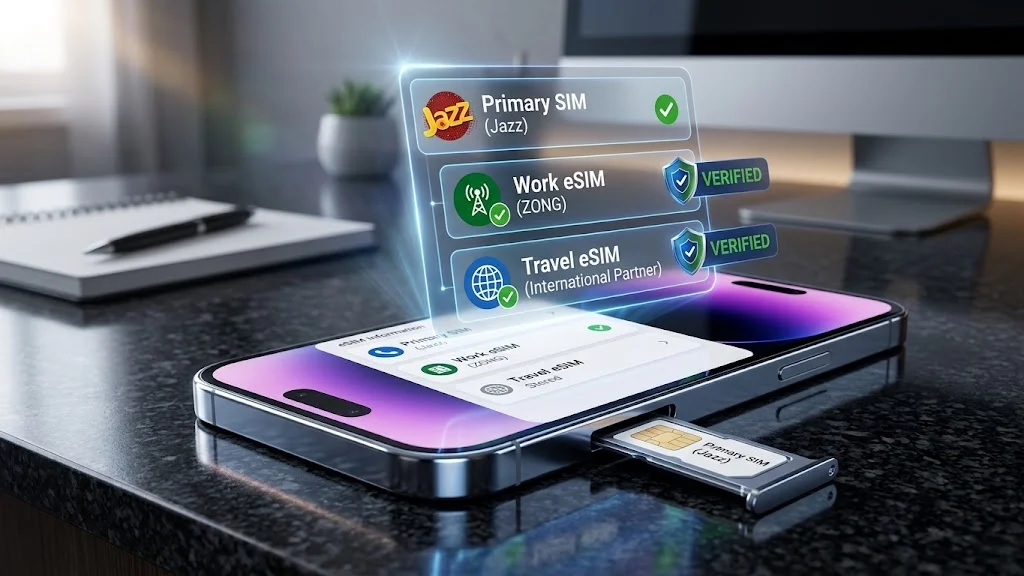
Many newer smartphones allow an eSIM to be used alongside another SIM depending on the device.
Less Risk of Physical Loss
An eSIM cannot fall out of the phone like a physical SIM.
Useful for Travelers
Compatible phones can often add another supported mobile plan without removing the primary SIM.
Easy Profile Management
Supported devices allow users to manage mobile plans directly through their settings.
Disadvantages of eSIM
eSIM also has some limitations:
- Not every phone supports it.
- Regional variants can have different capabilities.
- Moving a number to another phone may require additional activation.
- Operator charges may apply for certain services.
- Activation requires correct digital setup.
eSIM vs Physical SIM
| Feature | eSIM | Physical SIM |
| Removable card | No | Yes |
| Digital activation | Yes | No |
| Physical SIM tray | Not required | Usually required |
| Physical loss risk | Very low | Possible |
| Installation | Digital | Physical insertion |
| Compatibility | Requires supported hardware | More widely supported |
| Moving between phones | May require transfer/reactivation | Usually easier |
| Multiple SIM use | Supported on many newer phones | Depends on device |
Is eSIM Safe to Use?
eSIM can provide a secure way to store a mobile subscriber profile on a compatible device. It also removes the possibility of someone simply taking out the physical SIM.
However, users should still protect their device and mobile account.
For better security:
- Use a strong phone passcode.
- Keep your phone software updated.
- Protect your operator account.
- Never share OTP codes.
- Keep eSIM QR codes private.
- Avoid suspicious SIM-registration websites.
- Contact your operator about unexpected account activity.
Can You Convert a Physical SIM to an eSIM?
Eligible customers may be able to convert an existing physical SIM into an eSIM.
The operator normally verifies the customer before issuing the digital profile.
The general process is:
- Request SIM-to-eSIM conversion.
- Complete identity verification.
- Receive activation information.
- Open eSIM settings.
- Install the digital profile.
- Activate the mobile line.
- Test calls, SMS, and mobile data.
The exact process depends on the operator.
What Happens to the Old SIM After Conversion?
After a successful conversion, the old physical SIM may stop working.
Before disposing of it, confirm that the eSIM is fully active by testing:
- Incoming calls
- Outgoing calls
- SMS
- Mobile data
- Network signal
If the number does not work, contact your operator.
Can an eSIM Be Transferred to Another Phone?
An eSIM is not always transferable in the same way as a physical SIM.
Depending on the device and operator, transferring a number may require:
- A supported phone-transfer feature
- Customer verification
- A new activation QR code
- A replacement eSIM profile
Always follow the operator’s current procedure.
Can You Store Multiple eSIM Profiles?
Some smartphones can store multiple eSIM profiles.
However, stored profiles and active connections are not the same thing. A phone may store several profiles but support only a limited number of active mobile lines at one time.
The exact limit depends on the device.
eSIM for International Travel
eSIM can be useful when traveling internationally.
A compatible phone may allow you to keep your regular number while adding another supported mobile plan.
Depending on the device and plan, you may be able to:
- Keep your main number available.
- Add another mobile profile.
- Use a separate data connection.
- Avoid replacing a physical SIM.
- Switch between supported mobile lines.
International eSIM use depends on the destination network, plan, device compatibility, roaming arrangements, and local requirements.
Common eSIM Problems and Solutions
eSIM Option Is Missing
Your phone may not support eSIM, or the regional variant may have different capabilities.
QR Code Does Not Work
Check your internet connection and verify that the activation code is valid. If it has expired or already been used, contact the operator.
eSIM Is Installed but There Is No Signal
Make sure the eSIM line is enabled and the correct network settings are selected. Restarting the phone may also help.
Mobile Data Is Not Working
Check which SIM is selected for mobile data and review the relevant network settings.
eSIM Disappeared After a Reset
Some reset procedures can remove an eSIM profile. You may need a new activation profile from the operator.
eSIM Will Not Transfer to a New Phone
Some operators require a fresh activation when moving a number to another device. Contact the operator if the normal transfer process fails.
Who Should Use an eSIM?
eSIM can be useful for:
- Users with newer compatible smartphones
- Dual-SIM users
- Business users
- Frequent travelers
- People who prefer digital activation
- Customers managing multiple mobile connections
A physical SIM may remain more convenient for users who frequently move their number between phones.
eSIM Owner Details vs SIM Registration
These terms are related but different.
eSIM is the technology used to store a mobile subscriber profile.
SIM registration is the process of associating a mobile connection with a verified customer.
Ownership information refers to subscriber details maintained by the mobile operator.
Using an eSIM does not make a number anonymous and does not create a public system for searching private subscriber records.
Frequently Asked Questions
What are eSIM owner details in Pakistan?
eSIM owner details generally means the subscriber information associated with a mobile number using eSIM technology. This information is maintained by the operator and is not publicly searchable.
Can I check SIMs registered against my CNIC?
Yes. You can use authorized SIM-registration verification methods to check connections associated with your own CNIC.
Can I find another person’s eSIM owner name?
No legitimate public service should provide unrestricted access to another person’s private subscriber information. Use authorized channels for legitimate verification.
Is eSIM available in Pakistan in 2026?
Yes. Major Pakistani mobile operators offer eSIM services for eligible customers and compatible devices. Availability should be confirmed with the relevant operator.
Can I convert my existing SIM to eSIM?
Eligible customers may be able to convert a physical SIM to eSIM after completing the operator’s verification and activation process.
Is eSIM free in Pakistan?
Not necessarily. Charges depend on the operator and the requested service, such as activation, conversion, or replacement.
Does every phone support eSIM?
No, eSIM is a technology that requires specific hardware and software to be present on the device, also there are variations specific to a region.
Is it possible to use both eSIM and physical SIM?
It depends on the phone, some modern smartphones support both technologies.
Is it possible to store more than one eSIM on a phone?
It depends on the phone, some smartphones allow the storage of multiple eSIM profiles. The number of simultaneously active phone lines also depends on the device.
Is eSIM safer than a physical SIM?
eSIM reduces the risk of physically losing or removing a SIM, but users must still protect their phone, account credentials, OTPs, and activation information.
Can I use eSIM when traveling abroad?
Yes, compatible smartphones can use supported travel eSIM plans where the destination network and plan allow it.
Conclusion
eSIM is gaining significant traction in Pakistan as operators and smartphone manufacturers embrace digital SIM technology.
The technology offers a range of benefits including activation via digital means, no need for a physical SIM, flexibility in terms of dual-SIM configurations, and mobile-plan management convenience. However, users must consider several factors including device compatibility, regional restrictions, operator support, verification requirements, and applicable charges before making the switch.
It is also important to note that the eSIM does not offer a publicly accessible database of private SIM owner information. In case a user wishes to verify the mobile connections registered against their own CNIC, it is best to rely on authorized SIM-registration resources rather than third-party websites which claim to offer access to private subscriber information.
Before initiating the activation process, users are advised to verify the following:
- Smartphone model
- Regional restrictions and operator support
- Identity verification requirements
- Activation procedure and applicable charges
Once these details have been verified, switching from a physical SIM to an eSIM can be a convenient option for managing mobile connectivity in Pakistan.