
Quick Answer
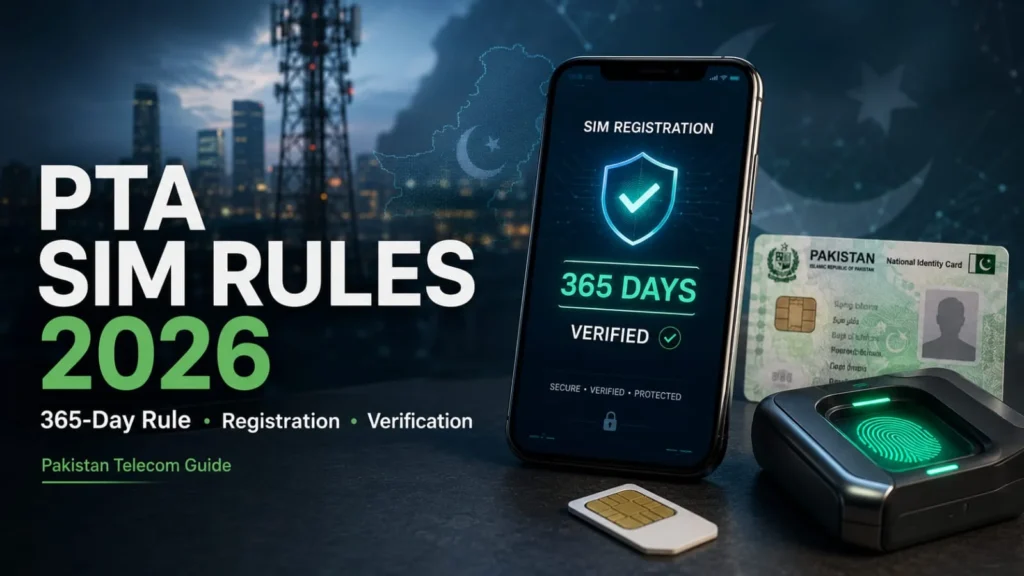
The biggest PTA SIM rule change in 2026 is the 365-day disowning period: a newly activated SIM cannot be disowned for one full year after activation, up from 60 days before. The SIM limit per CNIC stays at 5 voice SIMs + 3 data SIMs = 8 total. Every new SIM still needs biometric verification, pre-verified SIMs are illegal, and PTA introduced a revised eSIM framework in August 2026. To check your own SIMs, send your 13-digit CNIC without dashes to 668 (Rs. 2 plus tax) or check free at cnic.sims.pk.
In Roman Urdu: 2026 mein PTA ka sab se bara badlaav ye hai ke nayi SIM ko 365 din tak disown nahi kiya ja sakta — pehle ye muddat 60 din thi. Har CNIC par zyada se zyada 5 voice aur 3 data SIMs, kul 8, rakh sakte hain.
Why PTA SIM Rules Matter More in 2026
Most people only think about SIM rules when something goes wrong — a number stops working, a new SIM is refused, or an unknown number appears on their CNIC. By then, the rule that matters has usually already applied to them.
PTA’s SIM rules are not just paperwork for mobile companies. They decide whose name a number is registered under, how long that name stays attached to the number, and what happens when a SIM is lost, stolen, sold or misused. In 2026, one change in particular made those rules harder to ignore: the disowning period jumped from 60 days to 365 days. A decision you make in five minutes at a franchise can now stay linked to your CNIC for a full year.
This guide explains the 2026 rules in plain language, separates confirmed changes from social-media rumours, and shows you exactly what to check and what to do. It is a rulebook overview — not a blocking guide. If you have already found an unknown SIM on your CNIC, read our guide on Block Unauthorized SIM Online in Pakistan instead.
What Actually Changed in 2026? The Short List
| Change / rule | What it means for you |
| 365-day disowning period | A newly activated SIM cannot be disowned for 365 days, up from 60 days |
| SIM limit per CNIC | 5 voice + 3 data = 8 total (unchanged, but enforced more strictly) |
| Biometric verification | Still mandatory for every new SIM — no fingerprint, no SIM |
| Pre-verified SIMs | Illegal to sell or provide a SIM without proper verification |
| eSIM framework | Revised eSIM pricing and transfer framework from August 2026 |
| 668 / cnic.sims.pk checks | PTA recommends checking your SIMs regularly |
| Expired CNIC | Keep your CNIC current, or verification can fail |
Notice what is not on the list: PTA did not cancel old SIMs, did not change the total limit to a new number, and did not introduce a fee for checking your own SIMs. If you read any of those claims online, treat them as rumours until PTA itself announces them.
The 365-Day Rule Explained — The Change That Matters Most
Before 2026, a newly activated SIM could be disowned after 60 days. That meant if a SIM was registered on your CNIC by mistake — or because someone asked you to register it for them — you could get it removed after two months.
Now the waiting period is 365 days. A SIM activated today stays on your CNIC for a full year before it can be disowned through the normal process.
Why did PTA extend it?
PTA’s stated objective is to reduce illegal SIM issuance and unauthorized registrations. A short disowning window made it easy to register a SIM, use it briefly, and then cut the link to the owner. A one-year window makes that pattern much harder, and it keeps the subscriber connected to the number for longer.
What should you do differently?
Think before you say yes. The most dangerous sentence in this whole topic is: “Bhai, apne CNIC par ek SIM nikaal do, main use kar loon ga.” If you register a SIM for a friend, a relative, an employee or a customer, that number is legally yours for at least a year — even if you never touch the phone. If that person uses the number for fraud, the record points to you first.
The safe answer is simple: do not register a SIM on your CNIC for anyone else, no matter who asks. If they need a number, they should register it on their own CNIC with their own fingerprint.
Does the 365-day rule stop you blocking a lost SIM?
No — and this confusion causes a lot of unnecessary panic. Blocking and disowning are two different things:
| Action | Meaning | Affected by the 365-day rule? |
| Block | Stop the connection from being used | No — block a lost or stolen SIM immediately |
| Disown | Remove the connection from your ownership | Yes — 365 days for a newly activated SIM |
| Ownership transfer | Change the registered owner to someone else | Follows its own process and verification |
| Duplicate SIM | Replace the SIM card for the same number | No — this is a replacement, not a disown |
| MNP | Move your number to another network, keep the number | Follows the porting process |
If your phone is stolen today, call your operator today and block the number. The 365-day rule does not delay that. For the full emergency steps, see Lost or Stolen SIM Replacement in Pakistan.
How Many SIMs Can You Have on One CNIC?
The limit that PTA applies is:
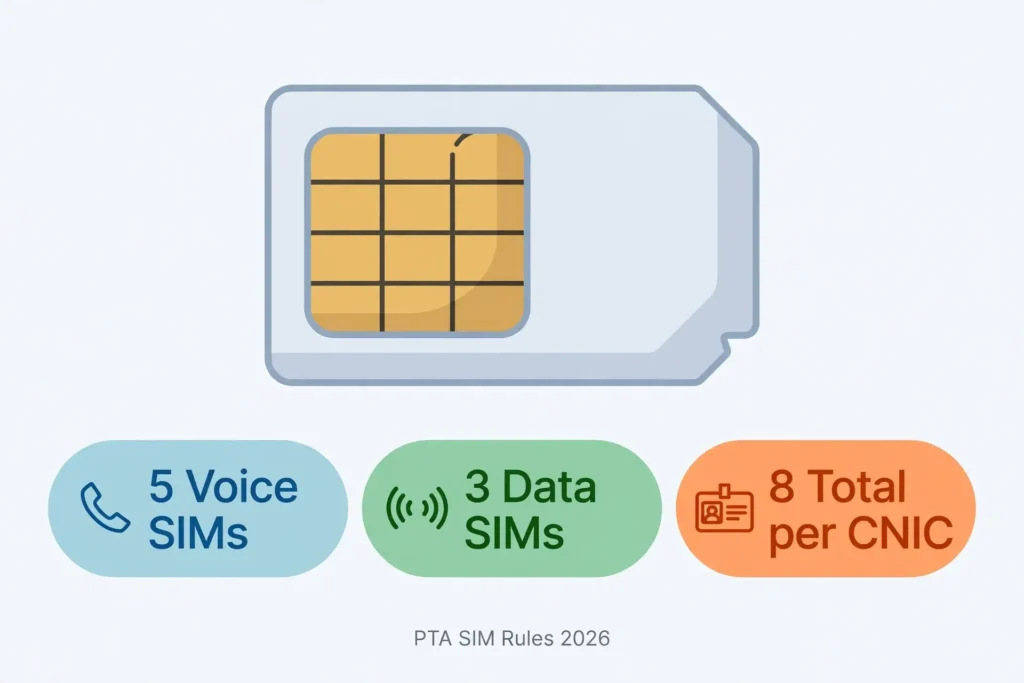
| SIM type | Maximum per CNIC |
| Voice SIMs | 5 |
| Data SIMs | 3 |
| Total | 8 |
A common misunderstanding is that this means eight ordinary voice numbers. It does not. The split matters: five of your eight can be voice SIMs, and three are data-only SIMs. If you already have five voice numbers, you cannot add a sixth voice SIM even if your total is below eight.
Before you buy a new SIM, check your current count. Many people forget old numbers — a number from a previous job, a data SIM in an old device, a number bought for a child. Those forgotten SIMs still count toward your limit, and they can also be the reason a new SIM application is refused.
Check in two minutes: send your CNIC to 668, or open cnic.sims.pk. For a detailed walkthrough, see How Many SIMs on My CNIC Check Online.
Biometric Verification — Why Your Fingerprint Is the Whole System
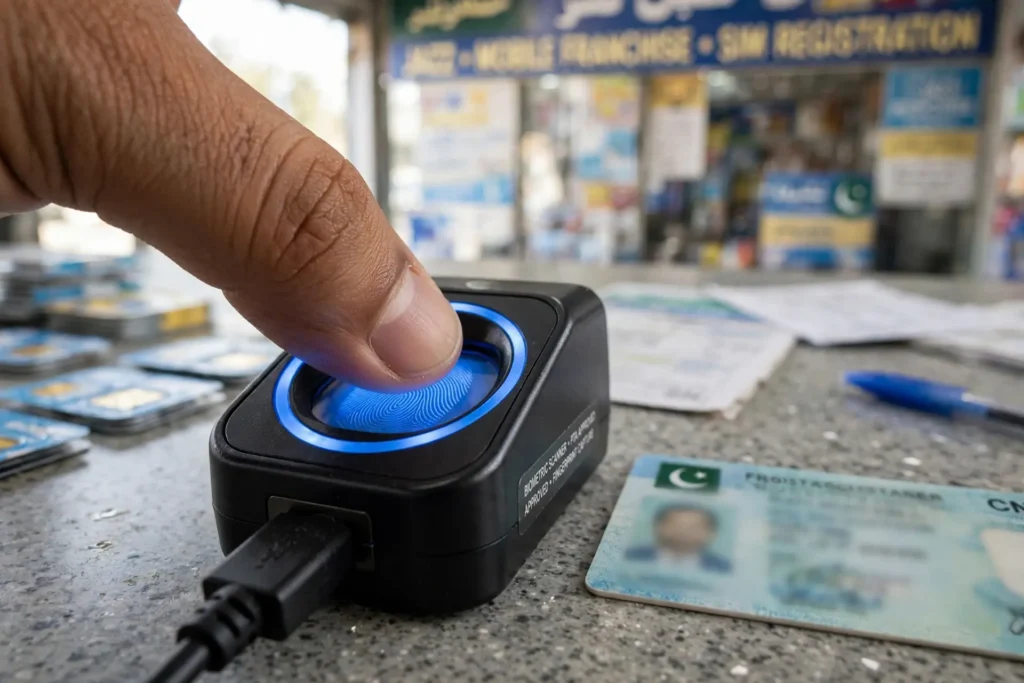
Every legal SIM in Pakistan is issued after biometric verification. The shop scans your fingerprint, matches it with NADRA’s record, and only then activates the SIM on your CNIC.
That system exists because a CNIC number alone proves nothing. Anyone can read a CNIC number off a photocopy. A fingerprint proves the person standing at the counter is the person named on the CNIC.
PTA’s consumer guidance warns specifically about biometric misuse. Be careful when:
- Someone asks for your fingerprint “for a package” or “for verification” without explaining what SIM is being registered.
- A shop offers a SIM “without fingerprint” or “already verified”.
- Someone wants to use your CNIC and your fingerprint for a SIM they will use themselves.
- A seller asks for several fingerprints at once, or for fingerprints of family members who are not present.
Your fingerprint cannot be changed like a password. Once it has been used to register a SIM, that registration stays on your record. So the rule is: give your fingerprint only at an authorized franchise, only for a SIM you want in your own name, and only after you understand exactly what is being registered.
Can You Buy a Pre-Verified SIM?
No — and you should not try. A pre-verified SIM is a SIM that is already registered, usually on someone else’s CNIC, and sold to you as “ready to use”.
It looks convenient. It is actually a trap:
- The registered owner is someone else, not you. If the SIM is lost, you cannot get a replacement — only the registered owner can.
- If the registered owner reports the SIM, it can be blocked while you are using it.
- If the number is used for fraud, the owner on record is the other person — and you have no proof the SIM was yours.
- Selling or providing a SIM without proper verification of the subscriber is illegal under PTA’s guidance.
PTA advises consumers to buy SIMs only through cellular franchises and authorized service centres. A SIM bought from a roadside stall, a WhatsApp seller or a “SIM dealer” on Facebook is not a bargain — it is an ownership problem waiting to happen.
How to Check SIMs Registered on Your CNIC (2026 Methods)
PTA’s guidance is consistent on this point: check the SIMs issued in your name regularly, and block illegally issued connections.
Method 1: SMS 668
- Open your SMS app.
- Type your 13-digit CNIC number without dashes.
- Send it to 668.
- Read the reply: it shows how many SIMs are on your CNIC, network by network.
Cost: Rs. 2 plus tax. This is the fastest method when you are in Pakistan.
Method 2: cnic.sims.pk portal
- Visit cnic.sims.pk.
- Enter your CNIC number and complete the on-screen verification.
- View the network-wise summary.
Cost: free. This is the better method if you are abroad, or if you want to re-check after a block to confirm the number is gone.
What the check does NOT show
For privacy reasons, the official system does not show you another person’s name, address, call history or location. It shows your SIM count by network. Any website claiming to reveal “SIM owner details” for any number is not an official service. Learn what the official system can and cannot do in Check SIM Owner Details by Number.
What Changed for eSIM in 2026?
An eSIM does the same job as a physical SIM, but the subscriber profile is stored electronically in a compatible phone instead of on a plastic card. You cannot move it to another phone by taking a card out — the operator has to handle the profile transfer or re-issue.
PTA introduced a revised eSIM framework in August 2026, with pricing and transfer conditions that can vary by operator. The figure most often cited is a maximum initial fee of Rs. 1,500 with free transfer provisions, effective from 17 August 2026 — but because eSIM charges and transfer steps are operator-sensitive, confirm the exact fee and procedure with your own network before you visit a service centre.
What has not changed for eSIM users is the identity rule. An eSIM is still a mobile connection belonging to a subscriber, so registration, biometric verification and CNIC linking apply exactly as they do for a physical SIM. “Digital” does not mean “unregistered”.
SIMs on an Expired CNIC — A Quiet Problem
Your CNIC is part of your subscriber record. If it has expired, or if your personal details have changed and the operator’s record is out of date, verification can fail at the worst moment — when you need a replacement SIM, or when you are trying to report an unknown number.
Keep your CNIC current. Renew it before it expires, and if your name, address or other details have changed, tell your operator so the subscriber record matches NADRA. This is also another reason to check your SIMs regularly: an old registration does not disappear just because you stopped using the number.
Is It Legal to Sell a SIM Without Verification?
No. PTA’s cybersecurity guidance is explicit: providing a SIM without obtaining and verifying the subscriber’s credentials in the prescribed manner is illegal, and unauthorized SIM issuance is treated as a cybercrime-related risk.
Walk away from any offer that sounds like one of these:
- “Already biometric verified”
- “No fingerprint required”
- “SIM on another person’s CNIC”
- “Pre-activated SIM”
- “SIM without registration”
A legitimate franchise will always ask for your original CNIC, verify your fingerprint, and register the SIM in your name in front of you. Anything faster than that is a red flag.
PTA SIM Rules — Rumours vs Confirmed Changes
SIM news spreads fast on Facebook and WhatsApp, and most of it is wrong or out of date. Before you act on a “new PTA rule”, ask five questions:
- Did PTA actually announce it? Check pta.gov.pk first.
- When does it take effect? A rule announced in August may not apply until a later date.
- Does it apply nationwide, or to one operator or service?
- Is it a new rule, or an existing requirement being repeated?
- Does it apply to new SIMs, existing connections, or a specific service like eSIM?
Common rumours to ignore unless PTA confirms them: “all old SIMs will be blocked”, “the SIM limit has changed”, “checking your SIMs now costs a fee”, “you can disown a SIM the same day”. The confirmed 2026 changes are the ones listed at the top of this article — the 365-day disowning period and the revised eSIM framework.
PTA SIM Rules for Jazz, Zong, Telenor and Ufone
The core rules do not change when you switch networks. On Jazz, Zong, Telenor, Ufone or any other operator, you should still:
- Register the SIM in your own name, with your own fingerprint.
- Know how many connections are on your CNIC.
- Avoid pre-verified SIMs.
- Report a lost, stolen or unknown connection promptly.
What does vary is the operator’s own process — helpline numbers, franchise locations, eSIM activation steps, replacement charges and porting procedures. So for operator-specific questions, check with that network directly instead of assuming every franchise works the same way. The helplines are Jazz 111, Zong 310, Telenor 345 and Ufone 333.
What to Do If Someone Used Your CNIC for a SIM
If you find a connection on your CNIC that is not yours, treat it as an identity issue, not a billing issue:
- Confirm it on 668 or cnic.sims.pk.
- Identify the operator.
- Report it to that operator and ask for the blocking or ownership-resolution process.
- Keep your complaint reference number.
- If the operator does not resolve it, file a complaint with PTA’s Complaint Management System or call 0800-55055.
Do not ignore an unknown SIM because you are not using the number. It is still registered in your name, and the 365-day rule means a wrongly registered SIM can now stay attached to you for a full year.
A Simple PTA SIM Security Checklist for 2026
- Register your own SIMs, on your own CNIC, with your own fingerprint.
- Never lend your CNIC for someone else’s SIM.
- Avoid pre-verified SIMs and roadside sellers.
- Buy SIMs only from authorized franchises.
- Be careful where you give biometric verification.
- Check your SIMs on 668 or cnic.sims.pk every few months.
- Report unfamiliar connections the same day you find them.
- Block a lost or stolen SIM immediately — do not wait.
- Keep your CNIC information current.
- Verify any “new PTA rule” on pta.gov.pk before you act on it.
Conclusion
The message of the PTA SIM Rules 2026 is simple: a SIM on your CNIC should actually be yours, and it should stay under your control. The move from a 60-day to a 365-day disowning period makes that more important than ever — a careless registration now lasts a year, not two months.
For most users, the safe routine has not changed: register your own connections, use legitimate channels, be careful with your fingerprint, avoid pre-verified SIMs, and check which numbers are on your CNIC. If you find something unfamiliar, report it, keep the reference number, and use PTA’s complaint system if the operator does not act. And when a new “PTA rule” starts circulating online, check the source before you change anything — an old forwarded message is not an official announcement.
Last updated: 15 November 2026. Rules and operator procedures can change — verify the current rule with PTA at pta.gov.pk and your operator before acting.
Related guides on SIM Owner Detail Pakistan: Check SIM Owner Details by Number • How Many SIMs on My CNIC Check Online • Block Unauthorized SIM Online in Pakistan • Lost or Stolen SIM Replacement Pakistan
FAQs — PTA SIM Rules 2026
1. What is the biggest PTA SIM rule change in 2026?
The disowning period for a newly activated SIM was extended from 60 days to 365 days. PTA says the change is intended to strengthen safeguards against illegal SIM issuance and unauthorized registrations.
2. PTA SIM rules 2026 mein SIM limit kya hai?
Har CNIC par zyada se zyada 5 voice SIMs aur 3 data SIMs, kul 8 SIMs rakh sakte hain. Ye limit 2026 mein bhi wahi hai, lekin is par amal sakhti se ho raha hai.
3. Can I disown a newly activated SIM immediately?
No. Under the revised policy, a newly activated SIM cannot be disowned during the first 365 days. You should not assume a new number can be transferred or removed shortly after activation.
4. How can I check SIMs registered on my CNIC?
Send your 13-digit CNIC without dashes to 668 by SMS (Rs. 2 plus tax), or check free at cnic.sims.pk. Both show a network-wise count of SIMs on your CNIC.
5. Is biometric verification required for SIM registration in Pakistan?
Yes. Subscriber verification is a core requirement of legitimate SIM issuance. A SIM should only be issued after the subscriber’s identity is verified, normally by fingerprint at an authorized franchise.
6. Are pre-verified SIMs legal in Pakistan?
No. Selling or providing a SIM without proper verification of the subscriber is illegal under PTA guidance. A pre-verified SIM may be registered under someone else’s identity, which creates an ownership and security problem.
7. What changed for eSIM users in 2026?
PTA introduced a revised eSIM framework in August 2026. The exact fee and transfer procedure can vary by operator, so confirm the current charge with your network before requesting the service. eSIMs are still covered by the same registration and verification rules.
8. What should I do if I find an unknown SIM on my CNIC?
First confirm it on 668 or cnic.sims.pk, identify the operator, report it to that operator and ask for the blocking process. If the operator does not resolve it, escalate through PTA’s Complaint Management System or call 0800-55055.
Pingback: How to Replace a Lost or Stolen SIM Card in Pakistan
Pingback: Block Unauthorized SIM Online in Pakistan (2026) — Check, Report & Remove It From Your CNIC
Pingback: How to Check PTA IMEI Status in Pakistan (2026) – 8484 & DIRBS