
Almost everyone in Pakistan gets them now — calls from numbers you do not recognise. Sometimes it is a courier with your parcel, sometimes a company following up, and sometimes a complete stranger. The problem is that the same kind of call can also be a scammer. A bank “officer” asking for your OTP, a “prize” you never entered, or a courier asking you to pay for a parcel you never ordered. That is why it helps to know how to trace an unknown phone number in Pakistan safely before you answer, call back, or share anything.
If you keep getting calls like this — unknown number se call aa rahi hai, baar baar — do not panic. There are legal, free ways to check who is calling, and official channels to report the number if it turns out to be spam or fraud. This guide walks through all of them, step by step.
Quick Answer: Most unknown numbers in Pakistan can be checked with a Google search, a caller ID app such as Truecaller, or by verifying the caller through the organisation’s official helpline. Never share your OTP, bank PIN, CNIC number or mobile wallet PIN with an unknown caller. If the call is a scam, save the evidence, block the number, and report it through the PTA Complaint Management System on pta.gov.pk.
Why Are Unknown Calls Increasing in Pakistan?
Spam and scam calls have grown sharply in the last few years. Telemarketing companies call thousands of people a day to sell products and services. At the same time, fraudsters use robocalls and fake identities to reach people with bank alerts, prize schemes and identity verification frauds.
Most unknown calls fall into one of these groups:
- Promotional or marketing calls from telemarketers
- Delivery or courier alerts about a parcel
- Fake banking or credit verification calls
- Job or business offers, some of them fake
- Calls from telemarketing agencies
- Fraudulent or phishing attempts
- Automated robocalls
Not every unknown number is a scammer — a delivery rider or a hospital calling about an appointment is a normal example. The point is not to fear every unknown call, but to check it first. A two-minute check can save you from losing money or your personal information. If you want to understand how SIM and number information works in Pakistan generally, start with our guide on SIM Owner Details Pakistan.
Safe Ways to Trace an Unknown Phone Number
If a number you do not recognise keeps calling or messaging you, do not call it back straight away. A callback tells the caller your number is active, and if it is a premium-rate or scam number, the call itself can cost you. Use the safe methods below first.
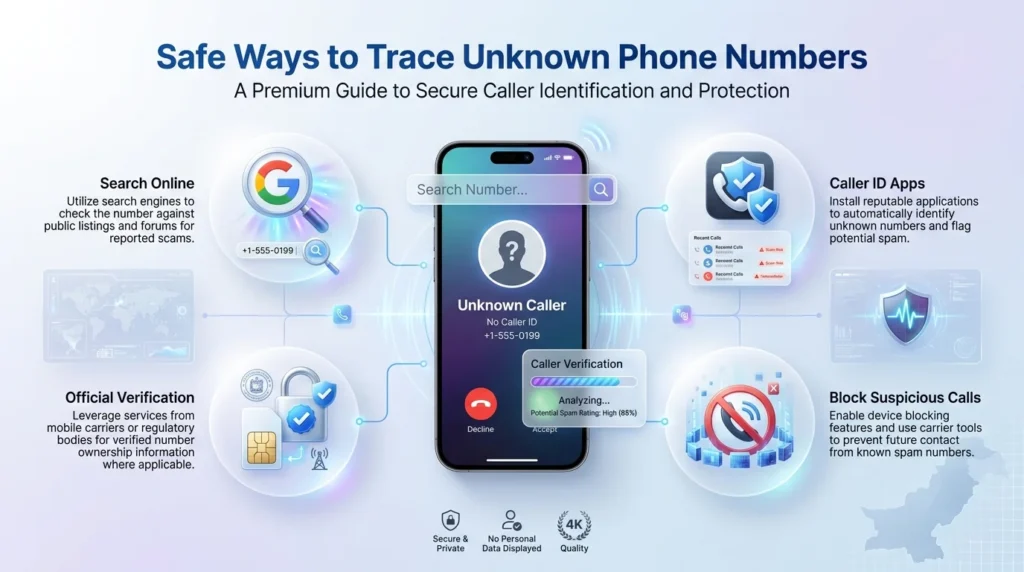
1. Search the Number Online
The simplest check costs nothing. Type the full number into Google, in quotes, for example “0301 2345678”. If other people have already received calls from the same number, you will often find it mentioned on community reporting websites, forums or social media posts where users flag spam calls and telemarketers.
If you find several similar complaints about the same number, that is a strong signal to stay away from it. If you find nothing at all, it only means the number has not been reported yet — it does not prove the caller is genuine. So treat a Google search as a first filter, not a final answer. This is also the method to try first when the question in your mind is simply “unknown number kaise trace karein” — search first, decide after.
2. Use Trusted Caller ID Apps
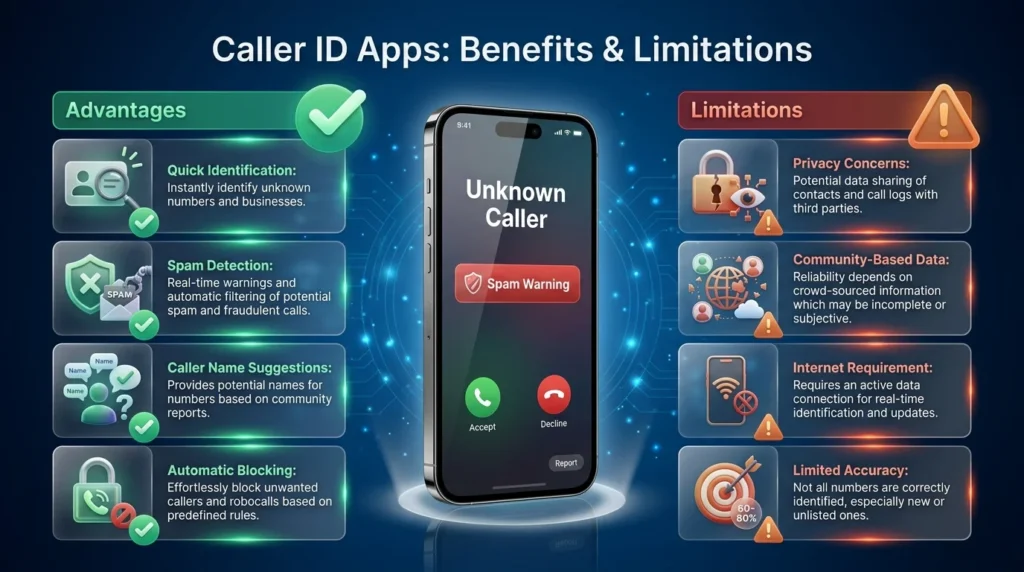
Caller ID apps identify unknown numbers by matching them against a large database, and they can warn you on screen when a number has been reported as spam. The best-known options in Pakistan are:
| App | What it does well | What to watch out for |
|---|---|---|
| Truecaller | Largest caller database, spam warnings, call blocking | Needs access to your contacts; some features need internet |
| Eyecon | Shows a photo and name for many numbers, simple interface | Smaller database than Truecaller in Pakistan |
| Hiya | Strong spam filtering, works with many phone diallers | Fewer Pakistani numbers identified than Truecaller |
These apps help, but they have one important limit: the information is crowdsourced. That means names and labels come from other users, so they can be wrong, out of date, or deliberately misleading. Never treat the name on your screen as proof of who is calling. If the app says “Bank”, it could still be a scammer who has been saved under that name by someone else. Always double-check a serious claim — especially anything involving money — through an official channel before you act.
3. Confirm Through Reliable Sources
This is the step most people skip, and it is the most important one. If an unknown number claims to be your bank, your mobile network, NADRA, or any government department, do not take their word for it. Hang up, find the organisation’s real helpline number from its official website or app, and call them yourself.
A real bank will never ask for your OTP or ATM PIN on an incoming call. A real network operator will never threaten to block your SIM in the next ten minutes unless you share a code. If the caller rushes you, that is itself a warning sign. When the call is about your mobile number or SIM, you can also verify what is registered against your CNIC through our guide on Check SIM Owner Details by CNIC — it shows you how to see which SIMs are actually in your name.
Understanding Mobile Number Portability (MNP)
Many people still try to guess a caller’s network from the first few digits of the number — 0301 must be Jazz, 0313 must be Zong, and so on. That trick no longer works, because of Mobile Number Portability (MNP).
MNP lets a user in Pakistan change their mobile network and keep the same number. A number that was originally issued by one network can now belong to a completely different one. So the old prefix ranges tell you nothing reliable about who is calling today. Do not rely on them. If you need to know which network a number belongs to, use a formal network-checking service or the operator’s own helpline instead of guessing from the digits.
How to Report Spam or Scam Calls in Pakistan
Checking a number is only half the job. If it turns out to be spam or fraud, reporting it protects other people too. PTA and the mobile operators act on complaints, but only if the complaint has enough detail. Do it in three steps.
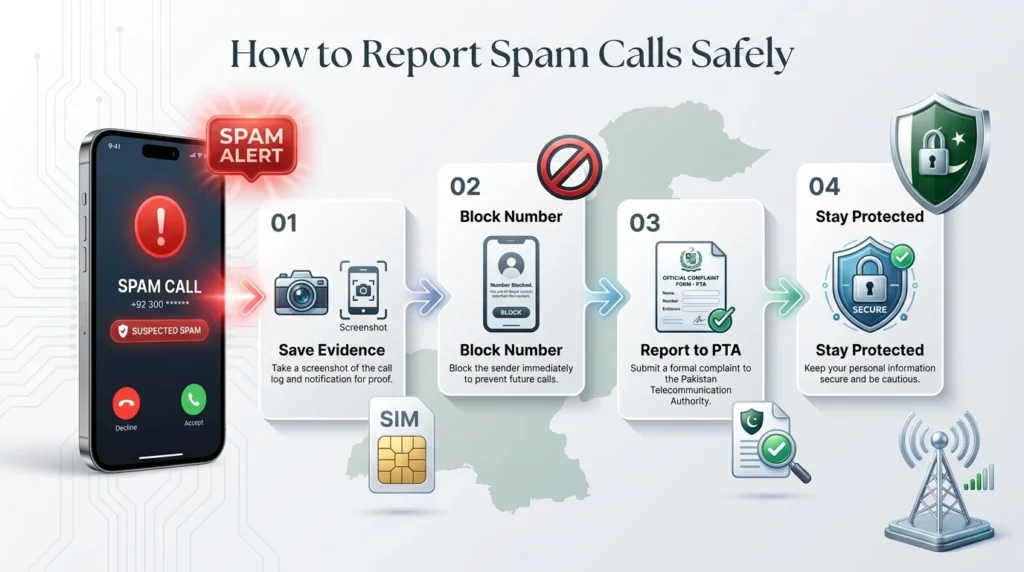
Step 1: Save Important Evidence
Before you report, collect everything you have about the calls. It takes a minute, and it makes your complaint much stronger:
- The number the call or message came from
- The dates and times of the calls
- Screenshots of any SMS or WhatsApp messages
- Your call log, and a voice recording if you have one
Do not delete the messages or the call history before you report. That evidence is what lets PTA or the operator trace the number back to the person using it.
Step 2: Block the Number
Both Android and iPhone have a built-in way to block a number. Once blocked, that number cannot call or text you again. Do this right away so the caller cannot keep bothering you while your complaint is being handled. You can also report the number as spam inside your phone’s dialler or inside Truecaller, which warns other users too. If a SIM was registered in your name without your permission, our guide on Block Unauthorized SIM explains how to get it blocked and removed.
Step 3: Report the Incident to PTA
If you were a victim of fraud, harassment, or any illegal activity, report it through PTA’s official channel — the PTA Complaint Management System (CMS) on pta.gov.pk. This is the proper route for a formal complaint, and it is free.
When you file the complaint, give correct and complete information: your own details, the spammer’s number, the dates and times, a clear description of what happened, and screenshots if you have them. Do not give false information — a false complaint can itself cause trouble. You can also call the PTA helpline listed on the PTA website if you need help filing the complaint. Keep the complaint reference number you receive, so you can follow up later.
For a general picture of what the rules say about SIMs, limits and verification in 2026, see our PTA SIM Rules 2026 guide. And if the scam arrived as a fake BISP or Ehsaas message, read our BISP Ehsaas scam alert before you respond to it — those messages follow a very specific pattern.
Common Phone Scams in Pakistan
Knowing how the common scams work is the best protection against them. These four are reported most often in Pakistan.
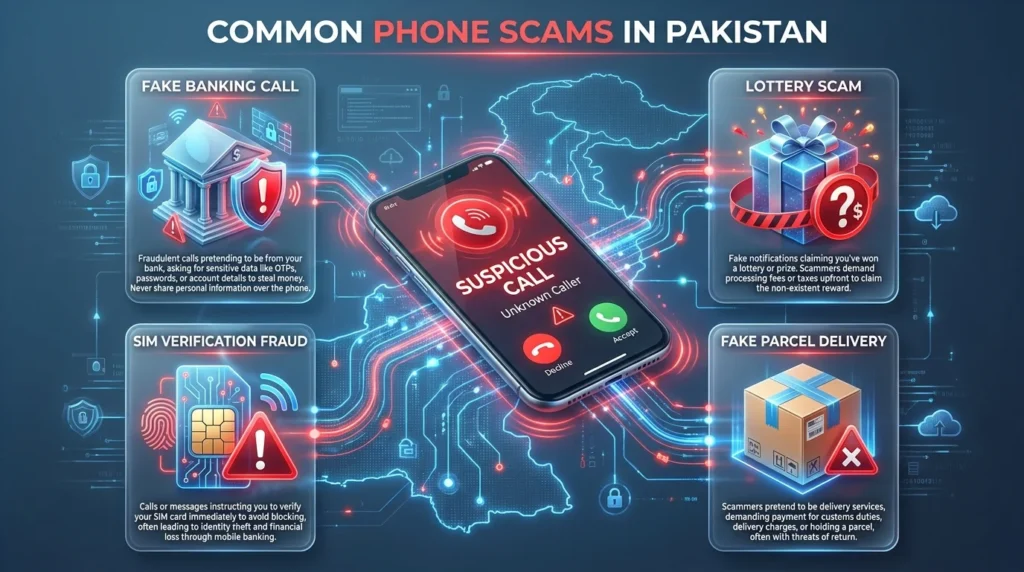
Fake Banking Calls
A caller pretends to be from your bank and asks for your ATM PIN, debit card number or one-time password (OTP) — sometimes claiming your account will be blocked today if you do not share it. Real banks never ask for this information over the phone. If you get such a call, hang up and call your bank’s official helpline yourself.
Prize or Lottery Frauds
You are told you have won a prize, a lottery, or a lucky draw, and then asked to pay a “processing fee” or “tax” before the prize is released. If it sounds too good to be true, it almost certainly is. Real prize schemes never ask winners to pay money first.
SIM Verification Fraud
A caller pretends to be from your network provider and warns that your SIM will be blocked unless you verify your CNIC or share an OTP immediately. This is one of the most common tricks in Pakistan, because it creates panic. Your operator will never ask for an OTP on a call. Always verify through your operator’s official helpline or by visiting a service centre. To check the facts about your own number first, see our guide on Check SIM Owner Details by Number.
Parcel Delivery Scams
Someone posing as a courier company calls about a parcel and asks you to open a link or pay a delivery fee for something you never ordered. Do not open the link and do not pay. If you are actually expecting a parcel, check its status on the courier’s official website or helpline — never through a link sent by the caller.
Safety tip: If the caller pressures you with urgency — “act now or your account will be blocked today” — stop. Urgency is the scammer’s favourite tool. A genuine organisation will give you time and a way to verify. Hang up, breathe, and check through official channels.
Tips to Protect Yourself from Unknown Callers
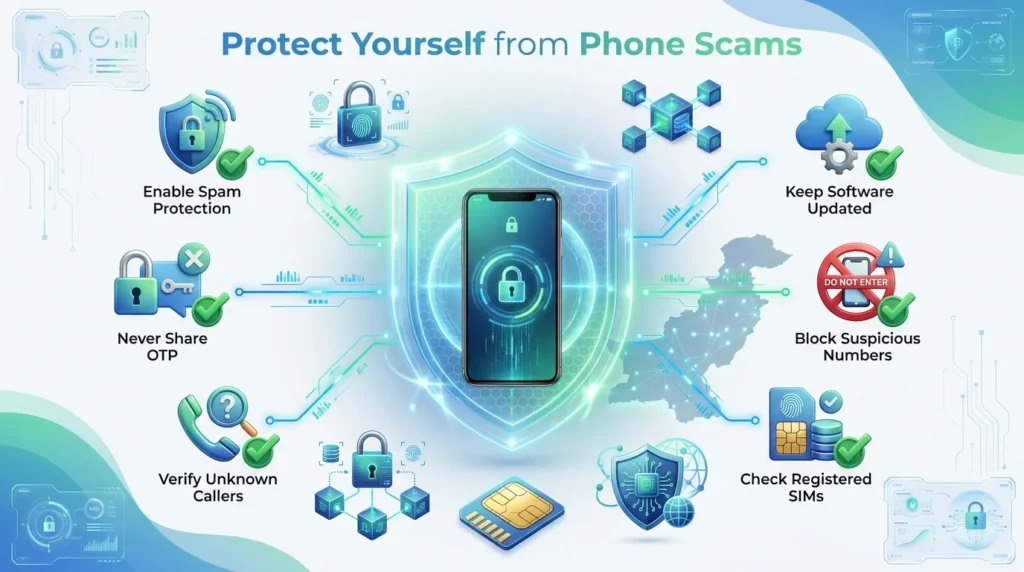
Never Share Sensitive Information
If an unknown caller asks for personal or financial details, end the conversation. Never share your:
- CNIC number
- One-time password (OTP)
- ATM or debit card PIN
- Online banking password or username
- Mobile wallet PIN (JazzCash, Easypaisa or any other)
- Credit or debit card details
Banks, telecom companies and government departments never ask for these on an unexpected call. If someone does, that alone tells you the call is not genuine.
Be Careful with Links
Scammers often follow up a call with an SMS or WhatsApp message containing a link. The message usually says something alarming, like:
- Your bank account is blocked
- You won a prize
- Your SIM card needs verification
- There is a parcel waiting for you
- Your account needs to be confirmed
Do not open these links. If the message looks like it could be real, go to the company’s official website yourself or call its helpline — never tap the link in the message.
How to Keep Your Phone Safe
A few simple habits make your phone much harder to misuse:
- Always install software updates on your phone
- Only download apps from the official Play Store or App Store
- Turn on your phone’s spam call blocking
- Protect your screen with a passcode, fingerprint or face lock
- Delete apps you no longer use
Together, these steps reduce the risk of identity theft and keep your personal information safer.
Review Your Registered SIMs Periodically
It is worth checking, every few months, which mobile numbers are registered against your CNIC. If you find a SIM you did not authorise, contact your service provider and have it de-registered. This one habit catches a problem that many people only discover after a fraud has already happened. Our guide on Check SIM Owner Details by CNIC shows exactly how to do the check.
Common Mistakes to Avoid
Most people do not fall for scams because they are careless — they fall for them because they are rushed or polite. These are the mistakes to stop making:
- Do not call back suspicious numbers
- Do not trust a caller just because they sound professional
- Do not share an OTP or any verification code with anyone
- Do not send a copy of your CNIC to a stranger
- Do not download apps from unknown websites or links
- Do not believe callers who scare or pressure you into sharing information
- Do not act on what you are told until you have double-checked it
If a call makes you feel rushed, confused or afraid, that feeling is your signal to stop and verify.
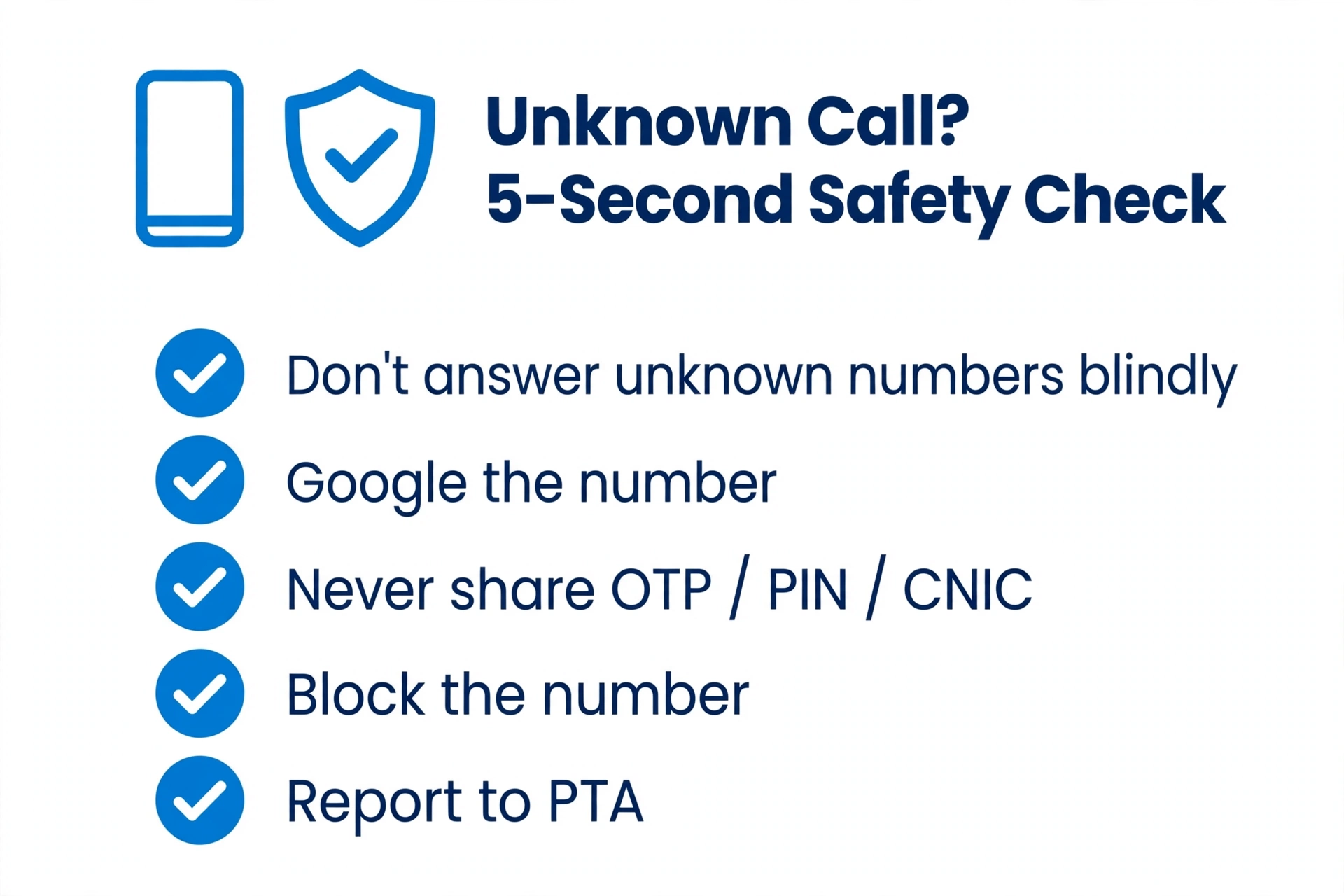
Quick Safety Checklist
Before you answer, respond to, or act on a request from an unknown caller, ask yourself:
- Have I established who this caller really is?
- Is the caller asking for confidential information?
- Have I checked whether this number has been reported as a scam?
- Can I confirm this request through the organisation’s official website or helpline?
- Have I checked which SIMs are registered on my CNIC recently?
If the answer to any of these is no, do not share anything. It is always better to be safe, hang up, and verify first.
Frequently Asked Questions (FAQs)
Can I find the exact location of another person’s phone number in Pakistan?
No. You cannot get the live GPS location of another person’s phone through any legal method. Be very careful of websites or apps that promise to show a number’s real-time location — they are scams themselves, and many of them exist only to steal your information or install malware on your phone.
Can I find the owner name of any phone number?
It depends. Caller ID apps can sometimes show a name, but the information comes from crowdsourced databases and is not always correct — especially for older numbers. There is no legal public directory in Pakistan that gives you the registered owner’s name for any number you type in. If you need to check your own SIMs, use the official CNIC check explained in our guide on Check SIM Owner Details by CNIC.
Why is the caller ID app showing the wrong name for a number?
Because the information is crowdsourced. Names are added by other users, so they can be wrong, outdated, or deliberately fake. Treat the name on your screen as a hint, not as proof of identity.
What should I do if someone calls pretending to be from my bank?
Never share your OTP, ATM PIN, password or card details with anyone over the phone. Hang up immediately and call your bank’s official helpline — the number printed on your card or on the bank’s website. If you already shared something, contact your bank at once and ask them to block the card or account.
Are spam reporting services free?
Yes. PTA and the mobile operators provide free complaint and reporting channels for spam and scam callers. File your complaint through the PTA Complaint Management System on pta.gov.pk or the PTA helpline. Always confirm the latest procedure on the PTA website or through the PTA helpline before you file.
Conclusion
Unknown calls are a part of life in Pakistan now, but they are not all dangerous. Most are harmless — a courier, a company, or a wrong number. The dangerous ones follow a pattern: urgency, secrecy, and a request for your OTP, PIN or CNIC.
So the rule is simple. Check the number first — a quick Google search, a caller ID app, or a call to the organisation’s real helpline. Never share sensitive information with an unknown caller. Block the number, save the evidence, and report scams to PTA. And check the SIMs registered on your CNIC every few months, so nothing is running in your name without your knowledge.
If you follow these steps, you will know exactly what to do the next time an unknown number calls — and the scammers will have a much harder time reaching you.