
MNP Status Check Pakistan 2026
MNP Status Check Pakistan 2026: A Mobile Number Portability (MNP) service enables you to switch mobile networks while retaining your phone number. As such, the first four digits of a Pakistani mobile phone number may help identify the network of first allocation but do not necessarily indicate the current network of the subscriber.
Check Also: Sim Owner Details Pakistan
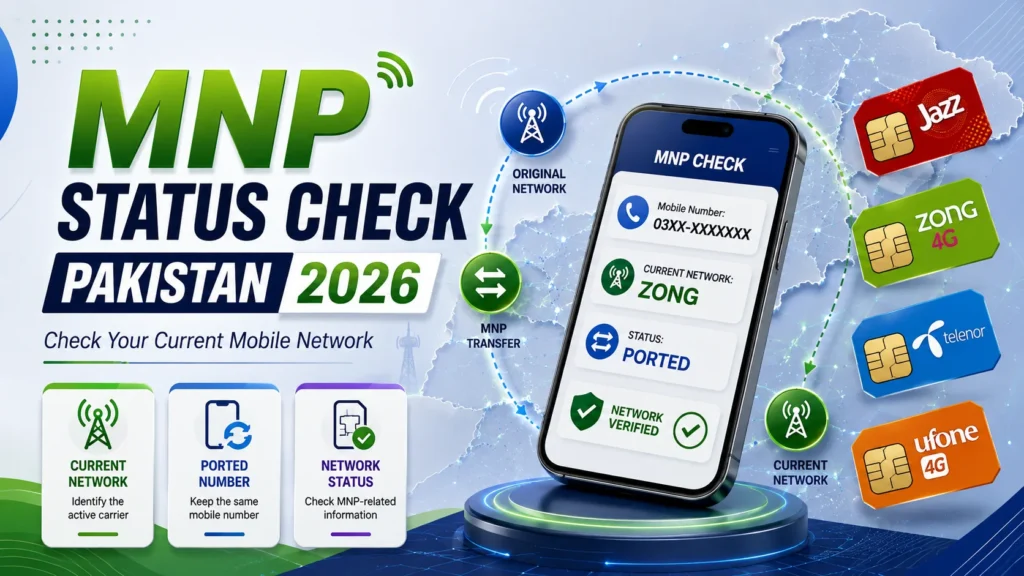
This article will guide you on the best way to check MNP status, determine the mobile network from a number in Pakistan, and provide a comprehensive overview of the portability process in 2026.
A word of caution – the mobile number’s initial digits cannot guarantee the current network after being ported.
What Is MNP in Pakistan?
MNP stands for Mobile Number Portability.
It allows a Mobile Subscriber to transfer his/her number from one operator to another operator.
For instance, a customer can switch from one network to another and retain his/her 11 digits Pakistan mobile number.
The key idea is simple:
Your number stays the same, but the serving network can change.
Mobile operators provide MNP or port-in facilities for customers who wish to switch their existing number to a different service provider. Jazz and Ufone offer processes for their customers wanting to port their numbers.
Why a Mobile Prefix Does Not Always Show the Current Network
Many users identify a Pakistani mobile network by looking at the first four digits of the number.
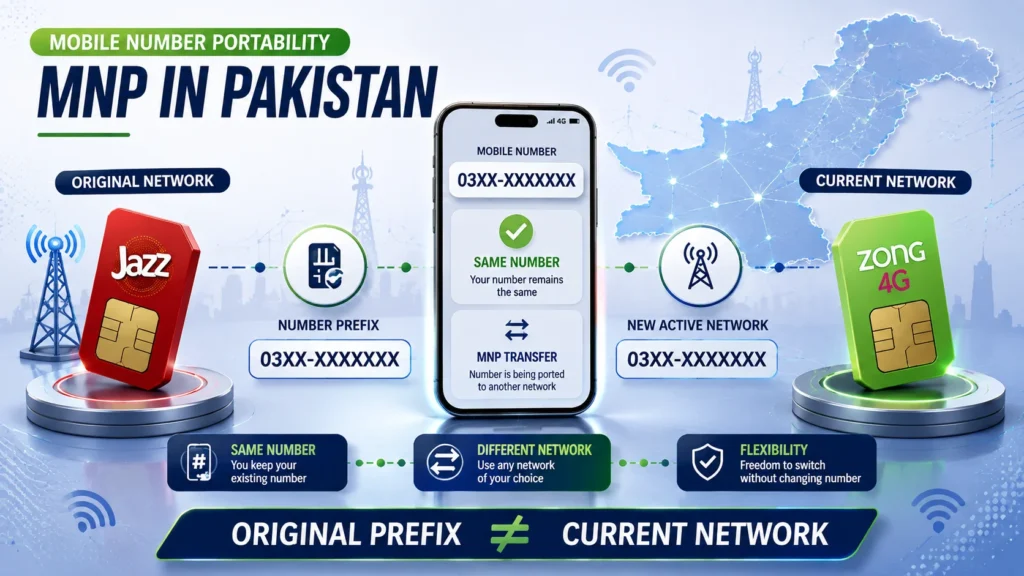
That can indicate the number’s original allocation, but MNP creates an important exception.
For example:
Original Network → Number Ported → New Network
The subscriber changes networks, but the mobile number remains unchanged.
Therefore:
Original prefix ≠ Guaranteed current network
This is why a current-network or MNP-related lookup can be more useful than relying only on a traditional prefix list.
MNP Status, Current Network, and Porting History: What’s the Difference?
These terms are related, but they are not identical.
Current Network
The current network is the telecom operator currently serving the mobile number.
MNP Status
MNP status generally refers to information about whether a number has been moved between operators or whether a portability request is associated with the number.
Porting History
Porting history refers to the previous network journey of a number.
A current-network lookup does not necessarily provide a complete historical record of every network that has previously handled the number.
For example, a number may have originally belonged to one operator and later been ported to another. A current carrier lookup may identify only the network currently serving it.
How to Check MNP Status Online in Pakistan
If your intention is solely to track the current network of a Pakistani mobile number, a reliable current-network or MNP lookup service may prove to be a handy utility. Here’s how to make use of it:
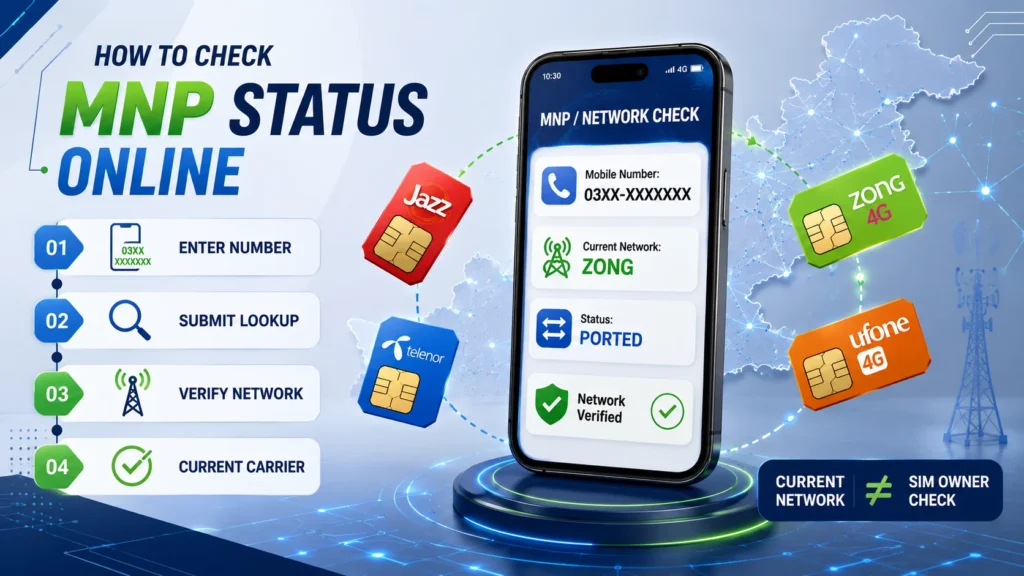
Step 1: Use a Reputable Network Checker
Go for a website that offers to provide current mobile-network or MNP-related information.
Avoid visiting sites that offer to provide access to private subscriber records, CNICs, call-detail records, and other personal information
Step 2: Enter the Mobile Number
Enter the number in exactly the format requested by the service.
For example:
03001234567
Some services may instead request:
3001234567
Do not add or remove digits unless the checker specifically instructs you to do so.
Step 3: Submit the Lookup
Submit the number after entering it in the required format.
Step 4: Check the Current Network
If the service supports current-carrier information, it may display the network currently associated with the number.
Remember that a network lookup is not the same as a SIM-owner lookup.
Can You Check MNP Status Without Internet?
Potentially, yes.
The way of SMS, USSD, customer-service, etc. for obtaining network related information may be provided by some operators, yet the services indicated with such shortcodes may be changed at any time, therefore relying on information published on third-party platforms is risky.
If you have already initiated your MNP request for one of your numbers, it is recommended to refer to official instructions of the operator you are porting to, since they may include changes and updates not mentioned in the MNP instructions issued earlier.
For instance, Ufone operator publishes detailed MNP port-in procedure which requires sending an SMS and further providing the received information according to their instructions.
The important distinction is:
Checking your own MNP request ≠ Checking another person’s private subscriber information
How to Check the Status of Your Own MNP Request
If you recently requested to move your number to another network, do not rely only on a generic online carrier checker.
Instead:
- Keep your existing number active while the request is being processed.
- Follow the instructions provided by the receiving operator.
- Complete any required identification or biometric verification.
- Wait for the operator to process the porting request.
- Insert or activate the new SIM when instructed.
- Contact the receiving operator if the new SIM does not become active as expected.
The exact process can vary between operators.
For example, Jazz advertises MNP ordering and biometric SIM verification for customers moving an existing number to Jazz.
What Information Can an MNP Checker Provide?
The information available depends on the particular service.
A legitimate network-checking tool may provide information such as:
- Current mobile network
- Carrier or operator
- Original number prefix
- Current carrier indicator
- Basic routing-related information
However, a legitimate public MNP checker should not be expected to provide private subscriber records.
A basic network lookup should not be confused with:
- CNIC number
- Home address
- Call history
- SMS history
- Private account information
- Banking details
Phone numbers and CNIC information can constitute personal data, so be careful when a website asks for unnecessary personal information.
MNP Check vs SIM Owner Check
These are two completely different types of searches.
MNP or Network Check
A network check provides information about the mobile network or carrier associated with a number.
SIM Ownership Check
A SIM ownership check concerns the registration and identity information associated with a SIM.
Knowing the current network of a mobile number does not automatically tell you who owns that number.
If a website claims that it can reveal complete network information along with private CNIC or owner details from only a phone number, treat the claim with caution.
Why Businesses Need Current Network Information
MNP is also important for businesses that communicate with customers through mobile networks.
Companies may maintain carrier information for:
- SMS alerts
- OTP delivery
- Promotional messages
- Automated notifications
- Message-routing analysis
- Delivery reporting
A prefix-based carrier database can become outdated after customers port their numbers to another network.
SMS and OTP Delivery
Businesses may use current carrier information when analyzing message routing, delivery performance, or telecom-related problems.
Customer Databases
Old carrier records can incorrectly identify a customer’s network after the customer ports the number.
Marketing and Communication
Bulk messaging businesses may need accurate carrier information for reporting, routing, and campaign analysis.
For these use cases, current carrier information can be more useful than simply identifying the original prefix.
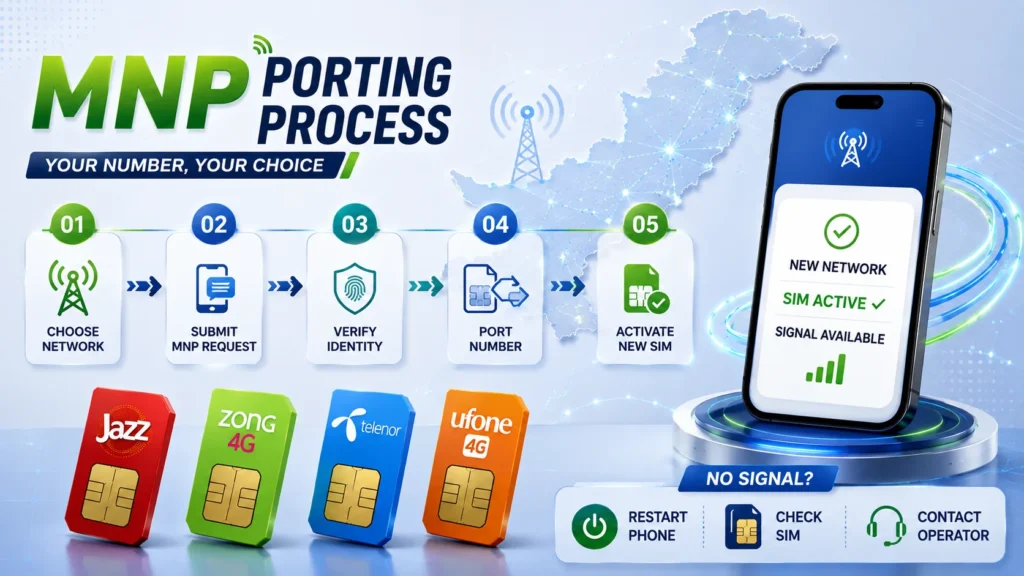
What Happens When You Port a Number?
The general MNP process involves requesting a transfer to another network and completing the requirements set by the receiving operator.
Depending on the operator and circumstances, the process may involve:
- Choosing the new telecom network.
- Submitting an MNP request.
- Providing the required identification.
- Completing biometric verification where required.
- Meeting the operator’s eligibility requirements.
- Completing any required payments or resolving outstanding obligations.
- Waiting for the porting request to be processed.
- Activating the new SIM.
Requirements can vary, so confirm the current process with the operator you are moving to.
For example, Jazz states that an active number and biometric verification are required for its port-in process, and its published information includes a 60-day condition after activation or ownership change at the current network.
What Should You Check Before Porting Your Number?
Before submitting an MNP request, check the following:
1. Make Sure Your Number Is Active
Your number must meet the receiving operator’s eligibility requirements.
2. Verify Your Registration Details
Make sure the required subscriber information and identification details are correct.
3. Check Outstanding Payments
If you have a postpaid connection, check whether unpaid bills or other obligations could affect the transfer.
4. Check Network Coverage
Do not choose a network only because of its package price.
Make sure the new operator provides suitable coverage in the places where you normally use your phone.
5. Check Your Existing Packages
Your old balance, data bundles, rewards, or promotional benefits may be subject to the policies of the network you are leaving.
If you have a significant balance or an active package, check the applicable policy before porting.
Will Your Mobile Number Change After MNP?
No.
The purpose of Mobile Number Portability is to allow you to change networks while keeping your existing mobile number.
Your family, friends, customers, and other contacts can continue using the same number to contact you.
Will Your Existing Balance Transfer to the New Network?
Do not assume that your prepaid balance, data bundles, rewards, or promotional offers will automatically transfer to the new operator.
These benefits are subject to the terms and policies of the operator you are leaving.
If you have a significant balance or active package, check the relevant policy before completing the port.
How Long Does MNP Take in Pakistan?
The processing time can depend on the operator, verification requirements, and circumstances of the request.
Avoid relying on a fixed processing time from an old third-party article.
Instead, follow the timeline provided by the operator handling your request.
For example, Jazz currently lists 4 working days for its published port-in process.
What If Your Ported SIM Has No Signal?
If the new SIM does not connect after the porting process, try these steps.
Restart Your Phone
Switch the phone off and turn it back on after inserting the new SIM.
Check the SIM
Remove and reinstall the SIM to make sure it is properly seated.
Check Network Selection
If your phone is using manual network selection, change it to automatic network selection.
Test the SIM
If possible, test the SIM in another compatible phone.
Contact the New Operator
If the SIM still shows no service, contact the receiving network and ask them to check the MNP activation status.
If your phone suddenly stops receiving calls or messages unexpectedly, contact your wireless provider promptly because unexpected loss of service can sometimes be associated with SIM-related fraud.
Is It Safe to Use an Online MNP Checker?
It can be safe when you use a reputable service and provide only the information necessary for the lookup.
Be especially cautious if a basic network checker asks for:
- CNIC number
- CNIC photograph
- OTP
- Banking information
- SIM PIN
- Account password
- Email password
Never share an OTP simply because a website claims that it needs the code to identify your mobile network.
A basic carrier lookup should generally not require sensitive account credentials.
Common MNP Checking Mistakes
Mistake 1: Checking Only the Prefix
A prefix may represent the number’s original allocation but may not reflect the current network after MNP.
Mistake 2: Trusting Old Shortcodes
Telecom services and shortcodes can change. Always verify current instructions.
Mistake 3: Confusing MNP With Owner Details
Current network information does not always provide the subscriber’s details.
Mistake 4: Using the Wrong Number Format
Some of the tools require you to enter the number with the leading zero, while some do not.
Mistake 5: Entering Sensitive Information
A basic carrier lookup should not require unnecessary private information.
Mistake 6: Assuming Every “MNP Database” Is Official
A website using terms such as “MNP database,” “SIM record,” or “network database” is not automatically affiliated with PTA or a telecom operator.
Frequently Asked Questions
How can I check MNP status online in Pakistan?
You can use a reputable current-network or MNP lookup service to identify the carrier associated with a mobile number. If you have submitted your own MNP request, contact the receiving operator for account-specific status information.
Can I check a ported number by its prefix?
Not reliably. The prefix can indicate the number’s original allocation, but MNP allows the number to move to another operator without changing its digits.
How do I find the current network of a Pakistani mobile number?
Use a current network or carrier lookup service, or verify the number through the relevant telecom operator. A prefix-only lookup may not reflect the current carrier.
Can I see the complete MNP history of a number?
Not necessarily. A current network checker may identify the active carrier without providing a complete historical record of every previous network change.
Can MNP change my phone number?
No. MNP allows you to change the network while retaining your existing mobile number.
Can I port a number registered under another person’s CNIC?
MNP does not replace normal subscriber ownership and verification requirements. If the number is registered under another person’s identity, resolve the registration issue through the appropriate telecom operator.
Will my old SIM stop working after porting?
Once the porting process is completed, service is transferred according to the receiving operator’s process. Follow the activation instructions provided with your new SIM.
Do you have any recommendations for me concerning the delay of MNP request?
You should contact the operator who is getting your number and ask them to check your MNP request. They should be able to determine if it is still being processed or if some other action is needed.
Conclusion
Mobile Number Portability (MNP) enables a Pakistani mobile subscriber to switch between different telecom operators while retaining his/her existing mobile number. However, this facility also brings out the fact that one must not rely solely on a number’s prefix to determine its current network. Especially if you are checking MNP status in Pakistan in 2026, you should use a current-network lookup service or contact your desired operator’s customer care to get the exact and up-to-date information about the operator a specific mobile number belongs to. If your MNP request has already been submitted, make sure to follow the latest guidelines provided by the receiving operator, and not refer to any shortcode directories or articles published before 2026
Most importantly,
note that a mobile number’s prefix may indicate the operator it was originally allocated to, but not necessarily the operator it is currently active with.