
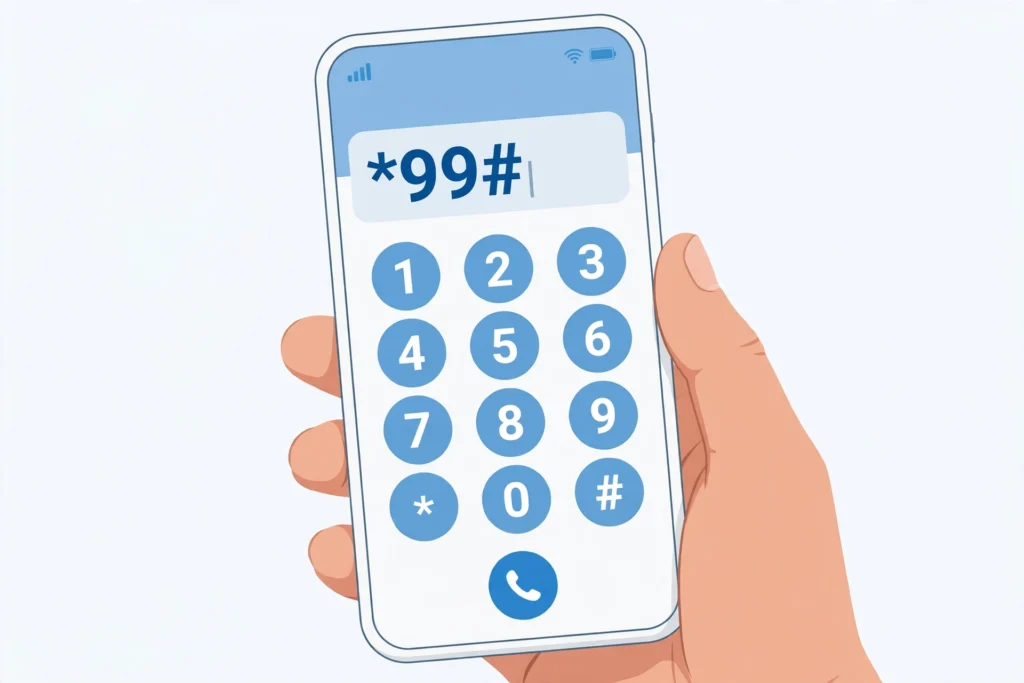
We have all been there. You buy a new SIM, or you pick up an old phone after months, and someone asks for your number — for a form, a bank account, a delivery, or just to save it in their contacts — and your mind goes blank. You know the SIM is yours, it is working, but you simply cannot remember the number.
The fix takes about ten seconds. Every Pakistani network has a short code you dial from the SIM itself, and your own number appears on the screen. No balance is needed, no internet is needed, and you do not have to visit a franchise or call anyone.
This guide covers all four big networks — Jazz, Zong, Telenor and Ufone — with the exact code for each one, what to do when a code does not work, and the other ways to find your number if the code fails.
One thing to be clear about before we start: this guide is for finding your own number, from a SIM that is in your hand. No code, app or website can tell you who owns somebody else’s number, or show another person’s name and CNIC. That is a different question entirely, and it is answered by the official verification methods — see our guide on Check SIM Owner Details by Number for what is and is not possible there.
Quick Answer
Dial the code for your network from the SIM whose number you want to see, then press call. Your number appears on the screen within a few seconds.
| Network | Code to dial | Where the number appears |
|---|---|---|
| Jazz (including old Warid SIMs) | *99# | On screen, as a pop-up message |
| Zong | *8# | On screen, as a pop-up message |
| Telenor | *8888# | On screen, as a pop-up message |
| Ufone | *780*3# | On screen, as a pop-up message |
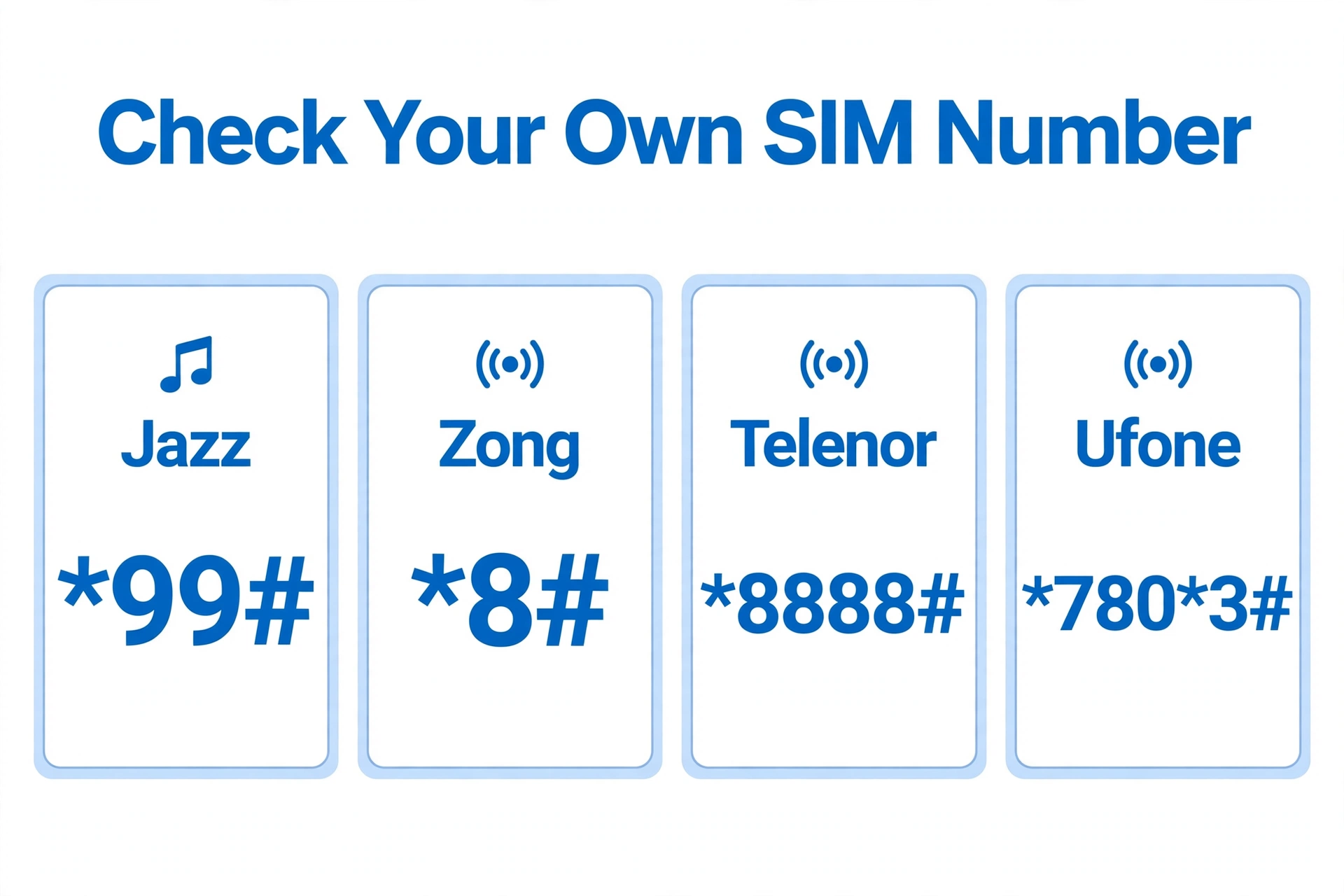
All four codes are free. You do not need any balance in your account, and they work on prepaid and postpaid SIMs as long as the SIM is active. If you have two SIMs in your phone, dial from the one you want to check — on most phones you will be asked which SIM to use before the call goes through.
How to Check Jazz SIM Number — *99#
Jazz has the most reliable code of the four. Jazz itself publishes *99# on its official self-service page as the way to check your Jazz number, so this one is not a rumour — it comes from the operator.
- Open the phone dialer.
- Dial *99# from your Jazz SIM.
- Press the call button.
- Your Jazz number appears on the screen, usually in the 03XX-XXXXXXX format.
That is all there is to it. The service is free and it works even with zero balance.
If *99# does not answer on your line, try *888# as a backup — several guides list it as a second Jazz code. If neither works, open the Jazz World app and sign in on that SIM; your number is shown on the home screen. You can also call 111 from your Jazz number and ask for it after confirming your CNIC.
How to Check Zong SIM Number — *8#
Zong’s code is the shortest of the lot: *8#.
- Open the phone dialer.
- Dial *8# from your Zong SIM.
- Press the call button.
- Your Zong number appears on the screen within a few seconds.
This is free, and you do not need any balance. Most Zong users get their number on the first try.
If *8# does not respond, the honest truth is that Zong’s code is the one guides disagree about most. A few guides list *2# or *100# instead, and some Zong lines do answer to those. Try *2# first, then *100#. If none of them work, open the My Zong app — your number shows once you are signed in — or call 310 from your Zong SIM and ask the helpline.
How to Check Telenor SIM Number — *8888# or Blank SMS to 7421
Telenor is the network where you need to be a little careful, because different sources give different methods, and Telenor does not publish one single code on its website the way Jazz does. Here are the two methods that are most widely reported as working, in the order to try them:
Method 1: Dial *8888#
- Open the phone dialer.
- Dial *8888# from your Telenor SIM.
- Press the call button.
- Your Telenor number appears on the screen.
This is the code most Pakistani guides list for Telenor, and it is free.
Method 2: Send a blank SMS to 7421
- Open the Messages app.
- Send a blank SMS (leave the message empty) to 7421.
- You will get a reply SMS showing your Telenor number.
A warning on this one: an SMS is not the same as a USSD code. Sending the blank SMS may carry a standard SMS charge, depending on your package. Telenor’s own FAQ mentions calling 7421 from the same SIM for a number inquiry, so if the blank SMS does not work, try calling 7421 instead.
The safest backup is the My Telenor app — your number is displayed on the account home screen once you are logged in — or call the helpline on 345. And one general note for Telenor users: Telenor’s business was amalgamated into PTML (Ufone’s operator) in July 2026, so its codes and services may change — if a code does not work, check the latest instructions on Telenor’s official channels before trying anything else.
How to Check Ufone SIM Number — *780*3#
Ufone’s code is *780*3#.
- Open the phone dialer.
- Dial *780*3# from your Ufone SIM.
- Press the call button.
- Your Ufone number appears on the screen.
It is free and works with zero balance. If it does not respond, try the shorter code *1# — several guides list it as a second Ufone number-check code. After that, the Ufone app shows your number once you sign in, and the helpline 333 can confirm it from your Ufone SIM.
SCOM and Onic
For SCOM and Onic there is no widely documented USSD code for checking your own number, so do not waste time dialling random codes you see on the internet. The reliable route is the operator’s own app, signed in on that SIM, or the helpline — SCOM and Onic both display your number inside their apps once you log in.
Other Ways to Find Your Number Without a Code
Codes are the fastest way, but they are not the only way. If you are stuck, any of these will do:
Call or text a friend. The simplest trick of all. Call someone near you, or send them a text, and your number shows on their screen. It sounds obvious, but it works every time and costs nothing extra.
Check your phone’s settings. On Android, go to Settings, then About Phone, then SIM Status — some phones show your number there. On iPhone, go to Settings, then Phone, and look under My Number. This field is often blank on Pakistani SIMs, so do not be surprised if it shows nothing; it is worth a thirty-second look before you try anything else.
Use the operator’s app. Jazz World, My Zong, My Telenor and the Ufone app all show your number on the home screen once you sign in on that SIM. This is also the most reliable method if the USSD code ever stops working.
Send MNP to 667 — last resort only. Texting MNP to 667 returns a reply that includes your mobile number along with your name, CNIC and SIM number. But 667 is PTA’s Mobile Number Portability service, meant for moving your number to another network — it is not a number-check service, and standard SMS charges apply. Use it only if you actually need the porting information; for simply finding your number, the codes above are quicker and free. If you want the full story on 667 and how it differs from 668, read our 667 vs 668 SIM Check guide.
What to Do If the Code Does Not Work
A code failing does not usually mean anything is wrong with your SIM. Work through this list in order:
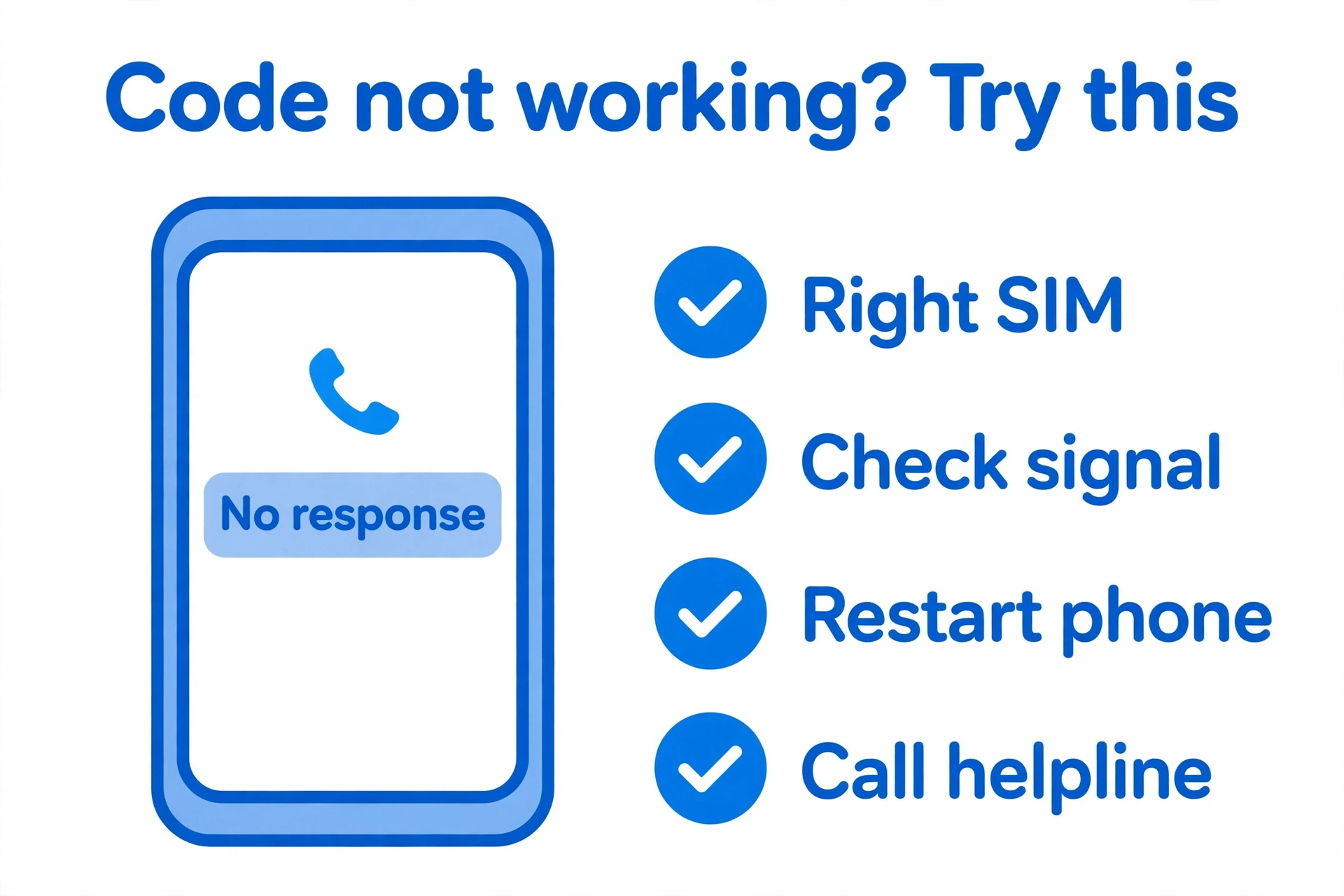
- Dial from the right SIM. On a dual-SIM phone, make sure you dialled from the SIM whose number you want. Most phones ask you to pick SIM 1 or SIM 2 before the call — pick the right one.
- Check your signal. A USSD code needs network coverage. If you are indoors with one bar, or in an area with weak signal, step outside or near a window and try again.
- Restart your phone. A quick restart clears the most common temporary network glitches.
- Try the backup code. Each network has one, listed above: Jazz *888#, Zong *2# or *100#, Telenor blank SMS to 7421, Ufone *1#.
- Check that the SIM is active. A code only works on an active SIM. If the SIM has been out of use for months, it may have been deactivated. If the SIM is blocked or inactive, you will need to get it reactivated first — that requires biometric verification at a franchise.
- Call the helpline. Jazz 111, Zong 310, Telenor 345, Ufone 333. Call from the same SIM and ask for your number after confirming your CNIC.
- Visit a franchise. Take your original CNIC. The franchise can confirm your number and fix any registration problem on the spot.
If the code works but the number it shows looks wrong — for example, it starts with 92 instead of 0 — that is normal. Some networks show the number in international format (92XXXXXXXXXX) instead of the local format (03XXXXXXXXX). It is the same number; just add the 0 back when you write it down for local use.
Number Not Showing Because the SIM Is Not Active?
This is worth a separate note, because it confuses a lot of people. If your SIM has been switched off for a long time — six months or more without use — the operator may have deactivated it, and no code will bring the number back on screen. In that case the number itself may have been recycled, which means it could now belong to someone else.
What to do: first check whether the SIM is still registered in your name. Send your CNIC number (without dashes) by SMS to 668, or check on the PTA SIM Information System at cnic.sims.pk, to see how many SIMs are registered on your CNIC — our guide on How Many SIMs on My CNIC explains both methods step by step. If the SIM is still on your CNIC, visit the franchise with your original CNIC to have it reactivated. If it is gone from your CNIC, the number is no longer yours, and you will need a new SIM.
What These Codes Cannot Do
It is worth saying this plainly, because a lot of websites promise otherwise:
- These codes show only the number of the SIM that is in your phone. They cannot tell you who owns a number you do not have, and they cannot show another person’s name or CNIC.
- No website or app can legally give you a stranger’s SIM owner details. Sites that claim to do this are either showing fake data or breaking the law — stay away from them.
- Checking which SIMs are registered on your CNIC is a different thing from checking your own number. For that, use the 668 SMS service or cnic.sims.pk, as explained in our guide on Check SIM Owner Details by CNIC. And if you ever find a SIM on your CNIC that you do not recognise, follow the steps in our 667 and 668 Not Working guide to get it investigated.
Other Useful Checks After You Find Your Number
Once you know your own number, run two quick checks. First, find out which network your number currently belongs to, which matters if you ever ported your number. Check it through the PTA 76367 service, explained in our 76367 network check guide. Second, if your number was ported, confirm the status with our MNP status check guide.
FAQs
Is checking my own SIM number free?
Yes. All four main codes — Jazz *99#, Zong *8#, Telenor *8888# and Ufone *780*3# — are USSD codes, and they are free. You do not need any balance. The only exception is the Telenor blank SMS to 7421, which is an SMS, not a USSD code, so a standard SMS charge may apply.
Do I need balance or internet to check my number?
No. USSD codes work without balance and without internet. You only need an active SIM and network signal. If you use an operator’s app instead, that does need internet.
Can I check someone else’s number with these codes?
No. A code only works from the SIM whose number you want to see. If the SIM is not in your phone, no code will tell you its number, and no code will tell you the name or CNIC of another person.
I have two SIMs in my phone. How do I check the second one?
Dial the code for that SIM’s network, and when your phone asks which SIM to use, pick the second one. If your phone does not ask, go to Settings, then SIM Cards, and set the right SIM as the default for calls before you dial — or simply move the SIM to slot 1 and try again.
My number shows as 92XXXXXXXXXX instead of 03XXXXXXXXX. Is that wrong?
No, it is the same number. Some networks display it in international format, with the country code 92 and without the leading 0. For everyday use in Pakistan, just replace the 92 at the start with a 0.
What is the Jazz number check code?
Dial *99# from your Jazz SIM. Your number appears on the screen within seconds. Jazz publishes this code on its own self-service page, so it is the official one. *888# is a backup if *99# does not answer.
What is the Zong number check code?
Dial *8# from your Zong SIM. If it does not respond, try *2# or *100# — some Zong lines answer to those instead. The My Zong app and the helpline 310 are the backups.
Can I check my number online?
There is no official website where you type something and get your own number — that would be a privacy problem. The online routes are the operator apps (Jazz World, My Zong, My Telenor, Ufone app), which show your number once you sign in on that SIM. For checking which SIMs are registered on your CNIC, the official online route is the PTA SIM Information System at cnic.sims.pk.
What is the difference between 667 and 668?
Send MNP to 667 to see your own number, the owner name and the activation date. The 668 SMS costs Rs. 2 plus tax, and PTA allows a maximum of 8 SIMs on one CNIC, 5 voice SIMs and 3 data-only SIMs.
Conclusion
Forgetting your own number is normal — most of us have two SIMs, a work number and a personal one, and the one we rarely give out slips the mind. The good news is that the fix is a ten-second job: dial *99# on Jazz, *8# on Zong, *8888# on Telenor or *780*3# on Ufone, and your number is on the screen before you have finished reading this sentence.
Save the code for your network somewhere you will find it — in your phone’s contacts under your own name, or in a note. Next time a form asks for your number, you will not need to guess, and you will not need to call anyone to ask. And if a code ever stops working, remember the backups: the operator’s app, the helpline, and the franchise with your original CNIC. They will always have your number on record.
Pingback: How to Get a Pakistan SIM Card as a Foreigner: Complete Guide (2026)
Pingback: NADRA SIM Owner Details Pakistan: Check SIMs on CNIC 2026