
Biometric SIM Verification in Pakistan: Complete Guide (2026)
What Is Biometric SIM Verification?
- The Pakistan Telecommunication Authority (PTA) is asking for biometric SIM verification to activate any mobile network operator’s (MNO) subscriber identity module (SIM) card. This process enables the system to know that the customer has claimed his number with the PTA. During this process, the system matches the subscriber’s fingerprint with NADRA’s biometric records linked to their CNIC.
- This verification ensures that every SIM card remains registered to its rightful owner and helps prevent fraud, identity theft, and unauthorised mobile connections. Thus, removing cell phone fraud, theft, impersonation, and other associated crimes. Hence, through this new policy, every customer who buys a new SIM card or updates his old SIM card is supposed to appear in front of an authorised franchise or customer care centre to scan his prints and match them with the system’s prints electronically.
How Biometric SIM Verification Works
In general, the following steps take place in order to activate a SIM:
- The customer visits an authorised mobile network franchise.
- A valid original CNIC is presented.
- The representative enters the customer’s details into the operator’s secure system.
- The subscriber places their fingers on a certified biometric scanner.
- The scanned fingerprints are securely compared with NADRA’s biometric database.
- If the fingerprints match, verification is approved.
- The SIM is activated, or the requested service is completed.
The whole process is intended to stop anyone from registering a SIM card by using another individual’s details.
More: Check SIM Owner Details by Number
Why Biometric Verification Is Required in Pakistan
Biometric verification system of Pakistan’s mobile network will ensure that every sim card is registered by its actual legitimate owner. By doing so, it prevents identity theft, protects subscribers and ensures that telecom companies maintain accurate records of their customers.
Some of the advantages of using this system include:
- No one can register a SIM using another person’s CNIC without completing biometric fingerprint verification.
- Improves Public Security
- Verified mobile registrations help authorities investigate criminal activities more effectively while reducing anonymous communication used for illegal purposes.
- Protects Mobile Subscribers
- Biometric verification reduces the chances of discovering unknown SIM cards registered under your CNIC.
- Supports Accurate Customer Records
- Mobile operators maintain updated subscriber information, making account management and ownership verification more reliable.
More: Check SIM on CNIC
Who Needs Biometric SIM Verification?
Biometric verification is not limited to customers purchasing a new SIM. It is required in several situations involving mobile services.
You will normally need biometric verification if you are:
- Buying a new prepaid SIM.
- Purchasing a postpaid connection.
- Replacing a lost or damaged SIM.
- Transferring SIM ownership to another person.
- Restoring a blocked or inactive SIM.
- Completing selected account-related services offered by your mobile operator.
In all cases, the person whose CNIC will be attached to the SIM must appear in person to complete fingerprint verification.
A friend, relative, or agent cannot give fingerprints on your behalf.
More: How to Transfer SIM Ownership Online in Pakistan
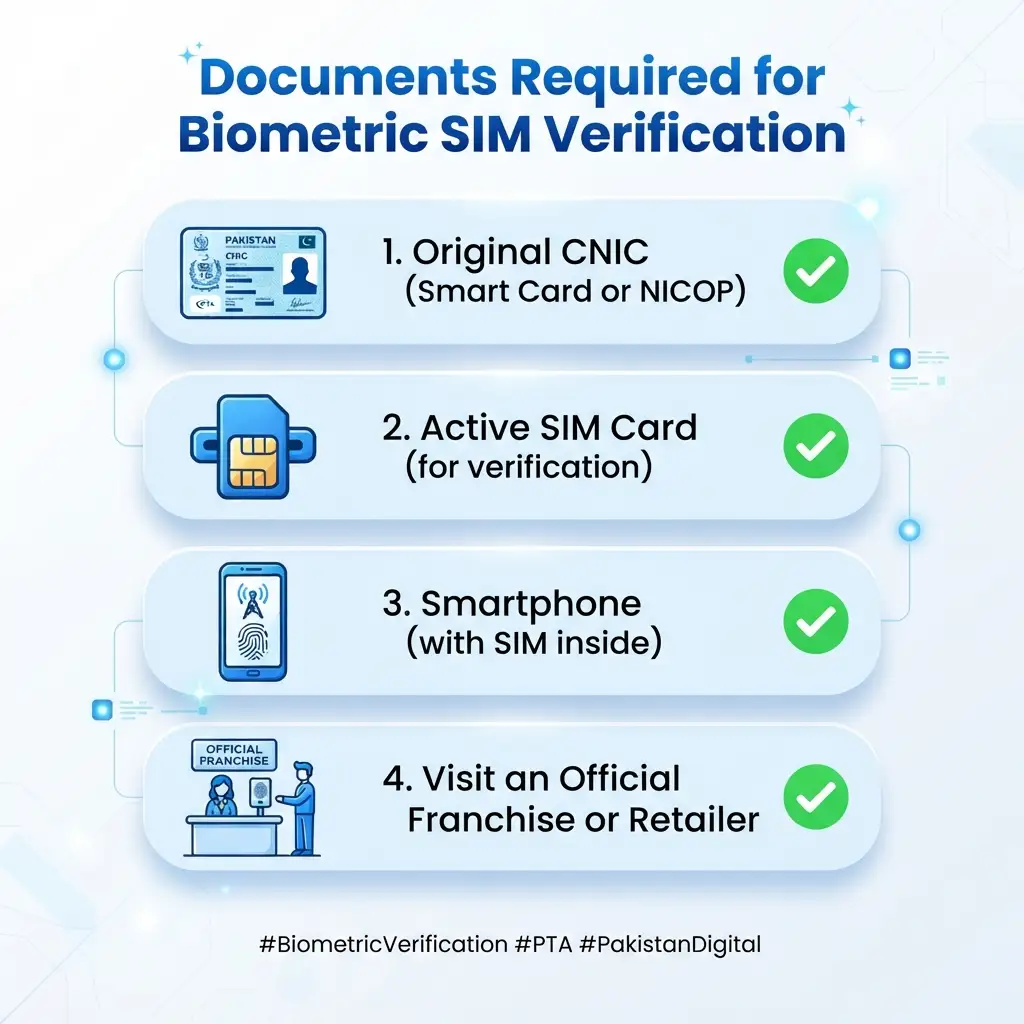
Documents Required Before Visiting a Franchise
You might save time, if you prepare the documents listed below before you visit a customer service centre.
You should carry:
- Original valid CNIC.
- The SIM card (if replacing or transferring ownership).
- The mobile handset, if requested.
- Any additional documents required for special cases, such as business or corporate connections.
Bring your original CNIC. Photocopies are generally not accepted for biometric verification.
Step-by-Step Biometric SIM Verification Process
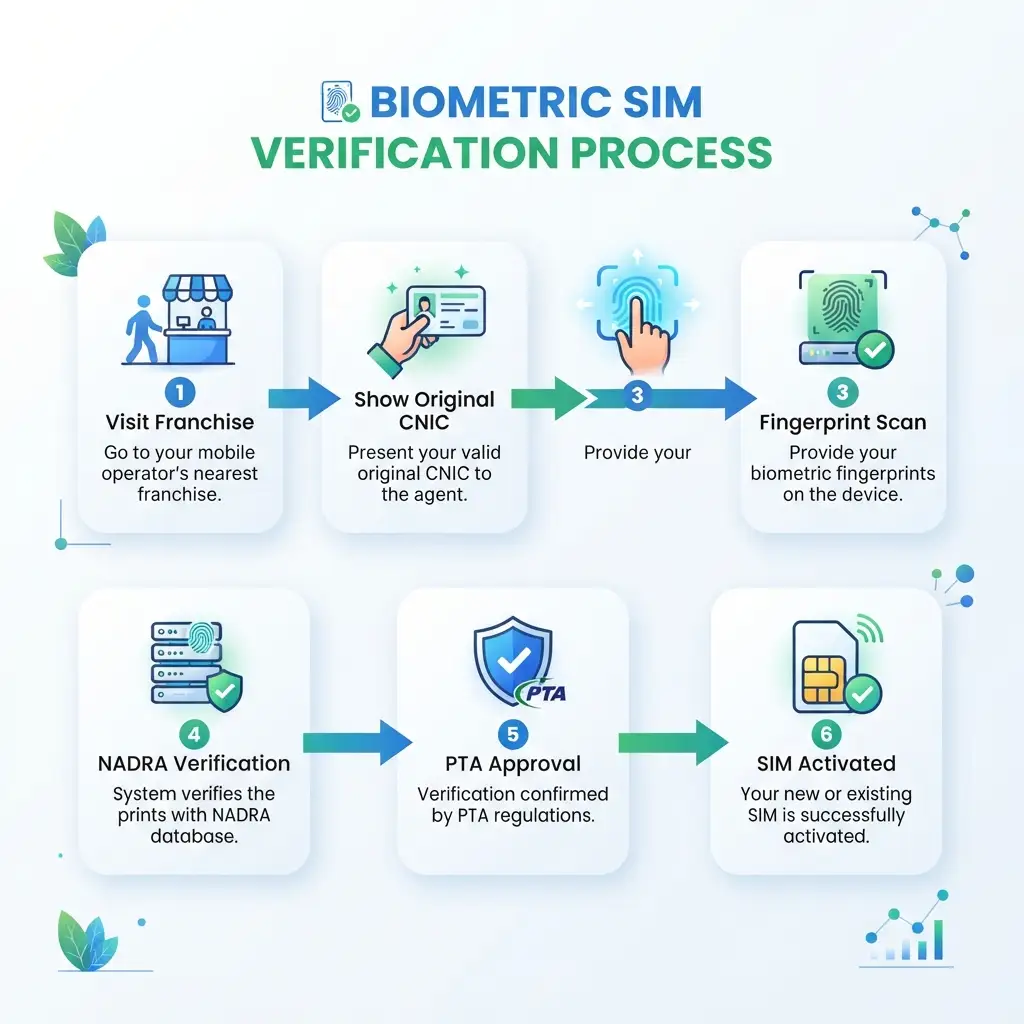
The verification process is almost the same for every mobile network in Pakistan. While the appearance of each operator’s system may differ, the required steps remain similar.
1. Visit an Authorised Franchise
Go to the nearest customer service centre or official franchise of your mobile network. Biometric verification cannot be completed through a website, mobile app, or SMS service.
2. Present Your Original CNIC
Hand your original Computerised National Identity Card (CNIC) to the customer representative. They will verify your identity before starting the registration process.
3. Submit Your Request
Tell the representative why you need verification. Common requests include:
- New SIM registration
- SIM replacement
- Ownership transfer
- SIM reactivation
- Number conversion (prepaid to postpaid or vice versa)
4. Fingerprint Scanning
Your fingerprints will be captured using a PTA-approved biometric device. You may be asked to place more than one finger on the scanner if the first scan is unclear.
5. Verification with NADRA
The biometric device securely sends the fingerprint data for authentication against NADRA’s official records. This comparison usually takes only a few moments.
6. Confirmation
If the fingerprints match successfully, the request is approved. Depending on the service requested, your SIM may become active immediately or within a short processing period.
Biometric SIM Verification by Mobile Network
Although every operator follows PTA regulations, the locations where verification is available differ. Always visit an official customer service centre or authorised franchise to avoid delays.
More: Check Your Telenor SIM Owner Details
| Network | Biometric Verification Available |
| Jazz | Official franchises & customer care centres |
| Zong | Official franchises & service centres |
| Ufone | Authorised customer service centres |
| Telenor | Official franchises |
| SCOM | Authorised service centres |
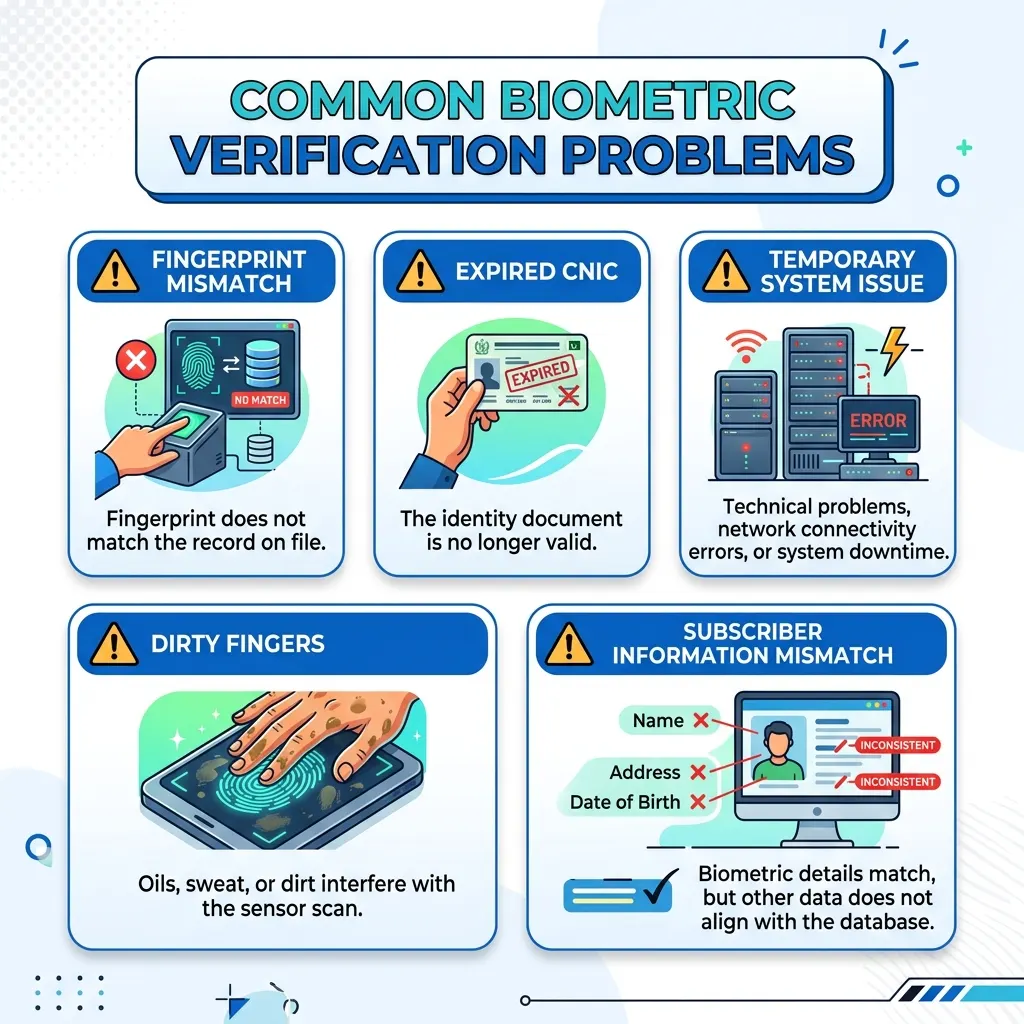
Common Biometric Verification Problems
Although verification takes only a few minutes, some customers report encountering a transient verification problem.
In almost all cases, the issue is resolved quickly when they contact the service desk. However, the problem may be resolved more quickly for the majority of frequent verification problems.
Fingerprint Does Not Match
The most typical cause for a failed verification is that your fingerprint does not match the one on record, so you get the corresponding error message. The following are several of the most prevalent causes of this discrepancy:
- Worn-out finger
- Dirty scanner
- The scanning procedure was not followed correctly
- Temporary skin damage
- The agent may ask you to scan a different finger or try again.
Expired CNIC
If your CNIC has expired, you will need to renew it before verification. Before visiting an approved franchise, make sure your CNIC is valid.
Temporary System Issue
There may be a minor technical issue resulting in network congestion.
If you experience this problem, the operator may ask you to wait while the issue is resolved.
Subscriber Information Does Not Match
If the information on your CNIC does not match the information in the subscriber database, it may cause delays.
Solution: Updating the customer information should resolve the issue.
Tips for Completing Biometric Verification
- Bring the original CNIC.
- Wash and dry hands before scanning.
- Make sure that there are no greasy substances.
- Inform the representative about the injury of one of the fingers.
- Go to the approved franchise and not to the unauthorized dealer.
- Make sure that the information in your CNIC is not expired.
Most of these measures are taken to ensure that the agent would be able to scan the prints clearly and without a problem.
How to Fix Biometric Verification Issues
Your biometric verification issue can be resolved in most cases by identifying the cause.
The following procedures can help you fix the majority of the problems mentioned above.
Use Another Finger
When your fingerprint does not match the one in the database, the agent may ask you to try with another finger.
Perhaps you hurt your leading hand, and it is not as easy to swipe with.
Cleaning Your Fingers
If your fingerprint is not read correctly, a message indicating that there has been an error might show up. Make sure that your finger is not oily, dirty, sweaty or wet.
Verify Your CNIC
Make sure that the CNIC information you provided is correct.
An invalid CNIC will cause a biometric verification error.
Visit the Official Customer Service Center
If you are not able to verify your biometric information at an authorized retail shop, you should contact the operator’s customer care helpline.
They will help to identify the issue and come up with a solution.
Visit a NADRA Registration Centre
In case you are facing problems while verification at more than one outlet, you should contact the NADRA registration center.
Privacy and Security of Biometric Data
Many subscribers wonder what happens to their fingerprints after verification.
During the verification process, your fingerprints are used only to confirm your identity against NADRA’s biometric records through authorised systems. Mobile operators do not create a public fingerprint database that others can access.
This verification process helps:
- Prevent identity theft.
- Stop unauthorised SIM registration.
- Protect subscribers from fraudulent mobile connections.
- Improve the accuracy of telecom subscriber records.
Never allow anyone claiming to provide “online biometric verification” to collect your fingerprints or personal documents. Biometric verification is completed only through authorised channels.
Latest PTA Rules for Biometric SIM Verification (2026)
PTA continues to require biometric verification for SIM registration and selected subscriber services.
Current requirements include:
- Every new SIM must be verified before activation.
- SIM ownership transfers require biometric authentication by the new subscriber.
- Lost or damaged SIM replacements require identity verification.
- Subscribers should regularly review the SIMs registered against their CNIC using official PTA verification services.
- Biometric verification is performed only through authorised customer service centres and approved franchises.
Do check the official announcements of PTA on the requirements of telecom companies, as these might change from time to time.
More: How Many SIMs on My CNIC Check Online
Conclusion
Biometric SIM verification is vital in ensuring a secured mobile service in Pakistan. This system authenticates every subscriber in the telecommunication database through fingerprints, eliminating fraud and protecting service providers from record falsification. When you buy, replace, or transfer a SIM, you must present your original CNIC at an authorized franchise. If the system rejects your verification, you can clean your fingers or recheck your information. You can also monitor the service providers.
Always visit an authorised franchise or customer service centre for biometric verification. Avoid websites or people who ask for fingerprints for verification as biometric verification must be done in person using PTA approved technology
FAQs
Can I verify biometric online?
No, Authorized franchisees or customer service centers perform biometric SIM verification by scanning fingerprints.
How long does it take to take biometrics?
Fingerprint scanning is a quick process that takes little time, the duration depends upon the availability of the service or the requested procedure.
What documents do I need to carry along for verification?
What are the reasons for fingerprint verification rejections?
The reasons can be old fingerprints, dirty fingerprints, technical problems of the scanner, expiry of CNIC, or mismatch of the subscriber.
Is there any charge for biometric verification?
Does biometric verification help in reducing SIM fraud?
Can I transfer my SIM on someone else’s name?
Yes, the owner of the SIM can transfer it on the other person’s name but the new owner will have to provide fingerprints for verification.