
Quick Answer
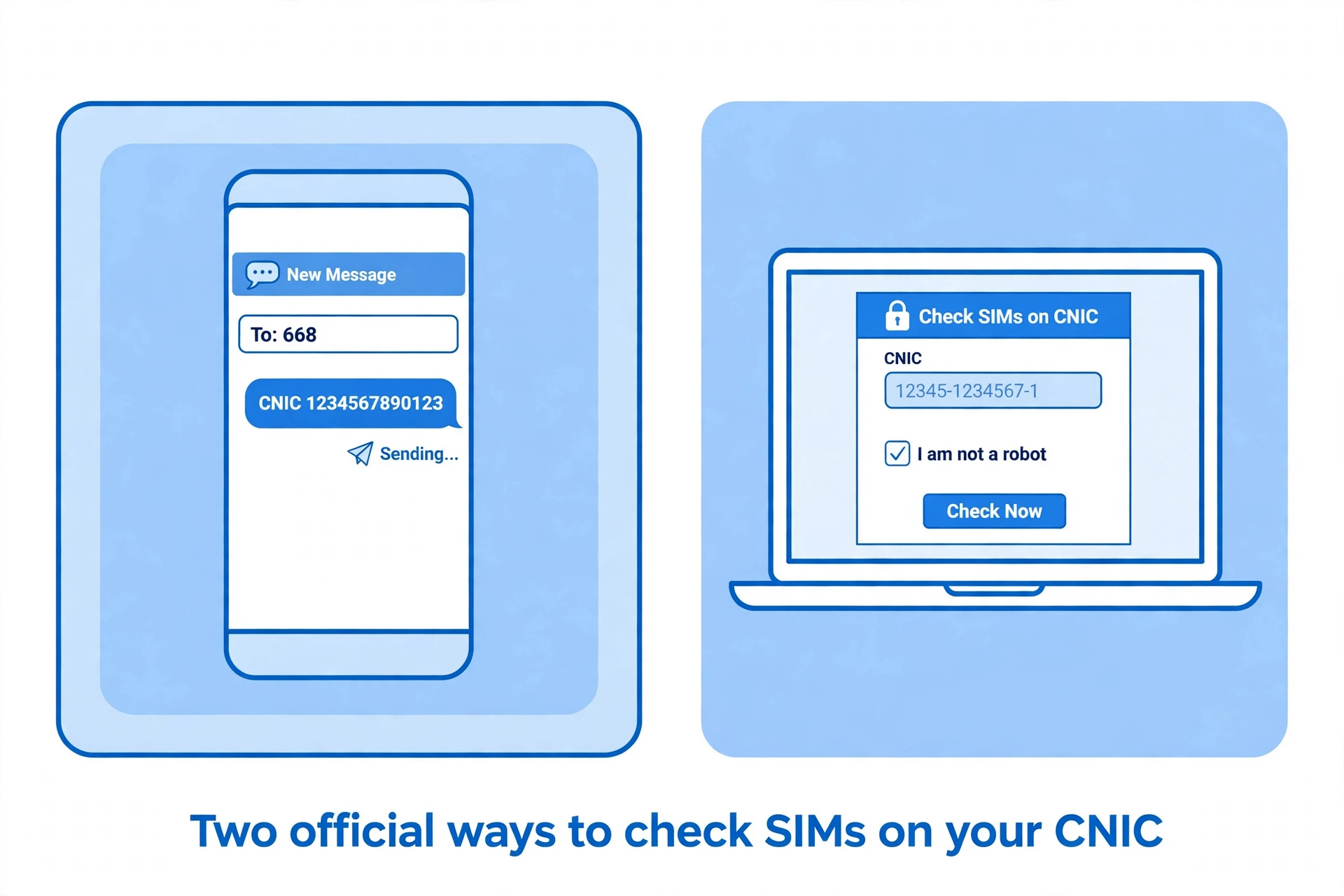
You can check SIM owner details by CNIC in two official ways: open PTA’s SIM Information System at cnic.sims.pk and enter your 13-digit CNIC number without dashes, or send your CNIC by SMS to 668. Both methods show how many SIMs are registered on your CNIC, broken down by network — Jazz, Zong, Telenor, Ufone and SCOM. They do not show the SIM owner’s name or full mobile numbers, and no official tool in Pakistan does that.
What “Check SIM Owner Details by CNIC” Actually Means
Checking SIM owner details by CNIC means looking up your own record: how many SIMs are registered against your CNIC, and on which networks. Every SIM in Pakistan is linked to a CNIC, so this check tells you exactly what is running in your name.
It is not the same as checking a SIM by its mobile number. A number lookup starts from a phone number and tries to find who it belongs to — that is a different check, covered in our guide on Check SIM Owner Details by Number. This article is only about the CNIC method: you start with your own CNIC and see every SIM attached to it.
Log aksar search karte hain “CNIC se SIM check karne ka tarika” — the answer is the same two official methods below, and they take less than a minute.
Method 1: Check Online at cnic.sims.pk
The PTA SIM Information System is the official online portal for this check. It is free, and it works from any browser, on a phone or a computer.
- Open cnic.sims.pk in your browser. Type the address yourself instead of clicking links from random websites that promise SIM data.
- Enter your 13-digit CNIC number without dashes or spaces.
- Complete the CAPTCHA and press submit.
- The screen shows every SIM registered on your CNIC, listed by mobile network.
That is all there is to it. If you like, take a screenshot of the result and keep it for your records, so you can compare it the next time you check.
Method 2: Send Your CNIC to 668 by SMS
If you do not have internet access, the 668 SMS service does the same check from any phone.
- Open the Messages app on your phone.
- Type your 13-digit CNIC number with no dashes or spaces.
- Send it to 668. Note that 668 is an SMS short code — dialling it like a phone number will not work.
- PTA replies, usually within seconds, with the number of SIMs registered on your CNIC, counted separately for each network.
The portal is free to use. The 668 SMS carries a small standard charge of around Rs. 2 plus tax, set by PTA — the exact amount can change, so the reply itself is the reliable part, not the price.
cnic.sims.pk or 668 — Which One Should You Use?
Both methods read the same PTA record, so neither one is more “correct” than the other. Pick whichever suits the moment:
| Method | Cost | Needs internet | What you get |
|---|---|---|---|
| cnic.sims.pk | Free | Yes | SIM count by network, shown on screen |
| 668 SMS | Around Rs. 2 + tax | No | SIM count by network, sent back by SMS |
Use the portal when you are on a computer or want to see the result on a proper screen. Use 668 when you are out, offline, or on a basic phone. If the two ever disagree, check again on the portal — and if the difference stays, visit your operator’s franchise with your original CNIC.
Jazz, Zong, Telenor, Ufone and SCOM SIMs by CNIC
The method is the same for every network, because all five operators report to the same PTA system. There is no separate process for Jazz or Zong or any other network — you check once, and the result lists each operator separately.
| Network | How to check | If a SIM on that network looks wrong |
|---|---|---|
| Jazz | cnic.sims.pk or 668 | Jazz helpline or nearest Jazz franchise |
| Zong | cnic.sims.pk or 668 | Zong customer service or franchise |
| Telenor | cnic.sims.pk or 668 | Telenor helpline or franchise |
| Ufone | cnic.sims.pk or 668 | Ufone helpline or franchise |
| SCOM | cnic.sims.pk or 668 | Nearest SCOM customer service centre |
Take your original CNIC with you to the franchise. The staff will verify you — usually with a biometric check — before they change or block anything on your record. If you want to know how that verification works, read our biometric SIM verification guide.
What You Can (and Cannot) See
| Information | Shown? |
|---|---|
| Number of SIMs registered on your CNIC | Yes |
| SIM count for each network (Jazz, Zong, Telenor, Ufone, SCOM) | Yes |
| Activation dates of your SIMs (on the portal) | Yes |
| The SIM owner’s name | No |
| Full mobile numbers | No |
| Someone else’s SIM record | No |
This is deliberate. PTA and the mobile operators keep personal details private under Pakistan’s telecom regulations. Any website that claims to show a stranger’s name, CNIC or home address from a phone number is not official — do not type your CNIC into it.
How Many SIMs Can You Have on One CNIC?
PTA’s current limit is five voice SIMs and three data-only SIMs per CNIC — eight in total, counted across all networks together. The “five SIMs” figure you see in older articles refers to voice SIMs; data SIMs have a separate allowance of three. If you have already reached the limit, you must block or close one SIM before a new one can be issued in your name.
For the full picture — limits, registration rules, biometric verification and what changed in 2026 — read the PTA SIM Rules 2026 guide. And if you only want the count and nothing else, our guide on How Many SIMs Are on My CNIC covers exactly that.
Found a SIM You Don’t Recognise?
A SIM you never bought, sitting on your CNIC, is the one thing this check is really for. Do not ignore it.
- Check again on cnic.sims.pk to make sure the result is real and not a typing mistake.
- Note which network the unknown SIM belongs to.
- Visit that operator’s franchise with your original CNIC and ask them to block it. They will verify you biometrically first.
- Do it promptly — a SIM in your name can be misused for calls, messages or even fraud, and the record points back at you.
Our step-by-step guide explains the whole blocking process: Block Unauthorized SIM Online in Pakistan.
SIM Owner Details vs SIM Verification
People use these two terms as if they meant the same thing. They don’t.
| SIM Owner Details | SIM Verification |
|---|---|
| Who a SIM is registered to | How many SIMs are registered on a CNIC |
| Personal details are not available to the public | You check your own record through PTA’s official system |
| Operators confirm ownership only after verifying your identity | The system shows the SIM count under each network |
| Used when confirming who legally owns a SIM | Used to find unknown or unauthorised SIMs on your CNIC |
| Protects the privacy of mobile users | Keeps your CNIC and mobile identity secure |
In practice, the CNIC check in this article is a form of SIM verification: it confirms what is registered in your name, without revealing anyone’s private details.
Stay Safe While You Check
- Use only the official channels — cnic.sims.pk and 668. If a site asks for your CNIC and promises “complete SIM owner details” of any number, close it.
- Never share your CNIC, OTP or fingerprint with an unknown caller or website. PTA and your operator will never ask for these over the phone.
- Check only your own CNIC. Looking up someone else’s SIM record without their permission is not allowed, and under the Prevention of Electronic Crimes Act (PECA) 2016 it can be an offence.
- Re-check every few months. A SIM can appear on your CNIC without you noticing — a quick check on the portal costs nothing and takes a minute.
Conclusion
Checking SIM owner details by CNIC is simple, free on the portal, and worth doing regularly. Enter your 13-digit CNIC on cnic.sims.pk or send it to 668, and you will see every SIM registered in your name, network by network. You cannot see the owner’s name or full numbers — no official tool shows those — but you can see exactly what is attached to your identity, and that is what matters. If anything on the list is not yours, get it blocked at the operator’s franchise right away.
For the wider picture, the SIM Owner Detail Pakistan homepage explains all the official checks in one place.
FAQs
How can I check SIM owner details by CNIC?
Open cnic.sims.pk and enter your 13-digit CNIC without dashes, or send your CNIC by SMS to 668. The system shows the total number of SIMs linked to your CNIC, counted separately for each mobile network.
Is a CNIC required to check SIM details?
Yes. You need your own valid 13-digit CNIC number. Neither the PTA portal nor the 668 SMS service can look up your record without it — the CNIC number is the key the whole check runs on.
What is the maximum number of SIMs allowed on one CNIC?
PTA allows five voice SIMs and three data-only SIMs on one CNIC — eight in total, across all networks. Once you reach the limit, you cannot get a new SIM until you block or close one of the existing ones.
Can I check the SIM owner’s name by CNIC online?
No. You cannot check a SIM owner’s name online by CNIC in Pakistan. Names, full numbers and addresses are protected under Pakistan’s telecom regulations, and no official tool shows them. The only exception is your own SIM in your own phone: sending MNP to 667 from that SIM shows the name it is registered under — the full method is in our guide on Check SIM Owner Details by Number.
Is SIM verification free in Pakistan?
Checking on the cnic.sims.pk portal is completely free. The 668 SMS service carries a small standard charge of around Rs. 2 plus tax, which your operator deducts like a normal SMS fee.
CNIC se SIM check karne ka tarika kya hai?
Apna 13 hindsoun wala CNIC number (baghair dash ke) 668 par SMS karein, ya cnic.sims.pk par ja kar CNIC likhein aur submit karein. Aap ko foran pata chal jaye ga ke aap ke CNIC par kitni SIMs hain aur kis network ki hain. Ye dono tareeqe PTA ke official hain aur bilkul mehfooz hain.
Pingback: How Many SIMs on My CNIC Check Online
Pingback: 667 SIM Check Pakistan: 667 vs 668, MNP & Verification