
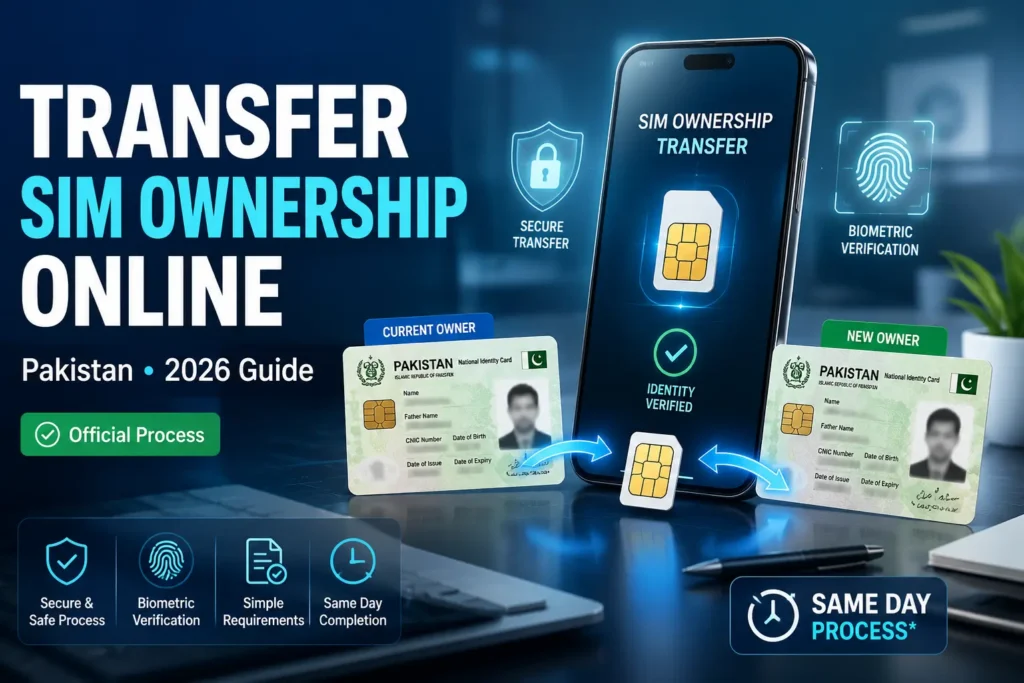
If the SIM in your phone is registered in someone else’s name, that is a problem worth fixing — and most people only realise it when something goes wrong. A lost SIM, a bank OTP that stops arriving, or a call from customer care asking for the “real owner” is usually the moment it hits home. Transferring the SIM into your own name is the fix, and in Pakistan the process is straightforward once you know what to expect.
This guide covers the full process: what the PTA actually requires, which documents you need, how each network — Jazz, Zong, Ufone, Telenor and Onic — handles it, how much it costs, how long it takes, and what to do in the tricky cases, like a deceased owner or an owner who cannot come with you. If you searched for “SIM apne naam par kaise karen” or “SIM ownership transfer kaise karein”, you are in the right place.
Quick Answer
- You can start the transfer online for some networks, through their website or app — but the transfer is not complete until biometric fingerprint verification is done in person.
- Both the current owner and the new owner usually need their original CNICs.
- The SIM number does not change, and the SIM card itself stays the same.
- Most transfers finish on the same day, once verification is successful.
- Most operators do not charge a fee for ownership transfer, but confirm it with your network first — policies change.
- A SIM registered in someone else’s name can create legal trouble for the registered owner if the number is misused, so it is worth sorting out sooner rather than later.
Why Do People Transfer SIM Ownership?
Family transfer
This is the most common reason by far. Parents buy SIMs for their children years before the children have their own CNIC. When the child turns 18 and gets a CNIC, the SIM should move into their name. Until that happens, the parent remains legally responsible for everything done with that number.
Buying a used number
People sometimes buy a mobile number from someone else — often a memorable or “golden” number, or a number tied to a business. Before using it day to day, ownership has to move to the buyer, otherwise the seller can still walk into a franchise and claim the number, or block the SIM.
Wrong registration
Years ago, many SIMs were registered on a family member’s CNIC simply because that was the CNIC available at the shop. The person using the number every day was never the registered owner. Fixing that now avoids problems with bank accounts, mobile wallets and SIM replacement later.
Business use
Companies hand official numbers to employees, and when staff change, the number should move to the new employee or back to the company. Keeping business numbers registered to people who no longer work there is a security risk.
Legal protection
This is the reason people underestimate. Under PTA rules, the registered owner of a SIM is the person answerable for it. If a number registered in your name is misused by someone else, you are the one who gets the call. Transferring ownership you no longer control is self-protection.
Can You Transfer SIM Ownership Online in Pakistan?
Partly, yes — completely, no. And anyone who tells you otherwise is overselling it.
Some operators let you begin the request online: you can check the requirements on their website, start a request through the app, or book the visit. That saves time and a wasted trip. But Pakistan’s SIM registration system is built on biometric verification, and that final step cannot be done from your sofa. The current owner and the new owner both need to verify fingerprints at a franchise or customer service centre before the transfer is approved.
So the honest way to think about it is this: online channels prepare the transfer, the franchise completes it. Check your network’s latest instructions before you go, because each operator updates its process from time to time. If you are unsure who the SIM is registered to in the first place, start by checking — our guide to Check SIM Owner Details by Number walks through it.
PTA Rules for SIM Ownership Transfer
The Pakistan Telecommunication Authority (PTA) requires every mobile SIM to be linked to the correct owner’s identity. The rules that matter for a transfer are simple:
- Every SIM must be registered against a valid CNIC — an expired CNIC will stop the process before it starts.
- Biometric verification is required for most ownership changes. This is the core of the system and there is no legal way around it.
- The operator verifies both people’s information before approving the transfer.
- Incorrect or fake registration can lead to the SIM being suspended or blocked.
These rules exist to cut down on fraud and misuse of mobile numbers. They can feel like a hassle when you are the one standing in a queue, but they are also the reason a stranger cannot walk in and take your number. You can read PTA’s own consumer guidance on its website at pta.gov.pk.
If you want to know how many SIMs are already registered against your CNIC before you start, see our guide on How Many SIMs Are on My CNIC — a transfer is a good moment to clean up numbers you no longer use.
Benefits of Transferring SIM Ownership
Better security. The SIM sits under your own identity, so nobody else can claim it, block it or walk away with your number.
Easier customer support. Lost your phone? A replacement SIM is a quick job when the number is in your name. When it is not, replacement turns into a paperwork battle — see Lost or Stolen SIM Replacement in Pakistan for what that involves.
Banking and mobile wallet safety. JazzCash, Easypaisa, bank apps and OTP verification all assume the SIM belongs to the account holder. When the SIM and the CNIC do not match, transactions can fail at the worst moment — or worse, the registered owner can reset access to accounts tied to the number.
Legal compliance. A correctly registered SIM keeps you on the right side of PTA regulations and removes the risk of being answerable for someone else’s use of the number.
Who Can Transfer SIM Ownership?
In practice, any two adults with valid CNICs can transfer a SIM between them, as long as both complete verification. The situations franchises see every day include:
- Parent to child
- Husband to wife, and wife to husband
- Brother or sister
- Friend to friend
- Buyer and seller
- Company transfers, where the company authorises the change
The operator can ask for extra documents depending on the situation — a family transfer is routine, a business transfer is not. The one thing that does not change is the biometric check: both people are normally expected to verify in person.
Documents Required for SIM Ownership Transfer
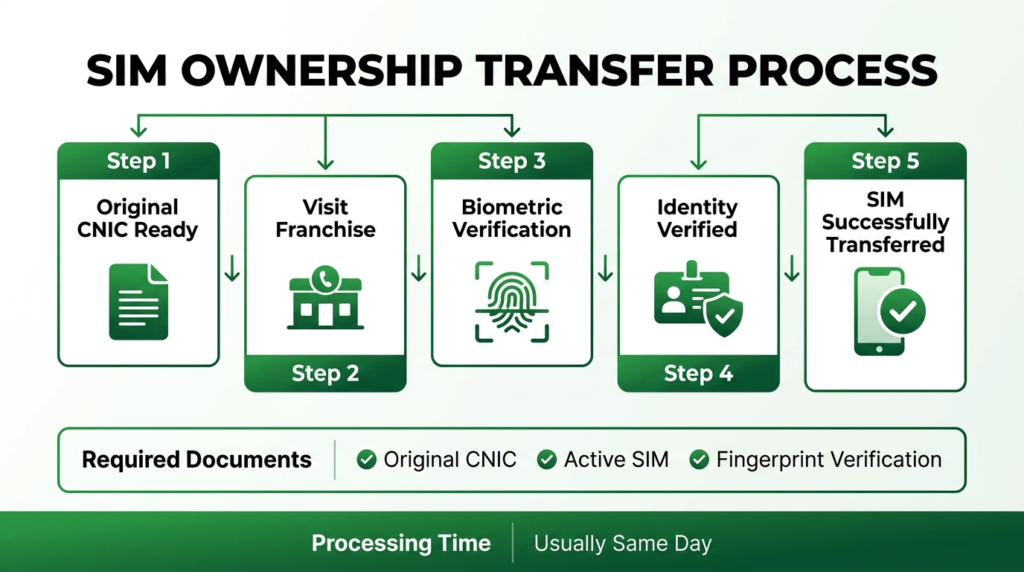
Keep everything ready before you visit, and the whole thing goes much faster.
| Requirement | Purpose |
|---|---|
| Original CNIC of the current owner | Identity verification |
| Original CNIC of the new owner | New registration |
| Active SIM card | The number being transferred |
| Biometric fingerprints of both owners | Identity confirmation |
| Supporting documents (if asked for) | Special cases — business numbers, deceased owner, legal disputes |
Photocopies are not a substitute for original CNICs. If either CNIC is expired, renew it first — the system will reject an expired CNIC and you will have made the trip for nothing. Our complete guide to Biometric SIM Verification in Pakistan explains how the fingerprint check works and what to do if it fails.
Is There Any Fee for SIM Ownership Transfer?
Most operators transfer SIM ownership without charging a fee. That has been the standard practice across the networks. But this is a policy, not a law, and policies change — so confirm it with your network’s helpline or at the franchise before you apply, rather than assuming. There is no published PTA fee for ownership transfer; if anyone at a shop demands a large “transfer charge”, that is worth questioning with the operator directly.
How Long Does SIM Ownership Transfer Take?
Once both people have verified their fingerprints and the documents check out, most transfers are completed the same day — often within an hour or two at the franchise. In some cases it can take up to 24 hours, usually when extra verification is needed or the system flags something for review. If you are told to wait, ask for a reference number and the expected time, so you can follow up instead of guessing.
What Happens After the Transfer?
Once the transfer is approved:
- The SIM card stays the same — no new SIM needed.
- Your mobile number does not change.
- The new owner’s details are linked to the number in the operator’s and PTA’s records.
- Future SIM replacements, upgrades and complaints are handled against the new owner’s CNIC.
- The previous owner is no longer responsible for the SIM.
- Services tied to the number — banking OTPs, WhatsApp, mobile wallets — keep working as before, because the number itself has not changed.
It is still worth checking a day later that the number shows under the new owner’s CNIC, just to be sure the record updated properly.
How to Transfer Jazz SIM Ownership
Jazz is Pakistan’s largest network, so its franchises handle more ownership transfers than anyone else’s. The “Jazz SIM apne naam karne ka tarika” is the same process as everyone else’s, with Jazz’s own counters.
Can you transfer Jazz SIM ownership online?
You can use Jazz’s digital channels — the Jazz website, the Jazz app or the helpline — to check the requirements and begin your request. But the final step, biometric verification, happens at a Jazz Franchise or Customer Care Centre. There is no fully online route.
Steps
- Keep the original CNICs of both the current owner and the new owner.
- Make sure the Jazz SIM is active and in your hand.
- Visit the nearest Jazz Franchise — both people should go together if the franchise asks for it.
- Complete biometric fingerprint verification for both owners.
- The representative verifies the documents and submits the request.
- Once approved, the SIM is transferred to the new owner’s CNIC.
Documents: original CNICs of both owners, active Jazz SIM. Time: usually completed the same day.
How to Transfer Zong SIM Ownership
Zong follows the same PTA rules, and its process is nearly identical to Jazz’s.
Steps
- Prepare the original CNICs of both owners.
- Visit an official Zong Customer Service Centre or franchise.
- Complete biometric verification for both people.
- Wait while the representative verifies your information.
- Receive confirmation once the transfer is approved.
Documents: original CNICs, active Zong SIM, biometric verification. Time: a few hours to the end of the day, if there are no verification problems.
How to Transfer Ufone SIM Ownership
If your Ufone SIM is registered under someone else’s name, update it as soon as you can — Ufone’s process is simple, but it still needs both people at the service centre.
Process
- Visit a nearby Ufone Service Centre.
- Submit the original CNICs and the active SIM.
- Complete fingerprint verification for both owners.
- Wait for confirmation from the representative.
Documents: original CNICs, active Ufone SIM, biometric verification. Time: normally completed on the same day.
How to Transfer Telenor SIM Ownership
Telenor customers should follow the latest official instructions available through Telenor’s authorized customer service channels, as the company’s service arrangements in Pakistan have been changing. Do not rely on old blog posts or shopkeepers’ advice for Telenor — check with Telenor directly before you visit, so you go to the right place with the right documents.
General process
- Carry the original CNICs of both owners.
- Visit the authorized customer service centre.
- Complete biometric verification.
- Submit the ownership transfer request.
- Wait for approval.
Documents: active SIM, original CNICs, fingerprint verification. Time: usually the same day once verification is complete.
How to Transfer Onic SIM Ownership
Onic is the digital-first brand in the market, and its process reflects that: depending on your situation, you may be able to begin the request through the app or customer support instead of walking into a shop first. Identity verification is still required before the ownership change is completed, so expect a biometric step somewhere in the process. Onic updates its process from time to time, so check the latest information in the app before you apply.
SIM Ownership Transfer Comparison
| Mobile Network | Online Request | Biometric Required | Estimated Time |
|---|---|---|---|
| Jazz | Partial | Yes | Same day |
| Zong | Partial | Yes | Same day |
| Ufone | Limited | Yes | Same day |
| Telenor | Limited | Yes | Same day |
| Onic | Partial | Usually yes | Few hours to one day |
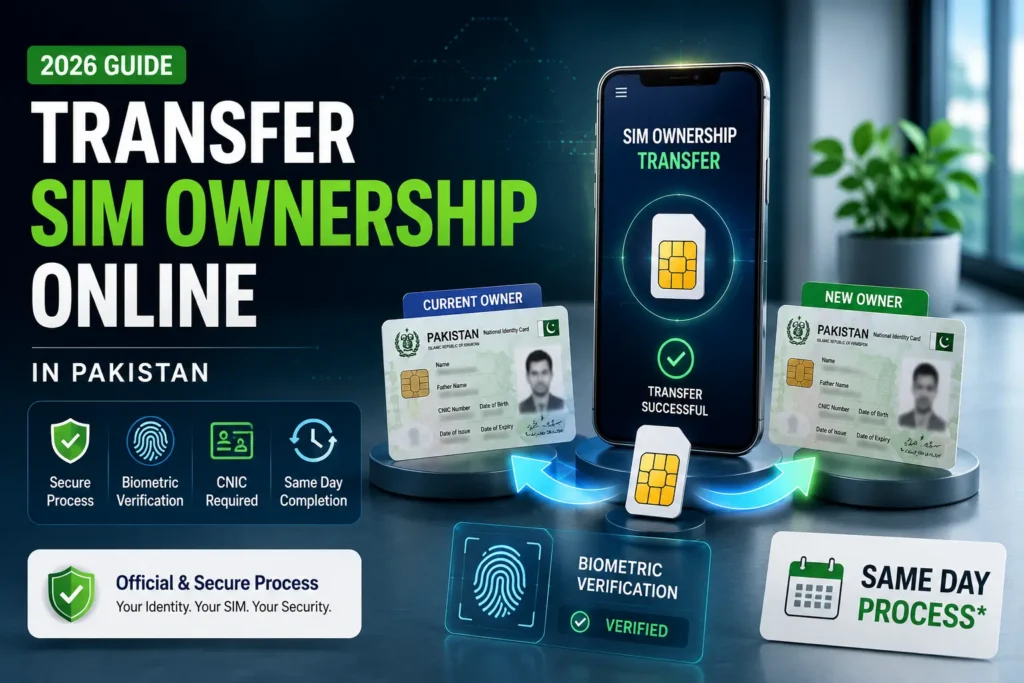
The table makes the real point: whichever network you are on, the online part is only the beginning. Biometric verification is the part that actually moves the SIM into your name.
Can You Transfer SIM Ownership Without the Current Owner?
It depends on the reason. In a normal transfer, the current registered owner needs to take part in verification — that is the whole point of the system. But there are genuine exceptions:
- The owner has passed away — the family can apply with a death certificate and supporting documents (see below).
- Legal disputes — a court order or legal documentation can substitute for the owner’s presence.
- The owner cannot be found — some operators have a process for this, but it involves additional verification and takes longer. Do not expect it to be quick.
If the current owner is simply unwilling to cooperate, the operator will not transfer the SIM on your word alone. If you are using a number that is not in your name and the owner will not help, your realistic options are to get a new SIM in your own name or resolve it with the owner directly. If you find a SIM registered on your CNIC that you do not recognise at all, that is a different problem — see Block Unauthorized SIM Online in Pakistan and get it blocked.
SIM Ownership Transfer for Family Members
Most transfers in Pakistan happen inside families, and operators deal with them every day: father to son, mother to daughter, husband to wife, wife to husband, brother to sister. The relationship makes it routine, but it does not remove the biometric step — even family members must both verify fingerprints before the operator approves the change. Bring both CNICs, and if the new owner has only recently turned 18, make sure the CNIC is the new smart card, not the old Juvenile Card (B-Form), or the system may not accept it.
SIM Ownership Transfer After the Owner’s Death
When the registered owner has passed away, the family can still transfer the number — but the process is different and the operator will ask for:
- Death certificate of the registered owner
- Family Registration Certificate (if required)
- Original CNIC of the applicant
- Any legal documents the operator asks for, such as a succession certificate in some cases
The exact list varies between operators, and this kind of transfer usually takes longer than a normal one because the documents go through extra checks. Call the operator’s helpline first and ask for the full list before visiting, so you do not have to make repeated trips.
SIM Ownership Transfer for Business Numbers
Business numbers are registered under a company’s name rather than a person’s. To transfer one, the company usually needs to provide:
- A company authorization letter on letterhead
- Business registration documents
- CNIC of the authorized representative
- Any additional documents the operator requests
The representative’s fingerprints are verified, and the number moves to the new authorised person or stays under the company with updated records. Companies should keep a written record of who holds each official number — it avoids exactly the kind of dispute this article is about.
Common Problems During SIM Ownership Transfer
Most delays come from small, fixable issues. Here are the ones franchises see most often:
| Problem | Easy Solution |
|---|---|
| CNIC has expired | Renew your CNIC from NADRA first, then apply for the transfer. |
| Fingerprint does not match | Ask the service centre staff for help with biometric verification — worn fingerprints sometimes need several attempts or an alternative finger. |
| SIM is blocked | Reactivate the SIM before applying for ownership transfer. |
| Information does not match | Check that the CNIC details and the SIM record match. If the record is wrong, ask the operator to correct it first. |
| Current owner is not available | Ask the operator about the special-case process — death certificate, legal documents or company authorization, depending on the situation. |
| Too many SIMs on the new owner’s CNIC | PTA limits the number of SIMs per CNIC. Check how many SIMs are already on the new owner’s CNIC and remove unused ones first. |
If your fingerprints repeatedly fail, do not keep trying at random shops — go to the operator’s main service centre, where staff handle biometric failures every day. Our guide to Biometric SIM Verification in Pakistan covers the fingerprint problem in detail.
Conclusion
Transferring SIM ownership is a small job with a big payoff: your number ends up legally in your name, your banking and wallet OTPs keep working without surprises, and nobody else can claim or misuse a number you use every day.
The honest summary is that you can start the process online, but you finish it in person. Keep both original CNICs ready, make sure the SIM is active, visit the franchise together, and most transfers are done the same day. Do it now, while it is a routine errand — not later, when a lost phone or a blocked SIM turns it into an emergency.
If you have not checked whose name your number is under yet, start with Check SIM Owner Details by Number or visit the SIM Owner Detail Pakistan homepage. And if you are replacing a lost SIM at the same time, read Lost or Stolen SIM Replacement in Pakistan first so you go prepared.
FAQs
Can I transfer SIM ownership completely online in Pakistan?
Not completely. Most operators let you start the request online, but the final step is biometric fingerprint verification at a franchise or service centre. Without that, the transfer is not approved.
Will my mobile number change after the transfer?
No. Only the registered owner’s information changes. Your number, your SIM card and your services all stay exactly the same.
Can I transfer ownership if the SIM is inactive or blocked?
You usually need to reactivate the SIM first. An inactive or blocked SIM cannot be transferred until it is active again.
Can I transfer SIM ownership to any person?
Yes, as long as both people have valid CNICs and complete biometric verification. For business numbers, the company must authorise the change.
How long does SIM ownership transfer take?
Most transfers finish on the same day, often within a few hours of verification. If extra checks are needed, it can take up to 24 hours.
Is there a fee for transferring SIM ownership?
Most operators do not charge a fee for ownership transfer, but confirm with your network before applying — policies can change.
Pingback: How Many SIMs on My CNIC Check Online (2026)
Pingback: How to Check SIM Registration Date in Pakistan — Official Methods (2026)