
Check Your Telenor SIM Owner Details Online in Pakistan
If you want to check Telenor SIM Owner Details in Pakistan, you are not alone. Many people want to verify that their Telenor SIM is correctly registered on their CNIC or not and check for unauthorized Telenor SIMs to protect their identity.
In Pakistan, according to PTA rules, every active SIM must be registered through biometric verification. Regularly checking SIM registration helps you to protect your identity and prevents the misuse of your CNIC from any fraud or financial scam.
In this guide, you will learn the safest and easiest methods to check Telenor SIM registration, and will learn how the verification process works, Telenor prefixes, and about the PTA system.
Quick Answer
There are several official ways to check your Telenor SIM registration. You can use PTA’s SIM Information System, speak with Telenor customer support, or visit a nearby authorized franchise. These options let you confirm your registration details and review the mobile numbers linked to your CNIC.
More: SIM Owner Detail Pakistan
Why SIM Registration Matters
Today, mobile numbers have become very essential for us. They are used for banking, online shopping, social media accounts, and government services. So keeping your SIM registration accurate and safe is more important. Regularly checking your SIM registration can help you:
Verifying your SIM registration helps you:
- Protect your CNIC from any misuse
- Check unauthorized SIM connections
- Improve your account security
- Prevent identity theft
- Stay compliant with PTA regulations.
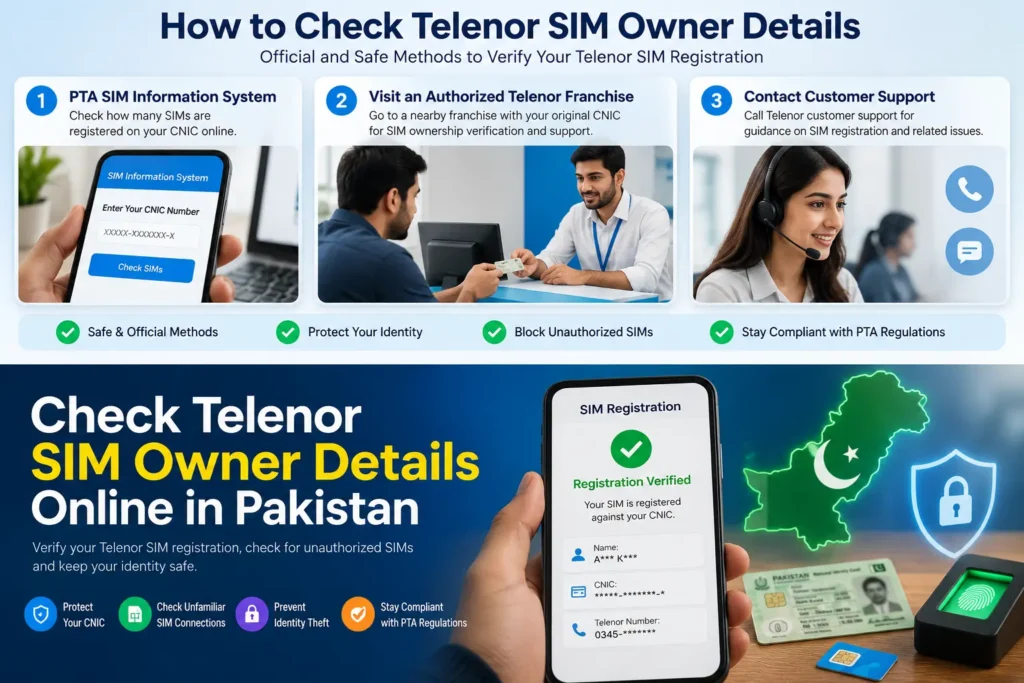
How to Check Telenor SIM Owner Details
There are many safe and easy methods to check your Telenor SIM registration. The best method depends on the type of information you need. Below are all method are present that use to check your Telenor SIM.
Verify Through the PTA SIM Information System
The PTA SIM Information System allows people to check how many SIM cards are registered on their CNIC. This is one of the easiest ways to identify unknown SIM cards on your CNIC to protect your identity. If you notice any unknown number on your CNIC, visit the Franchise and block it immediately.
- Visit the official PTA website cnic.sims.pk.
- Enter your CNIC number.
- Complete the other verification process.
- View the number of Telenor SIMs on your CNIC.
Visit an Authorized Telenor Franchise
If you need to confirm the registration details of your Telenor SIM, go to the Telenor Franchise with your original CNIC. Requestr mobile operator to check the number of SIMs registered on your CNIC. They will verify your identity, review your registration records, and help with biometric verification if needed.
This method is useful when:
- Replacing a SIM
- Updating SIM ownership records
- Resolving registration issues
- Confirming CNIC details
Contact Customer Support
Telenor customer support can also help people with account-related issues, SIM activation, biometric verification guide, and in the SIM registration process.
Information Required Before Verification
You should have the following documents to verify your SIM registration:
- Original CNIC
- Registered Telenor number
- Access to the registered SIM (if required)
- Biometric verification record, if applicable
- Personal identification for franchise visits
Having these details ready helps make the verification process quicker and smoother.
Official Verification Methods
Official PTA methods are the safest ways to confirm your SIM registration. They protect your personal information.
The most commonly used options include:
PTA Verification
Useful for reviewing the number of SIMs registered against your CNIC and identifying any unfamiliar connections that may require follow-up.
Telenor Franchise
This method is used for SIM ownership verification process, biometric updates, and resolving registration issues.
Customer Support
Suitable for general guidance, account assistance, and information related to your registered mobile services after identity verification.
Biometric Verification
Biometric verification helps confirm that your SIM is still registered to your CNIC, improves security, and reduces the risk of unauthorized use.
Telenor Mobile Number Prefixes
Telenor mobile number prefixes help you to identify that a number belongs to your Telenor network or not.
| Prefix | Network |
| 0340 | Telenor |
| 0341 | Telenor |
| 0342 | Telenor |
| 0343 | Telenor |
| 0344 | Telenor |
| 0345 | Telenor |
| 0346 | Telenor |
| 0347 | Telenor |
| 0348 | Telenor |
| 0349 | Telenor |
Note: If a number has been ported to another mobile operator through MNP, the prefix alone may not reflect its current network.

Understanding the PTA SIM Verification System
The Pakistan Telecommunication Authority (PTA) introduced the SIM verification system to improve mobile security and reduce identity misuse. Every active SIM card must be registered against a valid Computerized National Identity Card (CNIC) through biometric verification.
This system helps users:
- Monitor the number of SIMs linked to their CNIC.
- Check unauthorized mobile connections.
- Reduce the risk of the misuse of identity.
- Keep personal mobile records accurate.
If you discover an unfamiliar SIM registered against your CNIC, contact your mobile operator immediately and request guidance on resolving the issue.
Read More: Check SIM Information by CNIC Online – Complete Guide
PTCL–Telenor Merger Update
After the PTCL–Telenor Pakistan transaction, many customers had questions about whether the rules for SIM verification or registration had changed. Nothing has changed about how SIM registration works. If you ever need to verify your details or have questions about your SIM, the safest option is to contact your mobile operator or use PTA’s official services.
Common Problems and Their Solutions
Although SIM verification is generally straightforward, delays or errors can happen from time to time.
SIM Is Not Registered Correctly
If your SIM appears to have registration issues, visit an authorized franchise with your original CNIC. A representative can verify your records and guide you through the required process.
Unknown SIM Registered Against Your CNIC
If you notice an unfamiliar mobile connection linked to your identity, do not ignore it. Contact your mobile operator immediately and request assistance. Keeping unauthorized SIMs active may expose you to unnecessary security risks.
Biometric Verification Required
Sometimes a SIM may require biometric re-verification after replacement or account updates. Completing the biometric process ensures your SIM remains active and correctly linked to your CNIC.
Network or Verification Delay
Sometimes a verification request takes longer than expected. This is often caused by a temporary system or network issue, so trying again after a short wait is usually enough.
Safety Tips Before Checking SIM Information
Protecting your personal information is just as important as verifying your SIM registration.
Follow these best practices:
- Never share your CNIC with unknown websites.
- Use only official verification methods.
- Avoid websites claiming to reveal someone else’s private SIM information.
- Keep your mobile number and identity documents secure.
- Regularly review the SIMs linked to your CNIC.
- Visit an authorized franchise if you notice any suspicious activity.
Being cautious helps protect your identity and reduces the chances of fraud.
More: Block Unauthorized SIM Online in Pakistan
Benefits of Verifying Your Telenor SIM
Checking your SIM registration offers several important advantages.
- Check whether your SIM is linked to the correct CNIC.
- See if any unfamiliar numbers are registered in your name.
- Keep your mobile records accurate and up to date.
- Avoid unexpected issues when using mobile or online services.
- Make it easier to resolve registration problems if they arise.
- Use your SIM with confidence, knowing the details are correct.
Telenor vs Other Mobile Networks
Although all major mobile operators in Pakistan follow PTA regulations, each provides customer support through its own service channels.
| Feature | Telenor | Jazz | Zong | Ufone |
| Biometric Registration | Yes | Yes | Yes | Yes |
| Franchise Support | Yes | Yes | Yes | Yes |
| SIM Replacement | Yes | Yes | Yes | Yes |
| CNIC-Based Registration | Yes | Yes | Yes | Yes |
| PTA Compliance | Yes | Yes | Yes | Yes |
No matter which network you use, verifying your registered SIMs regularly is a good security practice.
Conclusion
Checking your Telenor SIM registration regularly helps protect your identity and ensures your mobile records remain accurate. Always use official PTA verification methods or visit an authorized Telenor franchise whenever you need to verify or update your registration. If you discover any unfamiliar SIM registered against your CNIC, contact your mobile operator immediately for assistance.
FAQs
How can I verify my Telenor SIM registration?
You can check your Telenor number details on the official PTA website, Telenor Franchise, and by contacting Telenor Customer support.
Why should I verify my SIM registration?
Verifying the SIM registration can help you to protect your identity from misuse, save you from scams, and many other financial frauds.
What should I do if someone has linked an unknown SIM to my CNIC?
Contact your mobile operator immediately and request assistance to investigate and resolve the issue.
Does checking SIM registration cost anything?
The cost depends on the verification method. Official guidance can be obtained from your mobile operator.