
Deceased CNIC: Check & Block SIMs Before Fraud
Losing a dear one is not easy; however, securing their identity is even more important.
The CNIC of a deceased person does not get disabled right away in Pakistan.
Till the time NADRA disables it, there are great chances that someone might get hold of it and commit various kinds of fraud.
It can be used to get unauthorized SIM cards approved, authorized access to their various financial services, and many more identity theft activities, so it is better to act wisely to avoid any kind of trouble for your beloved family.
Here is a detailed guide on how to check SIMs against a CNIC, block numbers, and complete the process in Pakistan.
More: Check SIM Owner Detail Pakistan
Why You Should Check a Deceased Person’s CNIC
Every SIM card in Pakistan is registered to a CNIC. In case the CNIC is active even after death, then it can be misused for doing fraudulent activities.
By checking thSIMim record, you will be able to confirm
- If there are multiple SIMs linked to the CNIC
- Report any illegal activity
- Report any illegal registration of SIM
- prevent identity theft and telecom fraud
- And keep your family members safe from future disputes.
Even if you think that your dear one had only one SIM card, it is mandatory to check the record
More: Check SIM on CNIC
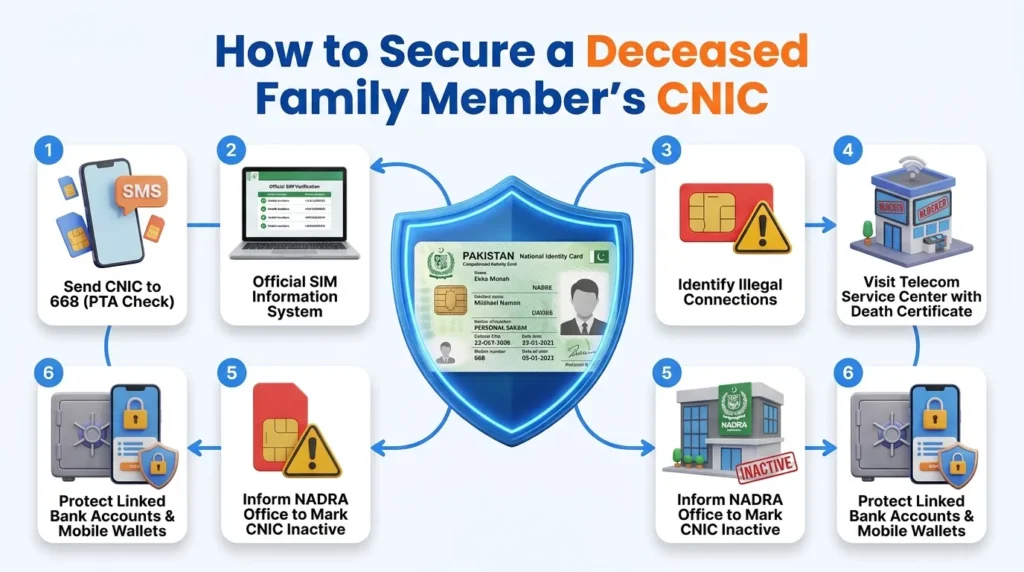
Step 1: Check SIM Cards Registered on the Deceased’s CNIC
Prior to blocking particular numbers, be sure to see how many numbers are registered on the CNIC.
How to do it: The Fastest Way – Request Info via 668 SMS
This method is the quickest. Simply send an SMS:
- Open your Messages application.
- Type in the 13 numbers of your CNIC (do not type any dashes).
- Send the message to 668.
You will get a response telling you how many numbers are registered on each network. If there are more numbers than you expect or that don’t belong to any of your family members, it is better to check and be safe.
Method 2: Use the PTA SIM Check Portal
- You can also verify SIM registrations through the official PTA online SIM check portal.
- Enter the CNIC number and review the registered mobile connections.
- This option is useful if you want to save or print the results.
More: How Many SIMs on My CNIC Check Online
Save the Verification Results
Don’t delete the results after checking.
Instead:
- Take a screenshot.
- Save the SMS reply.
- Write down the registered networks.
Keep copies of the records in a safe place for future reference.
They can come in handy if any kind of fraud is committed or if you ever have to file a complaint.
Watch for These Warning Signs
After checking the SIM details, look carefully for anything unusual.
Possible warning signs include:
- SIMs the deceased never used.
- More active SIMs than expected.
- Unknown mobile operators.
- Recently activated numbers.
- Any registration that your family cannot identify.
If you find even one unknown SIM, take immediate action instead of waiting.
What to do after that
Having ascertained which SIM cards are active, proceed to their blocking via the operator.
Before visiting the operator’s service center, be sure to have the following documents at hand:
- Your original CNIC.
- The deceased person’s CNIC.
- Death certificate.
- Relationship proof, if required.
Preparing these documents in advance makes the cancellation process much faster.
Step 2: Block All Active SIMs
After checking the SIMs, block every number linked to the deceased person’s CNIC as soon as possible. Don’t wait for the NADRA process to finish.
Visit the official service center of the mobile network and carry:
- Your original CNIC
- Deceased person’s CNIC
- Death certificate
- Relationship proof (if requested)
Ask the representative to permanently deactivate all SIMs.
If you found an unknown SIM during verification, report it as unauthorized instead of simply requesting cancellation. Keep the complaint receipt for your records.
More: Block Unauthorized SIM Online in Pakistan
Step 3: Report Unauthorized SIMs
If someone has registered a SIM without your family’s knowledge, report it immediately.
Submit a complaint to the relevant authorities and provide:
- Deceased person’s CNIC number
- Date of death
- Details of the unknown SIMs
- Screenshot of the SIM check result
- Your contact information
If the SIM was used for fraud or illegal activity, file a police report as well. Keeping copies of all complaints can help if the case requires further investigation.
Step 4: Cancel the CNIC Through NADRA
Blocking SIMs is only the first step. The deceased person’s CNIC should also be officially cancelled.
Visit the nearest NADRA Regional Office with:
- Original death certificate
- Deceased person’s CNIC
- Your CNIC
- Relationship proof
- Required application form
After verification, NADRA updates its records and marks the CNIC as inactive. Once completed, no new SIMs can normally be registered using that CNIC.
Step 5: Secure Bank Accounts and Mobile Wallets
Many bank accounts and mobile wallets are linked to a CNIC and phone number.
Contact the bank without delay and ask them to take the necessary steps to protect the account. This may include:
- Freeze the account if needed.
- Update their records.
- Guide you through the legal inheritance process.
If the deceased used services like JazzCash or Easypaisa, contact customer support and complete the required account closure process.
Also, review any recent financial activity. If you notice transactions made after the person’s death, report them immediately.
Special Cases
If the Person Died Abroad
Obtain the official death certificate from the country where the death occurred and complete the required attestation before submitting it to NADRA in Pakistan.
More: How to Get a Pakistan SIM Card as a Foreigner: Complete Guide
If the CNIC has expired
An expired CNIC should still be cancelled. Leaving it unreported may increase the risk of identity misuse.
Postpaid SIM Users
If the deceased had a postpaid connection, contact the mobile operator to close the account and ask about any outstanding bills before completing the process.
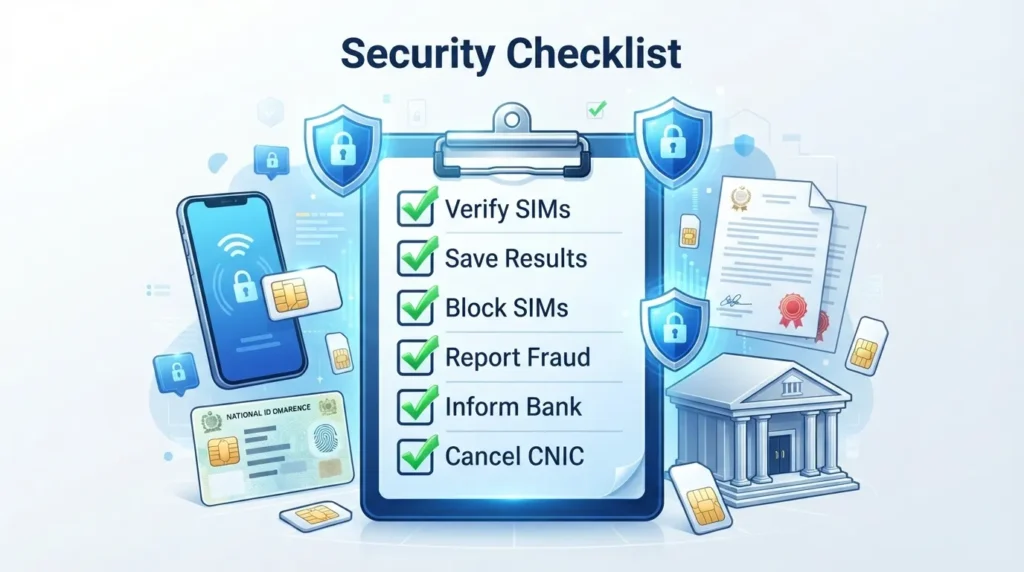
Quick Checklist
- Check SIMs linked to the CNIC.
- Save the verification results.
- Block all active SIMs.
- Report unauthorized registrations.
- Inform banks and mobile wallet providers.
- Apply for NADRA CNIC cancellation.
- Keep copies of every document and complaint.
Conclusion
Keeping your beloved member’s CNIC secure after their demise is a crucial task that requires families’ attention. One of the primary measures is to perform a straightforward SIM check to ensure that no one has registered any numbers on the departed person’s behalf.
Therefore, it is essential to complete the verification process, remove all numbers, and report and track any suspicious activity as soon as possible to avoid potential issues with NADRA’s cancellation.
FAQs
Can someone register a SIM after a person’s death?
If the CNIC is not updated yet in the database, it is possible that someone can misappropriate it. It is therefore necessary to settle the SIM verification dispute and block it as soon as possible.
Does the SIM check also apply to deceased persons?
Yes, the check indicates which SIM cards are registered against the CNIC of the deceased.
What to do if I find a foreign SIM?
It is necessary to notify the operators immediately of the problem and to block the SIM cards. In case of fraud, it is also possible to make a complaint.t
Is it useful to keep a record of complaints?
Yes, it is essential to keep screenshots and the complaint number, as well as all the documents requested by the operator and their copies.