
PTA SIM Warning 2026
PTA SIM Warning 2026: A SIM card registered in your name should remain under your control. In Pakistan, SIM registration is linked to subscriber information and identity verification, so allowing another person to use your registered SIM—or allowing someone to obtain a SIM using your CNIC—can create unnecessary security and identity-related problems.
Pakistan Telecommunication Authority (PTA) and its National Telecom CERT (NTCERT) provide consumer guidance on responsible SIM registration, protecting biometric information, checking SIMs issued in your name, and avoiding illegally issued connections. NTCERT advises customers to check, on a regular basis, the number of SIMs issued in their name by sending their CNIC number to 668, and to take action against illegally issued SIMs.
In this cheat sheet, you will find out why sharing your registered SIM can be dangerous, how to check which SIMs are registered under your CNIC, what to do if you find out that your CNIC is tied to a SIM you did not purchase, how to protect yourself if your SIM card is lost or stolen, and how to reduce the risk of being registered for a SIM you did not authorize in Pakistan.
Check: Sim Owner Details Pakistan
PTA SIM Warning: Why Should You Never Share Your SIM?
The main issue is quite simple: the SIM card is registered under your identity even though another person is using it.
Lending your SIM card to a friend, family member, employee, or someone you know can seem harmless. However, if someone possesses your phone number, they can do far more than you might expect.
Your number could be used for making calls, sending SMS, account verification, password recovery, and more. Thus, in case of any issues, the subscriber account owner may be subjected to inspection if their number is involved in any way.
That does not necessarily mean that they are guilty of anything since merely being listed as a subscriber is not enough evidence on its own.
Nevertheless, it could result in unwanted hassle and potential risk to your account’s security.
The safest rule
If a SIM is registered in your name, keep it under your own control.
What Risks Can Come From Letting Someone Else Use Your SIM?
Another person using your SIM could potentially use the number for activities you did not authorize.
Depending on how the number is used, this could include:
- Suspicious calls or messages
- Scam communications
- Fraud attempts
- Harassment
- Creating or verifying online accounts
- Receiving SMS verification codes
- Receiving financial-service notifications
- Attempting to recover online accounts
- Other activities that could attract an investigation
The risk is not limited to phone calls.
Your mobile number may also be connected to:
- Email recovery
- Social media accounts
- Banking alerts
- Mobile wallets
- Online shopping accounts
- Two-factor authentication
- Other account-recovery services
This is why SIM security is also an important part of digital identity protection.
PTA Guidance on SIM Registration and Identity Protection
PTA’s NTCERT guidance warns consumers about illegally issued SIMs and recommends obtaining SIMs through proper cellular franchises rather than unauthorized sources. It also recommends periodically checking the SIMs issued in your name through 668 and taking action against connections that were issued illegally.
NTCERT also publishes consumer awareness material covering issues such as protecting fingerprints during SIM registration and protecting telecom accounts from misuse.
You should pay particular attention to your SIM record if you:
- Lost an old SIM and never confirmed what happened to the connection
- Have used several mobile networks over the years
- Purchased SIMs from different retailers
- Have provided biometric information for SIM-related services
- Have allowed another person to use your registered number
- Do not remember how many SIMs are registered against your CNIC
How Many SIMs Can Be Registered on One CNIC?
The number of connections permitted against one CNIC is subject to Pakistan’s telecom rules and applicable PTA/operator procedures.
Because limits and registration policies can change, avoid relying on an old number published by an unofficial website. Check the current applicable limit through PTA or your mobile operator before making a decision based on a specific number.
More importantly, the number of allowed connections is not the main issue.
Every SIM appearing against your CNIC should be a connection that you recognize and authorized.
If you find any unknown, old, or unwanted connection, contact the concerned mobile operator and ask them about the procedure to block, close, or disown it.
Read Also: SIM Limit Per CNIC in Pakistan: How Many SIMs Can You Register?
How to Check SIMs Registered Against Your CNIC
Checking your SIM record periodically is one of the simplest ways to identify connections you may have forgotten or did not authorize.
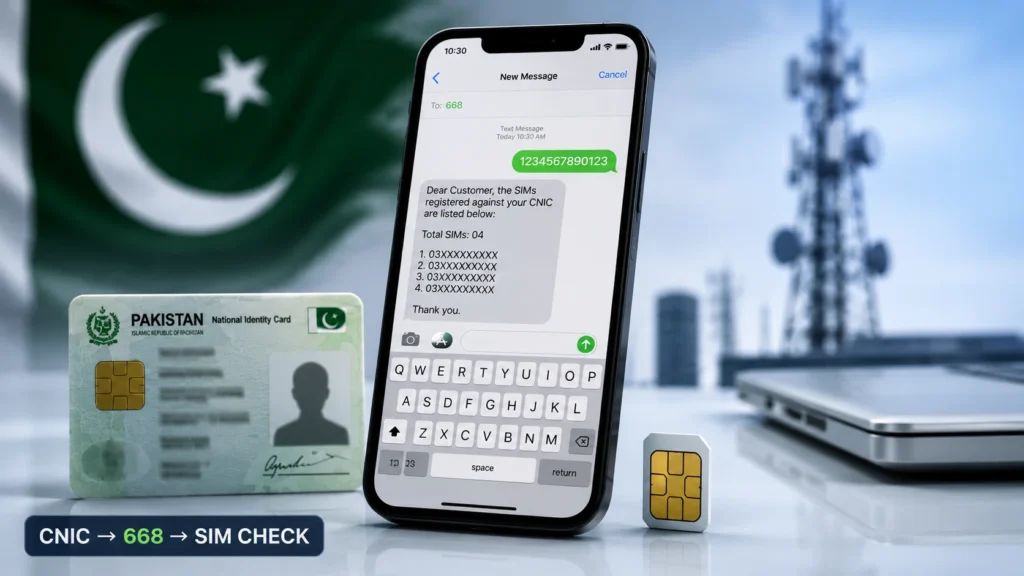
Method 1: Check Through 668
PTA’s NTCERT consumer guidance specifically recommends checking the number of SIMs issued in your name by sending your CNIC number to 668.
To use the SMS method:
- Open the SMS application on your phone.
- Enter your 13-digit CNIC number as required by the service.
- Send the CNIC information to 668.
- Review the response showing information about SIMs associated with your CNIC.
- If you find a connection you do not recognize, contact the relevant mobile operator.
Important: Use the current procedure provided by PTA/operator channels if the SMS process or response format changes.
Read Also: All Mobile Network Secrets: Check SIM Owner Numbers Without Using Internet (668 & 667 Code)
Method 2: Use Official PTA or Operator Channels
For account-specific information or complaints, use official PTA and mobile-operator channels rather than unofficial “SIM owner details” websites.
PTA’s official Complaint Management System provides a secure process for registering and managing complaints.
Avoid websites that ask for your CNIC and promise to reveal private subscriber information.
Never enter your CNIC into an unknown website simply because it claims to provide SIM owner details.
Found an Unknown SIM on Your CNIC? Do This
If your SIM check shows a connection you do not recognize, do not ignore it.
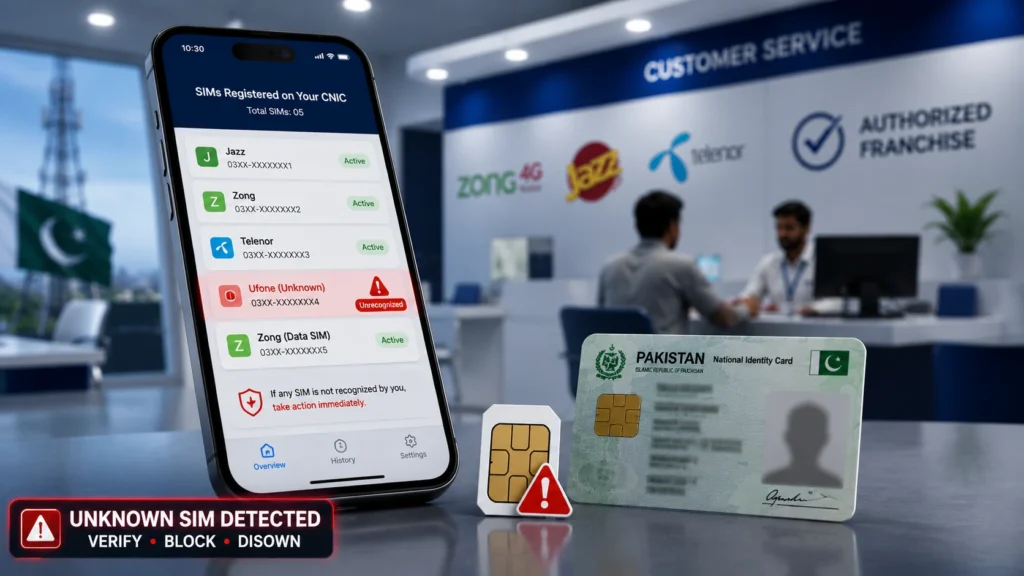
1. Verify the Information
Review the result carefully and identify the relevant operator or connection information.
Keep the SMS, screenshot, or other record for your own documentation.
2. Contact the Mobile Operator
Take your original CNIC to the relevant operator’s authorized franchise or customer service center.
Explain that the connection is not yours and ask about the procedure for blocking, closing, or disowning it.
3. Report Suspected Unauthorized Registration
If you believe a SIM was issued using your identity information without your authorization, use the appropriate operator and PTA complaint channels.
Keep your complaint or reference number after submitting the report.
4. Check Your Other Connections
Do not stop after finding one unfamiliar SIM.
Review your other connections and make sure the numbers you actually use remain under your control.
What If You Already Gave Your SIM to Someone?
If you previously allowed another person to use a SIM registered in your name, take steps to regain control.
If the SIM is still with that person:
- Ask them to return it.
- Check whether the number is still active.
- Contact the operator if you no longer need the connection.
- Ask about the correct procedure for closing, replacing, or transferring the connection where applicable.
If you believe the number was used for fraud, harassment, threats, scams, or another unlawful activity, use the appropriate official reporting channels and preserve relevant evidence.
Do not attempt to conceal potentially serious misuse of a number registered under your identity.
Never Let Someone Use Your CNIC to Get a SIM
One of the biggest mistakes you can make is allowing another person to obtain a SIM using your CNIC.
You may hear:
“Just give me your CNIC. I need a SIM, but I’ll use it myself.”
Do not agree to this simply as a favor.
If a SIM is registered using your identity information, you may later need to explain why a connection under your name was being used by someone else.
PTA/NTCERT guidance specifically warns consumers about illegal SIM issuance and advises purchasing SIMs through proper cellular franchises.
Simple rule
If the SIM is registered to you, it should genuinely be your connection.
Always Get a SIM Through an Authorized Channel
PTA/NTCERT guidance recommends obtaining SIMs through proper cellular franchises rather than unauthorized sellers.
When getting a new SIM:
- Visit an authorized operator franchise or customer service center.
- Complete the required identity and biometric verification yourself.
- Do not allow another person to use your biometric information on your behalf.
- Confirm the number being issued.
- Keep your registration information or relevant receipt.
- Avoid suspiciously cheap, pre-activated, or improperly verified SIMs from unknown sellers.
NTCERT’s awareness resources also emphasize caution when providing fingerprints for a new SIM.
Protect Your SIM From Account and Identity Theft
Your SIM can be an important part of your online security because many services use mobile numbers for verification and account recovery.
Be alert if:
- Your phone suddenly loses network service without an obvious reason
- You receive a SIM activation or replacement message you did not request
- Your number suddenly stops receiving SMS messages
- You receive unexpected account-verification codes
- Banking or mobile-wallet alerts appear that you did not initiate
- An online account suddenly stops accepting your normal verification method
These signs are not necessarily a guarantee that your SIM has been hacked. Still, if you suspect that your phone is not working as it should, you need to look into the matter closely.
Do not delay the process and contact your operator right away.
What Is SIM Swapping?
SIM swapping refers to a kind of fraud where an offender tricks a mobile operator into transferring a victim’s line to another SIM card.
So, PTA’s NTCERT has released an advisory on SIM Swapping Fraud, indicating that SIM related account security threats are a legitimate cybersecurity issue of concern.
If your number suddenly stops working and you have no obvious explanation:
- Contact your mobile operator immediately.
- Ask whether a SIM replacement or other account change occurred.
- Secure important accounts linked to the number.
- Change passwords where appropriate.
- Report suspected unauthorized activity through the relevant official channel.
What to Do If Your SIM Is Lost or Stolen
If your SIM is lost or stolen, you should not wait several days for it to be found.
You should contact your operator as soon as possible to block the SIM according to the operator’s procedure.
If you need a new SIM, you will have to identify yourself to the operator to get a new one.
It is possible that you receive calls and texts from other people who have found your SIM and who want to use it. This could also happen to verification codes. You should therefore act quickly to block the SIM.
Read Also: What to Do If Your Pak SIM Data Is Leaked or Misused
9 SIM Safety Rules Every Pakistani User Should Follow
- Never casually lend a SIM registered in your name.
- Never let another person obtain a SIM using your CNIC.
- Check the SIMs associated with your CNIC periodically.
- Close or disown connections you no longer need.
- Get SIMs through authorized operator channels.
- Protect your CNIC and biometric information.
- Report suspected unauthorized SIM registration.
- Block a lost or stolen SIM promptly.
- Investigate unexpected SIM or network changes.
Frequently Asked Questions
Is it safe to give my SIM to a friend or relative?
It is not recommended. A SIM registered in your name should remain under your control because the number may be connected to important accounts and communications.
Can another person physically use my SIM?
Technically, a SIM can be placed in another compatible phone. However, allowing another person to use a SIM registered in your name creates unnecessary identity, account-security, and misuse risks.
How do I check SIMs registered against my CNIC?
PTA’s NTCERT guidance recommends sending your CNIC number to 668 to check the number of SIMs issued in your name.
What should I do if I find a SIM I don’t recognize?
Contact the relevant operator with your original CNIC asking them for the procedure to block, close or disown the connection. In case of suspicion, you may also contact the relevant PTA complaint channel.
Can I give my CNIC to someone so they can get a SIM?
I do not recommend allowing another person to obtain a connection using your personal information. In case of giving permission to register a connection, you need to ensure that the connection is indeed registered to you.
Am I automatically guilty if someone misuses my SIM?
No. A SIM being registered in your name does not by itself establish that you committed an offence. However, because the number is associated with your subscriber identity, you may become relevant to an inquiry if the number is connected to suspicious activity.
What should I do with an old SIM?
Check whether the connection is registered with your CNIC. If not, approach the operator and follow the procedures for closure/disowning of connection.
What if my SIM suddenly stops working?
Contact your mobile operator promptly, particularly if the loss of service is unexpected. Ask whether a SIM replacement or other change has been made to your connection.
Where should I report a SIM-related problem?
Start with your mobile operator’s official customer-service or complaint channel. For matters requiring PTA intervention, use the official PTA Complaint Management System. PTA’s current complaint documentation explains how users can sign in and manage complaints securely.
Conclusion
A SIM registered in your name is not only your mobile service, but it also has your identity stored in it. This can be misused by anyone for making calls, sending messages, verification, banking activities, and other purposes. So, it is better not to provide your SIM to anyone, and do not allow any other person to get a SIM registered against your CNIC
According to the directions issued by PTA’s NTCERT, you must routinely check the issued SIMs against your CNIC by calling 668, and make sure to get new connections only from authorized cellular franchises only. It also suggests that you should always check whether someone illegally gets issued a SIM against your CNIC or not
The easiest way to avoid such issues is to keep your registered SIM with you at all times, and never allow someone to use your CNIC for their cellular connections. A little awareness can save you from a lot of trouble. So, keep an eye on your connections!