
Check SIM Owner Details by CNIC Online in Pakistan
Checking SIM Owner details by CNIC means checking the number of SIM cards registered on your CNIC. In Pakistan, the verification system links every SIM card to a user’s identity and ensures that SIMs are used safely and responsibly. CNIC-based SIM verification allows you to see how many SIM cards are active on your CNIC and check any unauthorized SIMs on your CNIC. Regularly checking SIMs can protect your identity from any scam.
This guide explains the available ways to check the SIM Owner details by CNIC through the official verification methods, how to find and block unauthorized SIMs on your CNIC, and safety tips to protect your identity.
More: Check SIM on CNIC
How to Check SIM Owner Details by CNIC Online?
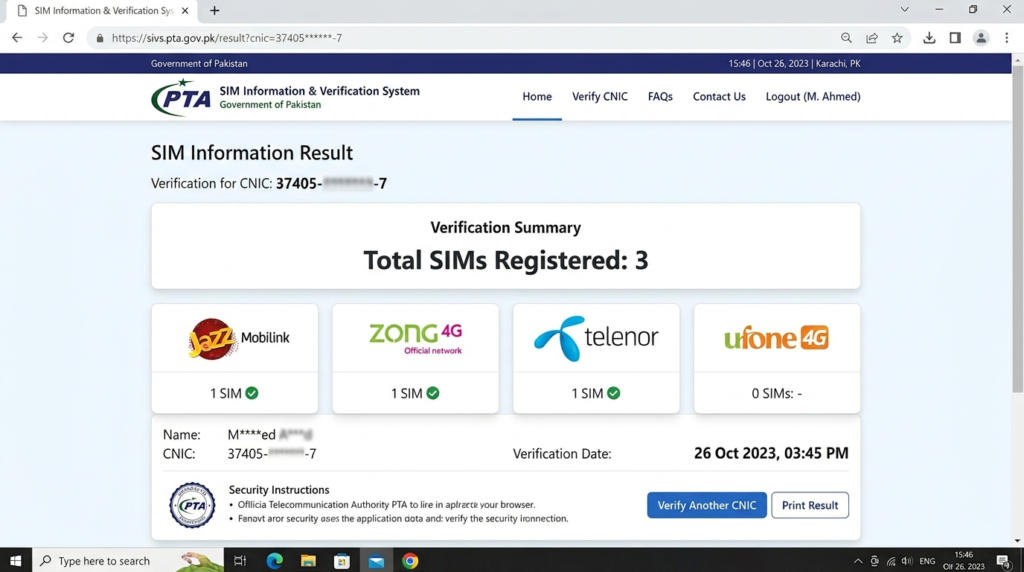
You can check SIM Owner Details by CNIC through the official PTA SIM information system. This method helps you to find the number of SIM cards registered on your CNIC.
By following these methods, you can check the SIM owner details by CNIC:
Using the Official PTA SIM Information System
Follow these steps:
- Open the official PTA SIM Information System website cnic.sims.pk
- Enter your CNIC without dashes
- Complete the verification process
- Click on submit
- View the of SIMs registered on your CNIC
This method helps you to find an unknown SIM registered on your CNIC and keep your CNIC secure from any fraud.
Check Through 668 SMS Service
Another simple way to check SIMs registered on your CNIC is by using the SMS service. This method also allows users to receive information about the number of active SIM cards registered on their CNIC.
Follow these steps:
-
- Open the Messages app on your phone
- Enter your CNIC
- Send CNIC to 668
- You will receive a reply in which all the information about the SIMs registered on your CNIC is present.
If you don’t have internet access, this SMS service is useful for quick verification. SMS charges may vary depending on your mobile network.
Verify SIM Owner Details Through Network Operators
Check Jazz Number Details by CNIC
- Check the Jazz SIM owner details through the official PTA method.
- Contact Jazz Customer Support if you need help to verify a specific SIM
- Visit the nearest Jazz Franchise with your original CNIC
- Report any unauthorized SIM from your CNIC to protect your identity
Check Zong SIM Owner Details by CNIC
- Use the official PTA SIM Information System to check the SIMs registered against your CNIC.
- Enter your CNIC number to verify your registered Zong SIMs.
- Contact Zong Customer Service if you need assistance with SIM verification or ownership.
- Go to your nearest Zong Customer Franchise with your original CNIC for identity verification.
- Block any unknown Zong SIM linked to your CNIC as soon as possible.
Verify Telenor SIMs Registered on Your CNIC
- Always use the official PTA system to check Telenor SIM owner details.
- Enter your CNIC without dashes to view your registered Telenor connections.
- If you face any problem then Contact Telenor Customer Support.
- Go to the nearest Telenor Franchise if your issue is not resolved.
Check Ufone SIM Owner Details by CNIC
- Check your Ufone registered SIMs through the official PTA Information System.
- Enter your CNIC number to check SIMs registered on your CNIC.
- If you need any aid then contact Ufone Customer Support.
- Visit a nearby Ufone Franchise with your original CNIC for further help.
Check SCOM SIM Owner Details by CNIC
- Use the official PTA SIM Information System to verify SCOM SIMs registered on your CNIC.
- Enter your CNIC number to check your active SCOM connections.
- Contact SCOM Customer Support for verification or account-related queries.
- Visit an authorized SCOM Customer Service Center with your original CNIC if additional verification is required.
- Report any unauthorized SCOM SIM associated with your CNIC to protect your identity.
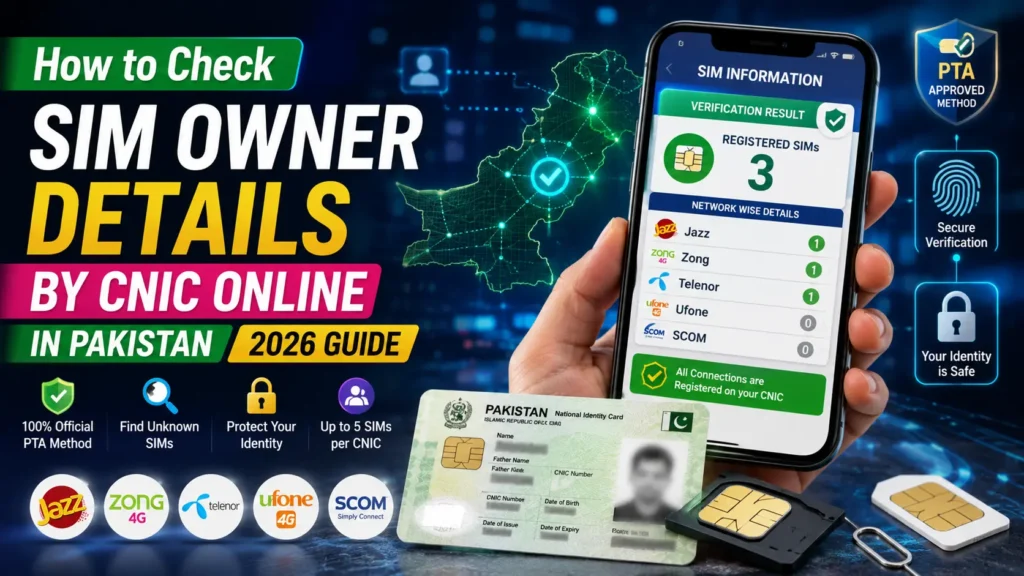
How to View the SIMs Registered Under Your CNIC
Regularly checking the SIMs registered under your CNIC helps protect your identity and ensures that no unauthorized mobile connections are linked to your CNIC.
You can easily check the number of SIMs registered on your CNIC by the official PTA system and by sending your CNIC to the 668 SMS service.
SIM Limit in Pakistan
PTA allows up to five active SIM cards to be registered on one CNIC. If you already have five active SIMs, you must block or close one of them before getting a new SIM.
Why You Should Check Your SIMs Regularly
Checking SIMs regularly on your CNIC can protect your identity from any scam, financial fraud, and the misuse of personal information.
What Information Can You Check?
When you complete a SIM verification, you can view:
- Number of SIMs that are registered on your CNIC.
- SIM count for each mobile network (Jazz, Zong, Telenor, Ufone, and SCOM).
- Whether any unfamiliar SIM is linked to your CNIC, allowing you to take action if necessary
The verification system does not show personal details, mobile records, or full mobile numbers registered on your CNIC to protect your privacy and security.
| Information | Available |
| Number of SIMs | Yes |
| Network name | Yes |
| Owner CNIC verification | Yes |
| Complete personal data | No |
How to Find an Unauthorized SIM Registered on Your CNIC?
Follow these steps:
- Check all SIMs registered on your CNIC using the official PTA SIM Information System or the 668 SMS service.
- Review the list and identify any unauthorized SIM linked to your CNIC.
- Visit the nearest network operator franchise with your original CNIC
- Request verification and ask the operator to block the unauthorized SIM linked to your CNIC.
Read More: Block Unauthorized SIM Online in Pakistan
Can I Check SIM owner’s name by CNIC Online?
No, you cannot check the SIM owner’s name online by CNIC in Pakistan. This type of information is protected under the privacy and telegram regulations.
More: SIM Owner Detail Pakistan
Difference Between SIM Owner Details and SIM Verification
Many users think SIM Owner Details and SIM Verification are the same, but they are different.
| SIM Owner Details | SIM Verification |
| Refers to the owner of a SIM card. | Refers to checking how many SIMs are registered on your CNIC. |
| The owner’s personal information is not available to the public. | You can check your own registered SIMs using the official PTA SIM Information System. |
| Mobile operators can verify ownership only after confirming your identity. | The system shows the total number of SIMs registered under each mobile network. |
| Used when confirming who legally owns a SIM. | Used to find unknown or unauthorized SIMs linked to your CNIC. |
| Protects the privacy of mobile users. | Helps keep your CNIC and mobile identity secure. |
Why Is It Important to Check SIMs Linked to Your CNIC?
Regularly checking the SIMs registered under your CNIC helps protect your identity and ensures that only your authorized mobile connections are linked to your name. This method can secure your identity from any misuse.
- Prevent Fraud by checking any unknown SIM.
- Protect your identity from scams, and many other illegal activities.
- Remove Unknown SIMs that are registered without your permission.
- Avoid Misuse of your CNIC by blocking unauthorized SIMs.
- Maintain your privacy by checking number of SIMs registered on your CNIC regularly.
Conclusion
You can check your SIM owner details by CNIC through the official PTA system and by the 668 SMS method. Enter your CNIC and send it to 668; you will get the total number of SIMs registered on your CNIC. But you cannot get the full name of the SIM owner due to privacy rules. Checking SIM owner details by CNIC helps you to protect your identity from scams, financial fraud, and any other illegal activity.
FAQs
How can I check the SIM owner’s details by CNIC?
You can check the number of SIMs registered on your CNIC through the official PTA SIM Information System or by sending your CNIC number to 668. The system displays the total number of SIMs linked to your CNIC under each mobile network.
What Is the Maximum Number of SIMs Allowed on One CNIC?
According to PTA rules, you can get only five SIMs per CNIC. If you have reached 5 SIMs, you are unable to get a new SIM until you block or replace any SIM.
Is SIM verification free in Pakistan?
The official PTA SIM Information System is free to use.If you use the 668 SMS service to check your registered SIMs, your mobile operator may charge the standard SMS fee.
Is a CNIC Required to Check SIM Details?
No. You need a valid CNIC number to verify the SIMs registered under your identity through official verification methods.
Is It Safe to Check SIMs Registered on Your CNIC?
Yes. It is safe to check SIMs registered on your CNIC using the official PTA SIM Information System or the 668 SMS service.