
Ufone USSD Codes 2026 – All Latest Codes You Need to Know
Ufone USSD codes are a simple way to manage many mobile services directly from your phone. Similar services are also available on other networks, and you can check the Telenor USSD Codes 2026 guide for Telenor users. You can use supported codes to check your remaining resources, share balance, get UAdvance, protect your balance from unwanted data charges, check a postpaid bill, and access other services.
The useful part is that USSD does not normally require mobile data. You enter a code through your phone’s dialer, press the call button, and follow the instructions shown on the screen.
For customers who prefer a more detailed option, Ufone also offers WhatsApp Self-Service and the UPTCL app. These channels can provide information about packages, remaining resources, bills, subscriptions, and other account services.
Note: Tariff plans, subscription codes, service charges, and eligibility criteria may be subject to change. The information provided below has been taken from the official Ufone website as of August 2026
More: Check Ufone SIM Owner Details Online
Ufone USSD Codes 2026
| Service | Ufone Code | Purpose |
| Remaining Resources | *706# | Check remaining resources on supported bundles |
| UShare | *828*Recipient Number*Amount# | Transfer balance to another Ufone number |
| UAdvance | *456# | Get advance balance if eligible |
| Balance Save | *6611# | Prevent mobile data from using your main balance |
| Postpaid Bill Inquiry | *129# | Check postpaid bill information |
| Customer Care | 333 | Contact Ufone support |
| WhatsApp Self-Service | 0331-1333100 | Manage packages, balance, resources, and other services |
Ufone officially lists *706#, *828Recipient NumberAmount#, *456#, 6611#, and 129# for the corresponding services.
Most Useful Ufone Codes
If you do not want to remember a long list, these are the main codes worth saving:
- Remaining resources: *706#
- Balance sharing: *828*Recipient Number*Amount#
- UAdvance: *456#
- Balance Save: *6611#
- Postpaid bill: *129#
- Customer care: 333
What is a Ufone USSD Code
USSD refers to Unstructured Supplementary Service Data. By utilizing USSD, a cellular subscriber is able to access the network via short codes.
The user does not have to access the internet to perform a USSD task. The user merely has to open up their dial pad, enter the appropriate codes, and hit the call button.
For example, Ufone uses:
*706#
to check remaining resources on supported packages. Ufone package pages currently direct customers to this code for checking remaining resources.
Similar USSD services are also available on other networks, such as Jazz. See our guide to Jazz USSD Codes 2026 – Balance, Packages, Calls, SMS & More
Ufone Remaining Resources Code – *706#
- *Check your Ufone bundle’s remaining data, minutes, and SMS by dialing 706#.
- Depending on the package you have subscribed to, the response can show remaining internet data, minutes, SMS, or other included resources.
- Ufone currently lists *706# on several package pages for checking remaining resources.
- The exact information shown depends on the active offer on your number.
What Can *706# Show?
Depending on your package, you may see:
- Remaining internet MBs
- Remaining Ufone/PTCL minutes
- Remaining off-net minutes
- Remaining SMS
- Other included resources
It is a good idea to check the package terms, as inquiry rules can vary between offers.
Ufone Internet Package Codes
Ufone has different internet offers, so there is no single code that activates every internet package.
For that reason, it is better to use the activation code shown on the official page for the specific package you want.
For example, Ufone currently lists package-specific codes such as:
- Super Internet Plus: *290#
- Internet Max Offer: *2570#
- Weekly Digital Offer: *7777#
These should be treated as individual package codes, not as a general Ufone internet code.
For the latest package options, Ufone’s website and UPTCL app are safer sources than old code lists because offers can change.
If you are comparing Ufone with other major networks in Pakistan, see our guide to Jazz vs Zong vs Telenor vs Ufone.
How to Check Remaining Ufone Internet MBs
For supported packages, dial: *706#
Ufone currently uses this code for remaining-resource checks on its package pages.
Before subscribing to any internet offer, check:
- Price
- Data volume
- Validity
- Eligible apps or services
- Out-of-bundle charging
- Renewal conditions
This helps avoid unexpected balance deductions after the included data is finished.
Ufone Call and SMS Packages
Ufone offers separate voice and SMS bundles along with packages that combine calls, SMS, and internet data.
Because each offer can have its own subscription method, there is no reason to use one old “universal” code for every package.
The safest approach is to check the current Ufone package page, UPTCL app, or WhatsApp Self-Service for the offer you want.
After activating an eligible bundle, dial *706# to view the resources you have left.

Before Activating a Ufone Bundle
Take a quick look at:
- Bundle price
- Included minutes or SMS
- Data allowance
- Validity
- On-net and off-net resources
- Renewal conditions
- Out-of-bundle rates
Package availability can also differ between customers.
Ufone UShare Balance Transfer Code – *828*
- Ufone’s balance-sharing service is called UShare.
- Use *828* Recipient Number*Amount# to share your Ufone balance.
For example:
82803331234567*100#
- Ufone will display a confirmation prompt before the transfer is completed.
UShare Limits and Charges
According to Ufone’s current dedicated UShare page:
- Transfer amount: Rs. 10 to Rs. 600
- Maximum transactions per day: 4
- Current charge: Rs. 4.78 per transaction
- Customers must have consumed more than Rs. 150 from their number to use the service.
The amount received through UShare does not extend the recipient’s SIM validity period.
Ufone UAdvance Code – *456#
- When your prepaid balance is running low, Ufone may allow you to request an advance through UAdvance. The code is: *456#
- Ufone currently says that eligible customers can receive up to Rs. 60, depending on their eligibility.
UAdvance Charges
Ufone currently lists the following amounts:
| Advance | Service Fee | Total Deduction on Recharge |
| Rs. 20 | Rs. 6 | Rs. 26 |
| Rs. 30 | Rs. 9 | Rs. 39 |
| Rs. 40 | Rs. 12 | Rs. 52 |
| Rs. 50 | Rs. 15 | Rs. 65 |
| Rs. 60 | Rs. 18 | Rs. 78 |
The service fee is currently 30% of the advance amount, inclusive of tax. The outstanding amount is deducted when you recharge.
Eligibility is not the same for every customer and can change based on Ufone’s criteria.
Ufone Balance Save Code – *6611#
- To activate the service, dial: *6611#
- The same code is used for unsubscribing.
Ufone currently lists the service as free and says it is available for both prepaid and postpaid customers.
When Balance Save is active, mobile data stops working once your free bundle data is finished instead of switching to balance-based data charging.
This can be particularly useful if you want to avoid accidental balance deductions.
Ufone Postpaid Bill Check Code – *129#
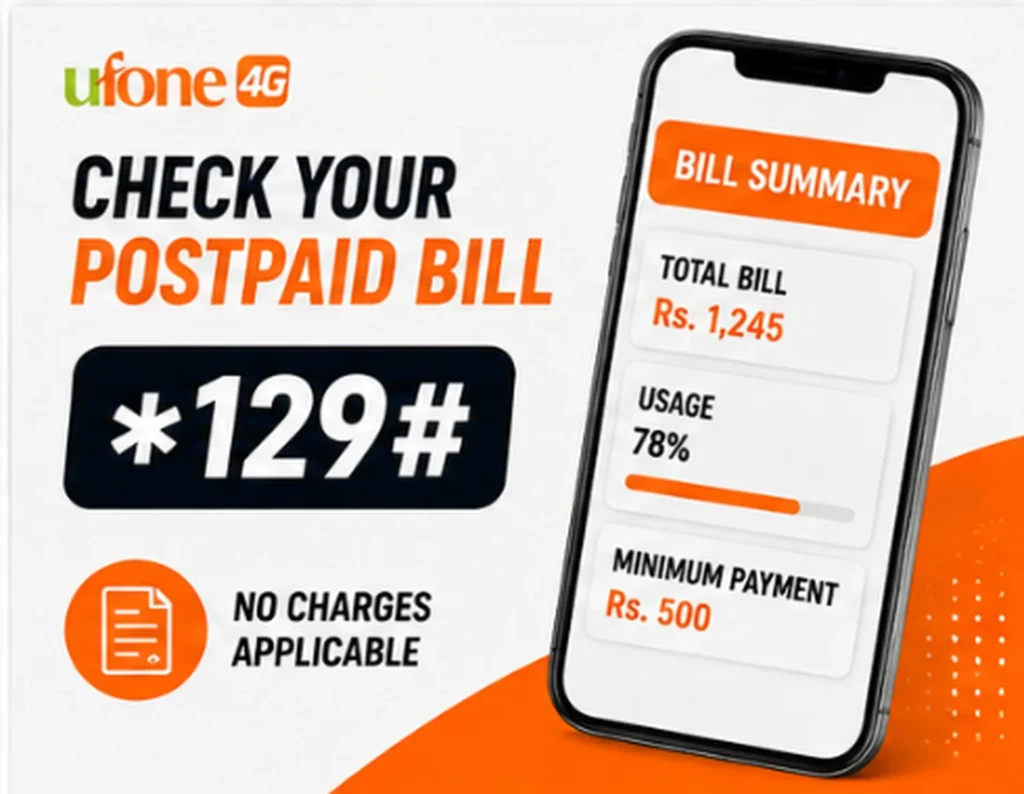
Ufone postpaid customers can check their bill amount by dialing: *129#
The bill inquiry menu can show:
- Total bill generated
- Usage percentage
- Minimum payment required to restore outgoing services
Ufone currently states that there are no charges for accessing this service.
Ufone WhatsApp Self-Service Number
0331-1333100 is Ufone official Whatsappp number. Save the number and send:
Hi
Ufone says the automated service can provide information and services related to:
- Remaining balance
- Remaining resources
- Data bundles
- UPower
- Super Cards
- Roaming bundles
- Subscribed products
- PIN/PUK
- Mobile internet settings
- Bills
- Complaints
- Recharge
- Tax certificates
- Store locations
It supports both prepaid and postpaid customers.
There is no separate subscription charge for the WhatsApp service, although normal internet usage charges can apply when using WhatsApp.
Ufone UPTCL App
Ufone customers who want an app can manage their accounts with the UPTCL app.
This provides much more than a simple USSD menu; it’s all about getting a self-service experience handling packages, services, and account management.
Ufone is actually promoting the app as one of its primary self-service tools right now.
Ufone Customer Care Number – 333
- Ufone customers can contact the company’s customer service through the toll-free number, which is333 from a Ufone line.
- The company has also opened a UAN/WhatsApp number 033-11-333-100.
- The customer service team provides solutions for all USSD code-related problems, activation issues of any package customers might face, and also billing, SIM, or account-related queries.
Do you need an internet connection to use Ufone USSD codes?
For the most part, no. The codes are designed to let the customer connect to the service provider even when they do not have a working internet connection. The USSD requests run on the mobile network and not on the phone’s data connection.
This means supported Ufone codes can generally be used when:
- Mobile data is turned off
- Your data package has expired
- Wi-Fi is unavailable
- You are using a basic keypad phone
You still need a working Ufone SIM and sufficient network coverage.
Can Ufone USSD Codes Work on a Keypad Phone?
Yes. Supported USSD services can generally be accessed through the normal dialer on compatible keypad phones.
You do not need a smartphone for basic USSD services.
Simply:
- Open the dialer.
- Enter the code.
- Press the call button.
- Wait for the response.
- Follow the instructions provided.
For detailed account management, the UPTCL app or WhatsApp service may be easier.
Why Is My Ufone USSD Code Not Working?
A code may fail for several reasons.
Weak Network
A poor signal can prevent the request from reaching the network properly.
Wrong Code
Check every digit, *, and # before trying again.
Offer Has Changed
Telecom companies regularly update packages and services. An old code from another website may no longer be valid.
Account Eligibility
Some Ufone offers are available only to customers who meet specific eligibility requirements.
Temporary Technical Problem
Sometimes a USSD service may be temporarily unavailable because of a network or technical issue.
Wrong Account Type
Some services are designed for prepaid customers, while others are specifically for postpaid users.
If the problem continues, use Ufone’s WhatsApp Self-Service, UPTCL app, or contact customer support.
Are Ufone USSD Codes Free?
Not every Ufone USSD service is free.
For example:
-
- UShare: Rs. 4.78 per transaction on Ufone’s current dedicated UShare page.
- UAdvance: 30% service fee inclusive of tax.
- Balance Save: Free.
- Postpaid bill inquiry *129#: Free.
Package subscriptions have their own prices and terms.
Always check the confirmation screen or official package page before accepting a charge.
Ufone USSD Safety Tips
Although using a USSD code is comparatively easy, there are a few precautions that one should take when dealing with it.
- Do not share an OTP with anyone
- . Do not disclose a PIN or any other private information
- And do not enter a code just because an unknown caller asks you to do so.
- Check the recipient’s number before transferring balance.
- Read the price before activating a paid service.
- Be careful with unfamiliar subscription messages.
- Contact Ufone through an official channel if you notice an unexpected deduction.
Ufone also reminds the customer that the SIM represents his identity, so it is recommended to use only those SIM cards that have been issued to the user via biometric identification.
Conclusion
Ufone USSD codes are a convenient way for the customer to control his tariff plan without being tied to the phone application or the Internet.
The main codes are as follows:
The key codes worth remembering are:
- *706# – check remaining resources
- *828*Recipient Number*Amount# – share Ufone balance
- *456# – UAdvance
- *6611# – Balance Save
- *129# – postpaid bill inquiry
- 333 – Ufone customer care
- 0331-1333100 – Ufone WhatsApp Self-Service
For package-specific subscriptions, it is better to check Ufone’s current official offer page instead of relying on an old list of codes. That keeps the information more reliable and reduces the chance of subscribing to an outdated offer.
This version is the one I would use for publishing: the wording is intentionally simple and varied, while the factual claims above are tied to Ufone’s current official information.
FAQs
What is the Ufone balance check code?
For supported Ufone bundles, *706# is used to check remaining resources. The exact resources displayed depend on the package active on your number.
How can I check my Ufone MBs?
Dial *706# to check your remaining MBs, minutes, and SMS on supported data bundles.
How can I check my remaining Ufone minutes?
Use *706# for supported bundles. The response can show the minutes and other resources included in your active offer.
What is the Ufone UShare code?
Use *828*Recipient Number*Amount#. The current Ufone page lists transfers from Rs. 10 to Rs. 600, with a charge of Rs. 4.78 per transaction.
What is the Ufone UAdvance code?
Dial *456#. Eligible customers can receive up to Rs. 60, depending on Ufone’s eligibility criteria.
What is the Ufone Balance Save code?
Dial *6611#. Ufone currently lists this service as free for prepaid and postpaid customers.
What is the Ufone WhatsApp number?
The official Ufone WhatsApp Self-Service number is 0331-1333100. Send Hi to begin.
Does Ufone USSD require internet?
Generally, no. USSD uses the mobile network, so supported codes do not normally require mobile data or Wi-Fi.
What should I do if a Ufone USSD code does not work?
Check the code and network signal first. If it still fails, use Ufone WhatsApp Self-Service, the UPTCL app, or call 333.