
SIM Replacement In Pakistan
Have you lost your mobile phone? If yes, then you should know that it’s vital to block your SIM card as soon as possible. Your mobile phone’s SIM card is linked with your bank account, WhatsApp account, mobile wallet, and many more important services. Hence, the thief can misuse your valuable data through your active SIM card. Therefore, you need to take the necessary step by blocking your SIM card and replacing it.
This article will guide you about the legal process of SIM card replacement in Pakistan. We will also discuss documents required for SIM replacement, charges, time consumption, and security measures after replacement.
More: SIM Owner Detail Pakistan
So let’s get started!
Steps Involved in SIM Replacement
1. Block Your SIM Card Immediately
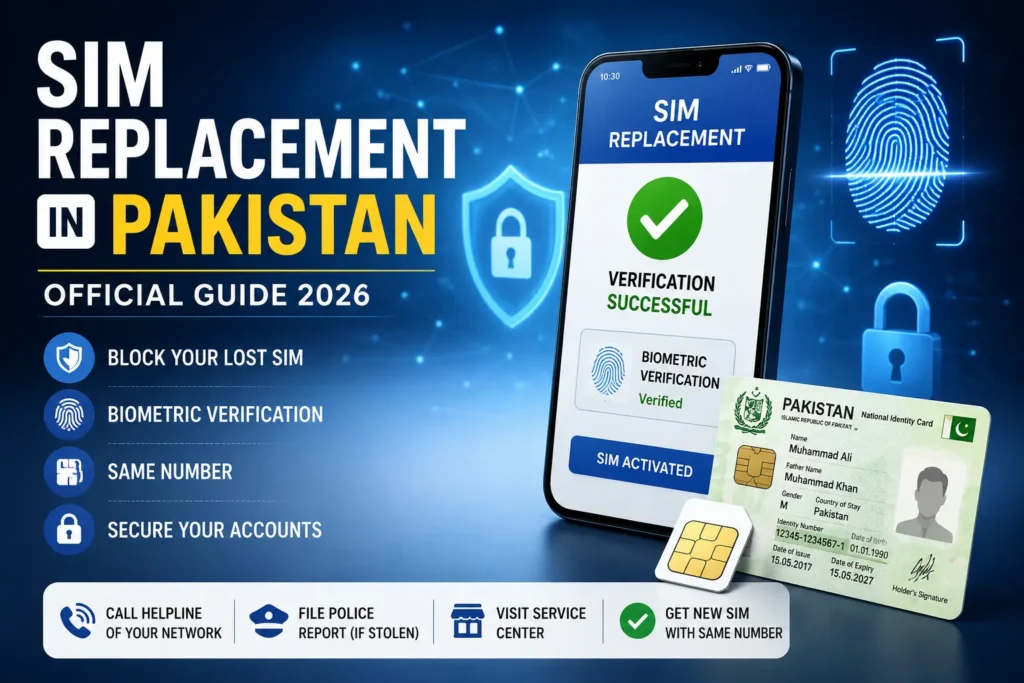
The first and the most crucial step is to block your SIM card as soon as possible. To do so, you have to contact your mobile network operator’s helpline and block your SIM card.
You can call from any other mobile phone and give your mobile number and CNIC number to the operator. He/she will block your SIM card immediately and issue you a complaint reference number. In case you are using JazzCash, Easypaisa, or any other bank app with your mobile number, you have to contact your service provider and temporarily block your account until you receive a new SIM card.
More: Block Unauthorized SIM Online in Pakistan
2. Prepare Required Documents For SIM Replacement
Make sure to bring all the required documents while approaching your nearest customer service center. The documents include:
- Original CNIC
- Biometric fingerprint
- Police FIR (In case, your phone was stolen)
- Complaint reference number (issued by your network operator)
Note: Photocopy of CNIC is not admissible, so bring your original CNIC
3. Visit Your Nearest Franchise For SIM Replacement
You can replace your SIM card at any official customer service center or franchise of your network operator. The customer service center employee will request your permission to verify your fingerprint on NADRA’s biometric verification system. After passing the verification test, you will receive your new SIM card with the same cellular phone number.
The SIM change procedure takes approximately 15-30 minutes.
SIM Replacement Charges
The charges of SIM replacement differ from network operator to network operator. However, the average cost ranges between Rs. 100 to Rs. 250. It is advisable to confirm the charges beforehand while visiting the franchise.
SIM Replacement According To Different Network Operators
Jazz:
Jazz SIM card replacement is possible in any authorized Jazz Experience Centre or franchise on CNIC verification with an approval letter for a new SIM against the same number with active balance and other ongoing Jazz services.
Zong:
To replace your Zong SIM card, you have to visit a Customer Service Centre or an authorized franchise. The process will be completed after verifying your fingerprint and other credentials. In case you are a postpaid user, you will be required to settle your dues before replacing your SIM card.
Telenor:
Telenor allows its customers to replace their SIM card at any of Telenor’s Sales and Service Centers. You will be asked to show your original CNIC at the time of verification. Then, your mobile number will be reactivated on a new SIM card.
Ufone:
Ufone customers can replace their lost or damaged SIM card from any official service center. It takes only a few minutes to complete the replacement process after you have verified your identity.
SCO:
In case you are an SCO subscriber you need to replace your SIM card at any SCO Customer Service Center in Gilgit-Baltistan or Azad Jammu & Kashmir. In case you don’t know the address of any SCO service center you can contact SCO customer service to get the details before visiting the service center.
What Happens When Your SIM Is Blocked?
After your SIM card has been blocked, here is what will happen:
- You will not be able to receive any incoming calls
- You will not be able to send or receive SMS
- You will also not be able to receive any OTP message
- However, your mobile number will still remain active for a certain period of time
- Your mobile wallet accounts are not blocked, so it is essential to take all necessary measures to secure your wallet accounts
What To Do After Receiving A New SIM Card?
After your SIM card has been replaced, here are some important tasks that you need to perform:
Verify WhatsApp Account
Open WhatsApp on your new phone, enter the number associated with your old SIM card, and enter the OTP code sent to the new SIM card to verify it. Now you will see your WhatsApp chats history if you have backed up your WhatsApp data.
More: Check SIM Owner Details by Number
Check Banking Apps
Open your banking apps and check your recent transactions. If there is any unauthorized transaction, you have to contact your bank’s customer service immediately.
Reopen Mobile Wallet Account
Open the JazzCash/Easypaisa wallet application and verify account with OTP code sent on new sim card and check the transaction history if any unauthorized transaction has been performed.
Change Two-Factor Authentication Preference
Most online apps use your mobile number as the secondary security layer. Hence, it is recommended to change your preference from SMS to an authenticator app.
Set a SIM PIN
Most mobile phones allow you to set a PIN for your SIM card. It is essential to set a strong PIN to prevent unauthorized access to your SIM card.
Some Important Tips
- Make sure to save your network operator’s helpline number in your contact list
- You should also enable your phone’s track device feature
- Make sure not to share OTP code with anyone
- You should also monitor the SIM cards registered against your CNIC on a regular basis
- You should report the theft to the police as well
Conclusion
Replacing a lost or stolen SIM card in Pakistan is a simple process if the SIM is registered in your name. The first priority should always be blocking the SIM to prevent unauthorized access to your calls, messages, banking apps, and mobile wallets. After that, visit your network operator’s customer service center with your original CNIC to complete biometric verification and receive a replacement SIM with the same number. Once your new SIM is activated, restore your important accounts and review your security settings to keep your personal information protected.
FAQs
Is it possible to retain the same phone number?
Yes, you can retain the same number by replacing the sim card
How long does it take to change a SIM?
It takes an average of 15-30 minutes to replace a SIM card.
Can someone else pick up the new SIM card on my behalf?
No, the registered owner has to collect the new SIM card in person as biometric verification is mandatory
What if I have lost my CNIC as well?
In that case, you have to apply for a CNIC replacement first and then visit your network operator’s service center.
Will WhatsApp contacts remain the same?
Yes, you can restore your WhatsApp account using your existing phone number after activating the replacement SIM. If your chats were backed up to Google Drive or iCloud, you can restore them during setup. Your contacts will also appear if they are synced with your Google account, iCloud, or stored on your device.