
How Many SIMs on My CNIC Check Online
Many people never think about checking the number of SIM cards registered on their CNIC. But if not, it may cause a lot of issues. According to Pakistan 2025 enforcement reports nearly 4.7 million SIM cards were stolen and misused. So Checking SIM registered on my CNIC is a trending search in Pakistan.This guide explains very well the fastest methods to check your SIM count , how to understand the results, PTA SIM registration limits, and what steps you should take if you notice anything unusual.
Quick Method: Check Your SIM Count via SMS
Check number of registered SIM cards on your CNIC by following these steps:
- Open the messaging app.
- Enter your CNIC number without dashes:
Example: 3520112345671
- Send the message to 668.
- Wait 5 to 30 seconds for the reply.
- The reply will show the total SIMs registered on your CNIC..
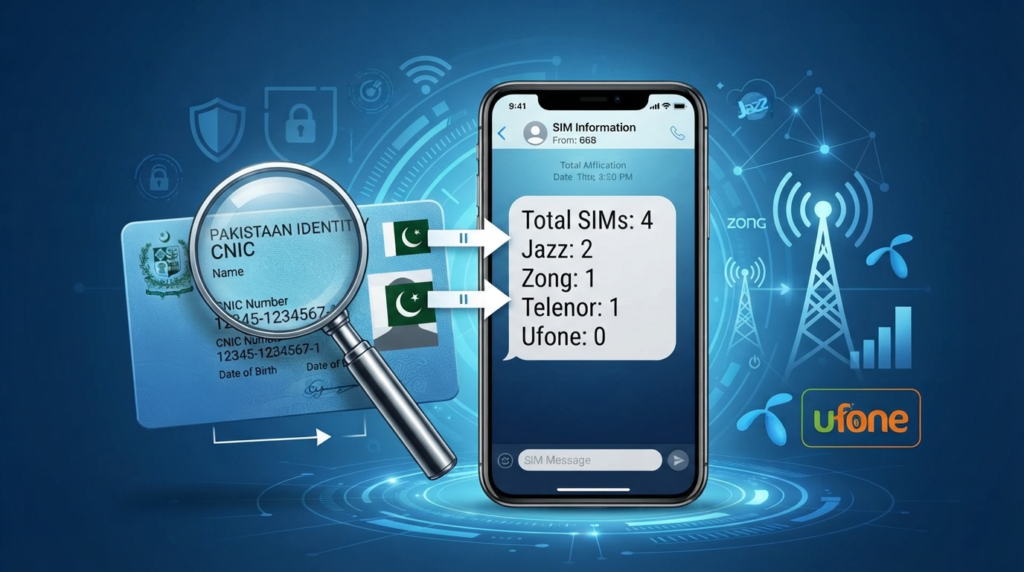
How to Understand the 668 Reply
A typical response may look something like this:
Total SIMs registered: 4
Jazz: 2
Zong: 1
Telenor: 1
Ufone: 0
SCOM: 0
Here’s what each part means:
- Total SIMs Registered: This is the overall number of SIM cards currently linked to your CNIC. Compare this number with the SIMs you personally own or remember registering.
- Network-wise Details: The reply also provides a breakdown by mobile operator. For example if you use 2 Jazz SIMs, 1 Zong SIM, and 1 Telenor SIM, and the SMS shows the same numbers is in order.
- When you should be concerned: If the total number is greater than the SIMs you actually own.
What the 668 Service Does Not Show
The 668 SMS service only tells you how many SIM cards are registered under your CNIC. It does not show the full numbers.
If you need to see the specific phone numbers associated with your CNIC, you can visit your mobile operator’s franchise with your original CNIC for verification. You can also use the official cnic.sims.pk portal to view detailed SIM registration information.
SIM Registration Limits: How Many SIMs Can You Legally Have?
A single CNIC can have only maximum upto Five number of SIMs according to PTA rules. These limits are monitored through the Device Identification, Registration, and Blocking System to prevent unauthorized registrations and reduce fraud.
If the registration limit has ended an existing SIM must be blocked or deactivated before a new SIM can be issued. So regularly checking SIMs linked to your CNIC also helps to identify unauthorized SIMs. You can also block a unauthorized SIM at your network Franchise.
| SIM Category | Maximum Allowed Per CNIC | What Happens if the Limit Is Exceeded? |
| Voice SIMs (Calls & SMS) | 5 | Automatic blocking by DIRBS |
| Data SIMs (Broadband Only) | 3 | Automatic blocking by DIRBS |
| Total SIMs | 8 (Voice + Data Combined) | Automatic blocking by DIRBS |
| Corporate SIMs | Separate business quota | Available only with approved corporate registration |
Remember: The Limit Applies Across All Networks
Many people mistakenly believe they can register five SIMs with each mobile operator. That’s incorrect.
The limit applies to all operators combined, including Jazz, Zong, Telenor, Ufone, and SCOM. For example, you may have:
- 2 Jazz SIMs
- 1 Zong SIM
- 1 Telenor SIM
- 1 Ufone SIM
This totals five voice SIMs, which is within PTA’s allowed limit.
Why Checking Your SIM Count Matters
If someone registers unauthorized SIMs using your CNIC and your total exceeds the allowed limit, PTA’s automated system may suspend both legitimate and unauthorized SIMs.
So you should visit your mobile operator’s franchise, complete biometric verification, and wait until your services are restored.
3 Official Methods to Check SIMs Registered on Your CNIC
1. Check Through SMS (668)
The quickest option is the official 668 SMS service.
Just type your 13-digit CNIC number without dashes and send it to 668. . Within a few seconds, you’ll receive a message showing the number of SIMs registered under your CNIC across all mobile networks.
Quick Facts
- Works with Jazz, Zong, Telenor, Ufone, and SCOM
- Can be used from any Pakistani mobile number
- The sender’s SIM doesn’t have to be registered in your name
- Most replies arrive within 5–30 seconds
- Available 24/7
- SMS charges apply (Rs. 2 + applicable taxes)
Didn’t Receive a Reply?
- Temporary network congestion
- Incorrect CNIC format
- System maintenance
Wait a while and try again, or use the online PTA portal instead.
2. Check Online Through the Official PTA Portal
If you have internet access, you can use PTA’s online SIM verification portal.
Compared with the SMS service, the website provides more detailed information and doesn’t charge anything.
Benefits of the Online Portal
- Completely free
- Accessible from anywhere in the world
- Works on mobile phones, tablets, and computers
- Shows additional registration details
- Allows you to print your SIM registration record
How to Check Online
- Open your preferred web browser.
- Visit the official PTA SIM information portal.
- Enter your 13-digit CNIC.
- Complete the CAPTCHA verification.
- View your registered SIM details.
This option is especially useful for overseas Pakistanis who want to verify their CNIC without using a Pakistani mobile number.
3. Visit Your Mobile Operator’s Franchise
- If you need to know the actual mobile numbers registered under your CNIC, visiting your operator’s customer service center is the best option.
- After biometric verification, the representative can provide a list of all SIM numbers registered with that operator under your CNIC.
- Keep in mind that each operator only has access to its own records. If you use multiple networks, you’ll need to visit each operator separately.
- This service is generally provided without any fee and is useful when official documentation is required.
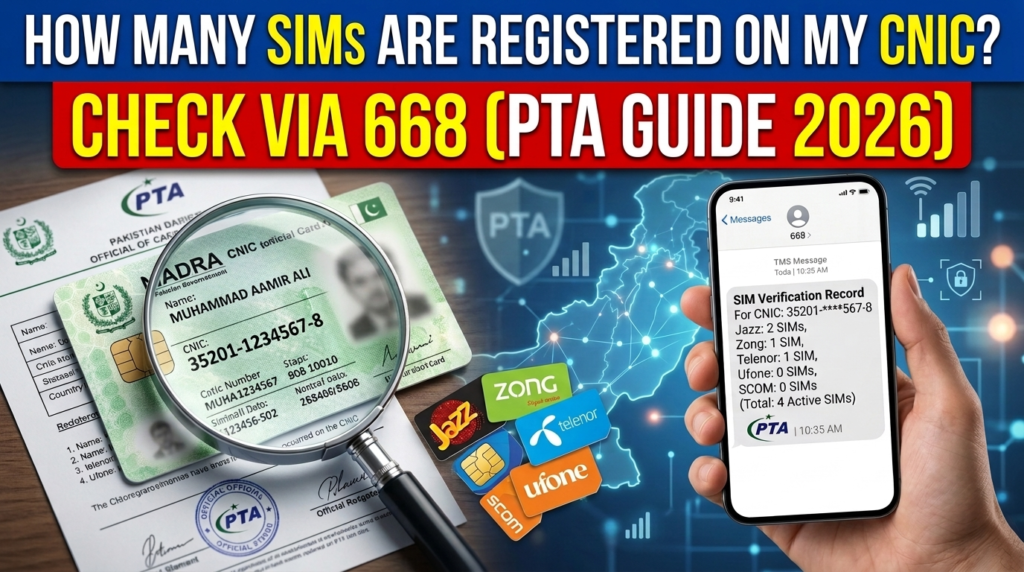
Operator-Wise SIM Verification Options
Besides PTA’s services, every telecom operator offers its own methods for checking SIM registration information.
Jazz
- Dial *321#
- Send your CNIC to 6001
- Check the My Jazz App
- Contact customer support at 111
Zong
- Send your CNIC to 310
- Send V to 7911
- Use the My Zong App
- Call 310
Telenor
- Dial *345#
- Send your CNIC to 7751
- Check the My Telenor App
- Call 345
Ufone
- Dial *333#
- Send V to 7911
- View details in the My Ufone App
- Call 333
SCOM
- Contact customer support by calling 321
- Use the PTA 668 service for a complete SIM count
- Send MNP to 667 for SIM-related verification
Why Does My SIM Count Show More Than I Expected?
A higher SIM count doesn’t always mean someone has misused your CNIC. There are several legitimate reasons why extra SIMs may appear.
Old SIMs You Never Closed
Many people stop using a SIM card but never formally deactivate it. Even inactive SIMs can remain linked to your CNIC until they’re cancelled.
SIMs Registered for Family Members
It’s common for relatives to use SIM cards registered under another family member’s CNIC. Although this isn’t recommended, it still happens and increases your SIM count.
Employer-Issued SIMs
Some companies register official mobile connections using an employee’s CNIC instead of the company’s business registration details.
Data or Internet SIMs
SIMs in Other Devices Count Too
SIM cards used in Wi-Fi devices, tablets, routers, and other internet-enabled devices are also linked to your CNIC.
What If Your SIMCount Still Looks Wrong?
Go to your mobile operator or Franchise to verify all SIMs registered on your CNIC. If you find any unknown SIM request operator to block it immediately. This can protect your CNIC from any misuse.
Why It Matters
Unauthorized SIMs registered on your CNIC can lead to many financial risks. Keeping your SIM registration accurate helps you to protect your identity from any scam or fraud.
Automatic Blocking by DIRBS
PTA’s DIRBS (Device Identification, Registration and Blocking System) continuously checks how many SIMs are registered under each CNIC.
If your total exceeds the allowed limit:
- The system blocks the excess connections automatically.
- It does not separate genuine SIMs from fraudulent ones.
- Your legitimate numbers can be affected along with the unauthorized registrations.
- No warning message is sent beforehand.
Risk of Financial Fraud
An unauthorized SIM registered on your CNIC can be misused for:
- Receiving bank OTPs
- Accessing JazzCash accounts
- Accessing Easypaisa accounts
- Making financial transactions in your name
- Attempting identity theft
Legal Responsibility Falls on You First
Every call, SMS, and transaction made through a SIM registered under your CNIC creates a record linked to your identity.
If someone uses that SIM for fraud, harassment, scams, or other crimes, investigators may initially trace the activity back to you.
Damage to Your Financial Record
Fraudsters sometimes use unauthorized SIMs to apply for loans or financial services. These activities can affect records associated with agencies such as NADRA and credit bureaus, and correcting the damage can take a long time.
Found Extra SIMs? Follow This Action Plan
-
Take a Screenshot Immediately
Save a screenshot of the 668 SMS result or the PTA SIM portal showing the unexpected SIM count. Make sure the date is visible.
-
Identify the Operator
Check which network is showing the suspicious SIMs.
| Mobile Operator | Customer Support Number |
| Jazz | 111 |
| Zong | 310 |
| Telenor Pakistan | 345 |
| Ufone | 333 |
| SCOM | 321 |
Ask for a complaint or reference number and keep it safe.
-
Inform Your Bank
Tell your bank that your CNIC may have been misused and request additional verification for transactions.
-
Visit the Franchise Within 48 Hours
This step cannot be completed online.
Take your original CNIC and request SIM Disowning.
You will need to:
- Complete biometric fingerprint verification
- Fill out the official disowning form
- Collect the written acknowledgment receipt
-
File a PTA Complaint
Submit a complaint through the PTA complaint portal or call 0800-55055 (available 24/7).
- Check Again After 18–20 Days
- Send your CNIC to 668 once more.
- If the disowning process was completed successfully, the SIM count should decrease.
- If it does not, contact the PTA again for escalation.
The 180-Day Inactivity Rule
PTA also applies a separate inactivity policy.
The operator may suspend a SIM if it is not used for 180 consecutive days.
However, suspension does not remove the SIM from your CNIC record.
To avoid problems:
- Use important SIMs at least once every six months.
- Cancel old SIMs that you no longer need.
- Formal cancellation at a franchise is free and permanently removes the SIM from your CNIC count.
Quick Comparison of SIM Checking Methods
| Method | Cost | Best For |
| SMS to 668 | Rs. 2 + tax | Fast overall count |
| PTA SIM portal | Free | Detailed records |
| Jazz code | Free | Jazz-only verification |
| Telenor code | Free | Telenor-only verification |
| Ufone code | Free | Ufone-only verification |
| Zong SMS | Free | Zong-only verification |
| Franchise visit | Free | Exact phone numbers |
| PTA helpline | Free | Urgent complaints |
Conclusion
You can check your total number of SIMs registered on your CNIC by sending your CNIC to 668 via SMS. If you have internet access then go to cnic.sims.pk official PTA website, enter your CNIC and view the total number of SIMs on your CNIC. If you find any unknown SIM on your CNIC block it immediately at the network Franchise. Blocking unauthorized SIMs helps protect your identity and reduces the risk of fraud.
FAQs
How many SIM cards can I get on one CNIC?
You get maximum upto 8 SIM cards on your CNIC, 5 for voice SIMs and 3 for data access.
Is the 668 service free?
No. It costs Rs. 2 plus taxes. The PTA online portal is free.
What should I do if I see unknown SIMs?
Contact the operator immediately, visit the franchise for SIM disowning, and file a complaint with PTA.
Can I check my SIM count from outside Pakistan?
Yes.You can access the official PTA online portal from anywhere in the world.
How long does SIM disowning take to appear in the system?
Usually 18 to 20 days after biometric verification at the franchise.
Pingback: SCOM SIM Owner Details: Check SCOM SIM Registration in 2026